
Plus AI Feature
Struggling to make raw data look presentation-ready? These Dashboard & Analytics Prompt Ideas for Nano Banana help you generate clean, professional KPI trackers and metric displays in seconds. Because Nano Banana Pro excels at rendering text, you get readable labels and titles on your charts (perfect for complex diagrams). Use these for quarterly reviews, status updates, or anytime you need your slides to look like they took hours to design.
8 prompts
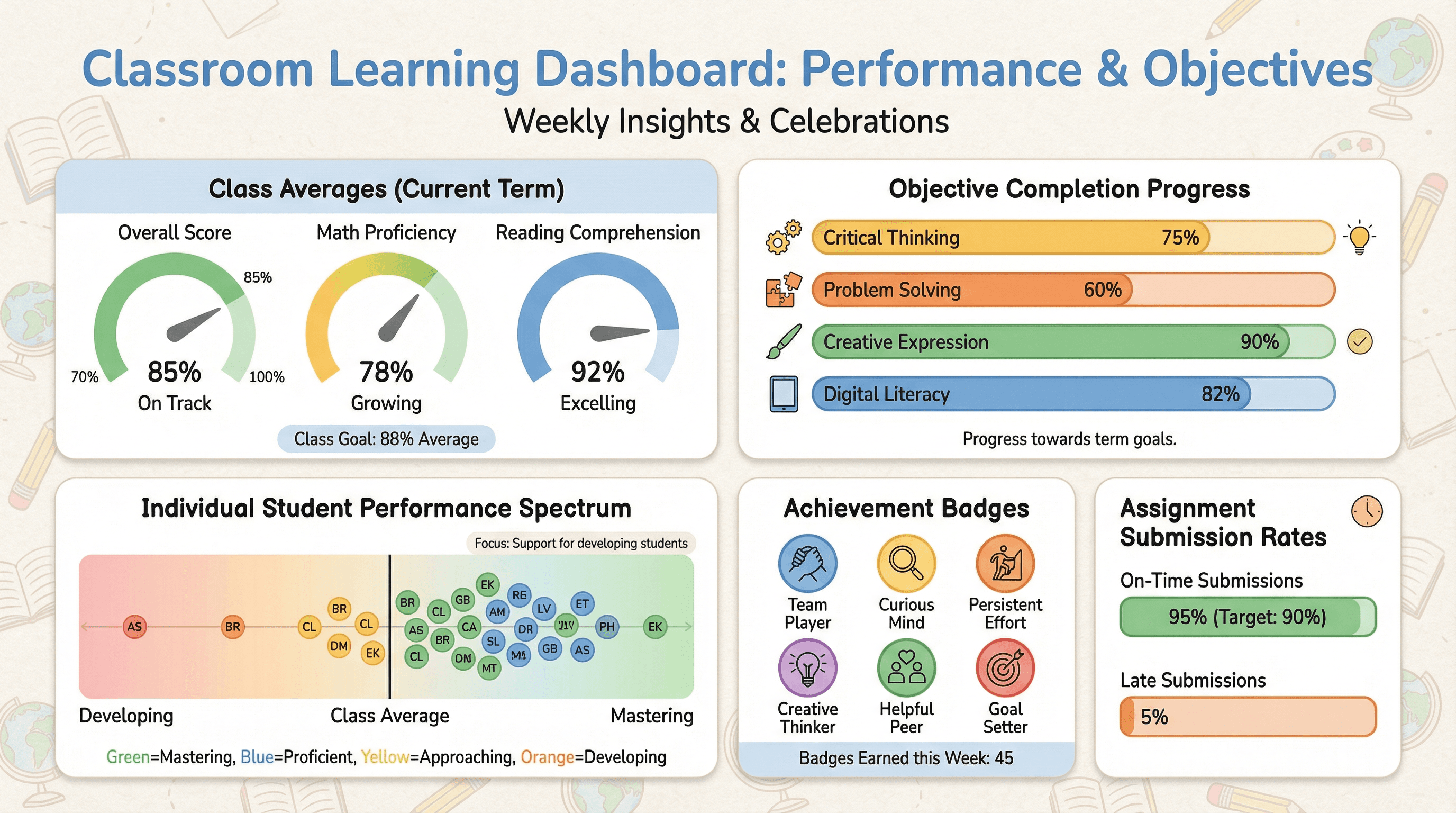
Create a classroom dashboard slide tracking student performance and learning objectives. Use an educational analytics style with class average gauges, objective completion progress bars, individual student performance dots on a spectrum, assignment submission rates, encouraging achievement badges, classroom-friendly colors, and supportive educational typography.
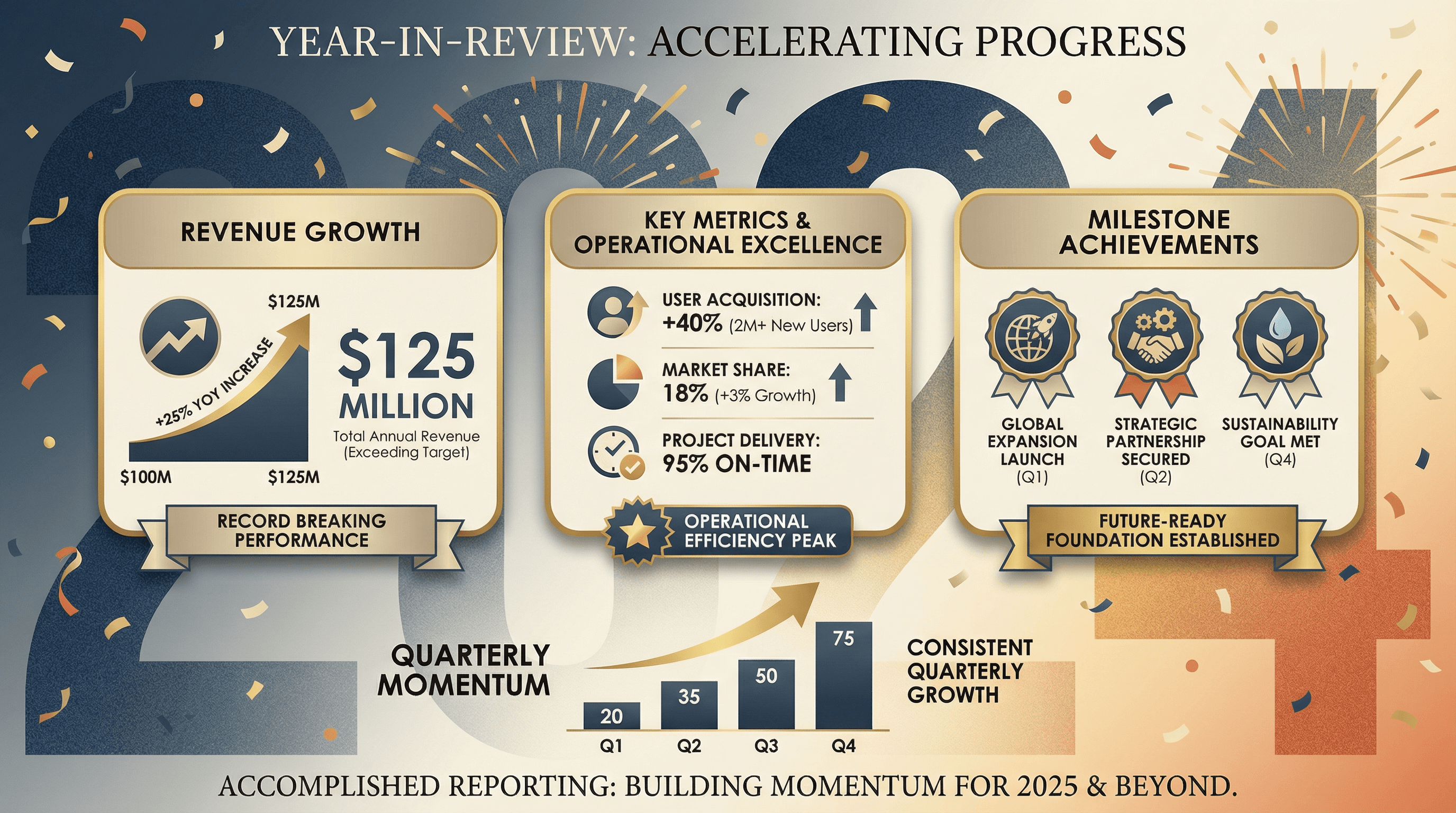
Design a slide summarizing annual achievements, revenue growth, and key metrics. Use a year-in-review style with large year number as backdrop, key metric cards arranged attractively, milestone achievement badges, upward trending charts, celebratory yet professional color scheme, annual report editorial aesthetic, and accomplished reporting typography.
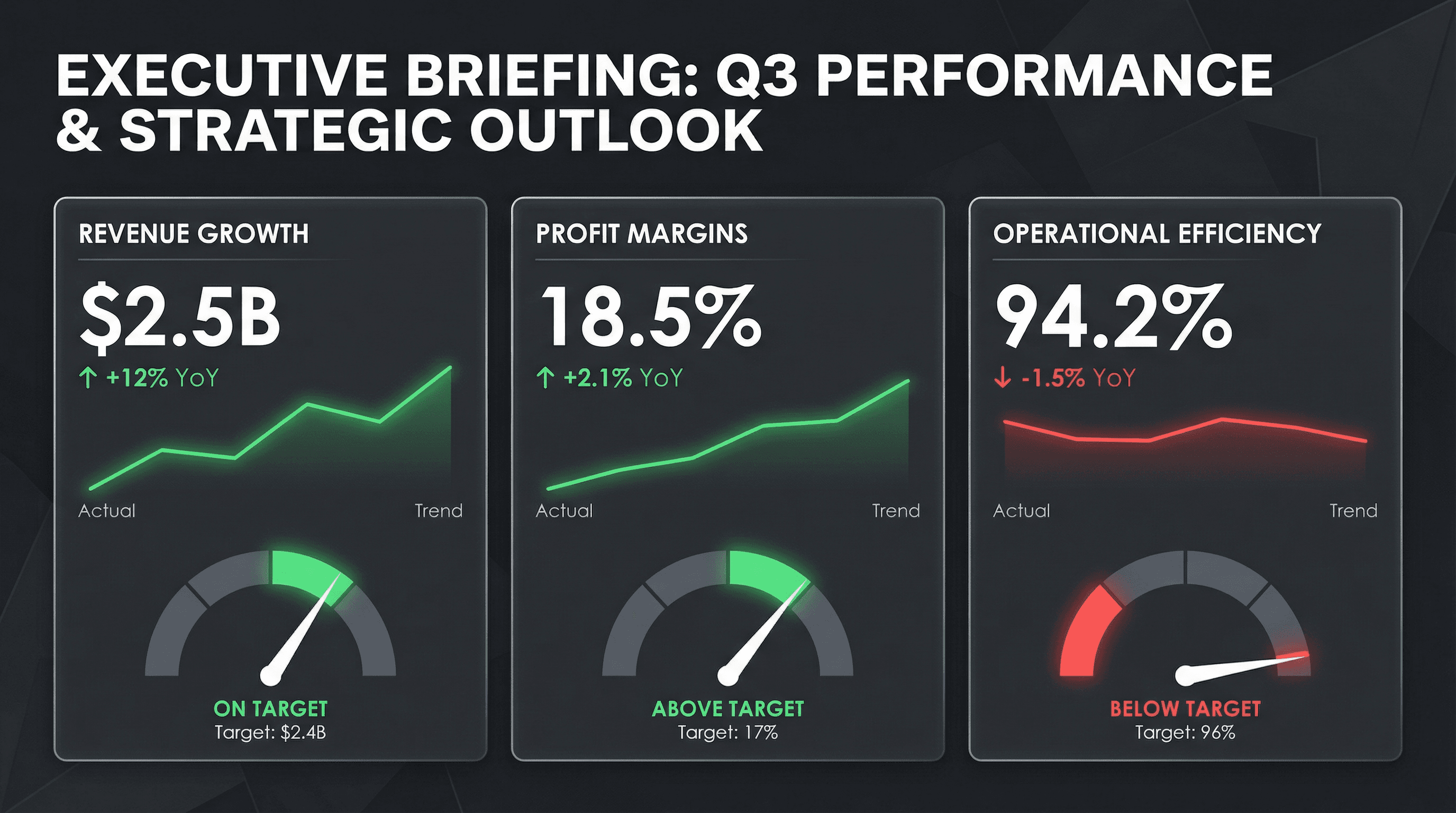
Create a C-suite dashboard slide with revenue, margin, and operational KPIs. Use a CEO briefing style with large metric tiles, trend sparklines, red/green performance indicators, YoY comparison percentages, gauge charts for targets, clean dark theme with white metrics, premium executive aesthetic, and commanding leadership typography.
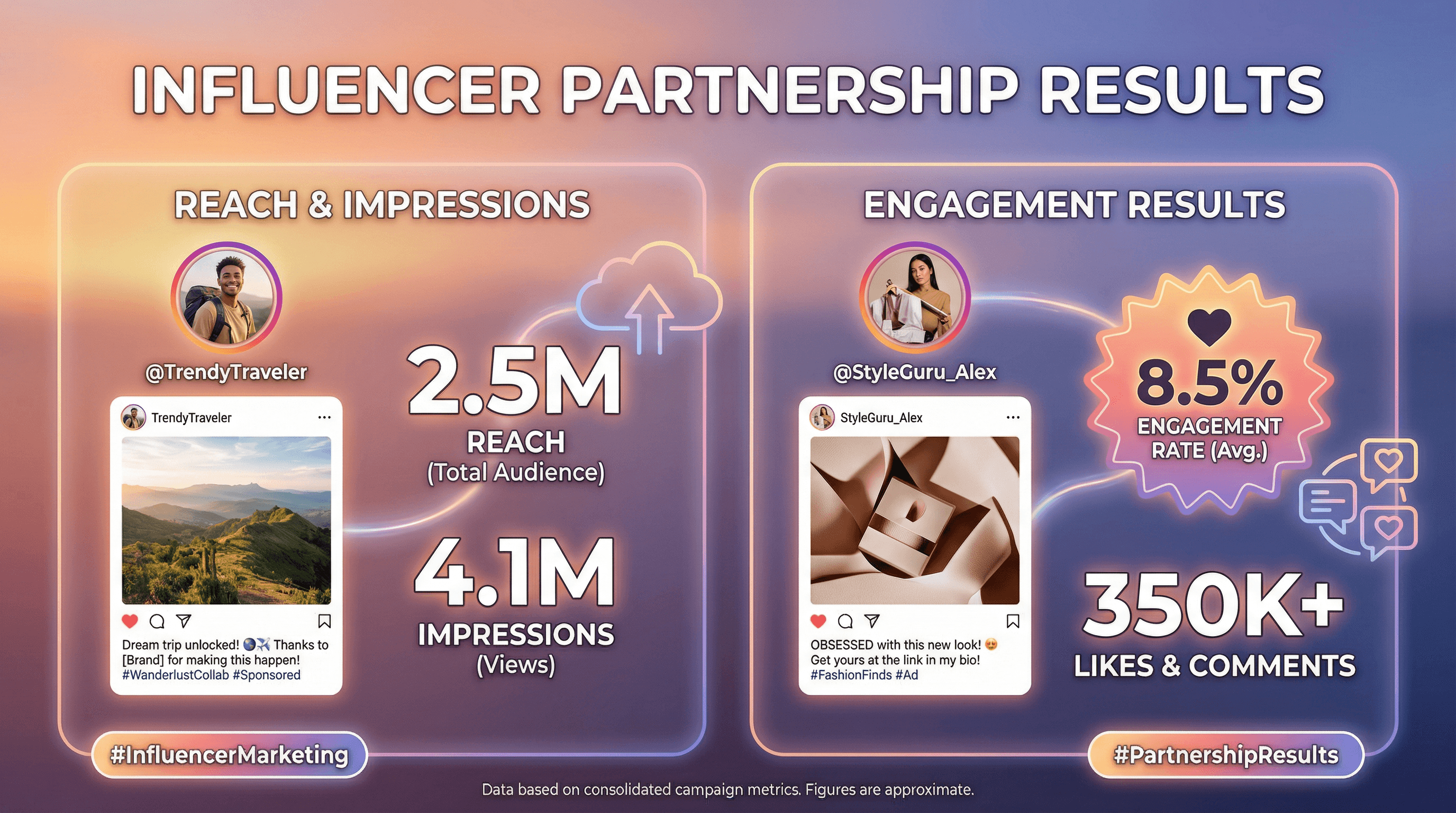
Design a slide presenting influencer partnership results with reach and engagement. Use a social media influencer aesthetic with Instagram-style post mockups, influencer profile photos in circular frames, reach and impression large numbers, engagement rate badges, hashtag graphics, trendy gradient backgrounds, and influencer-culture typography.
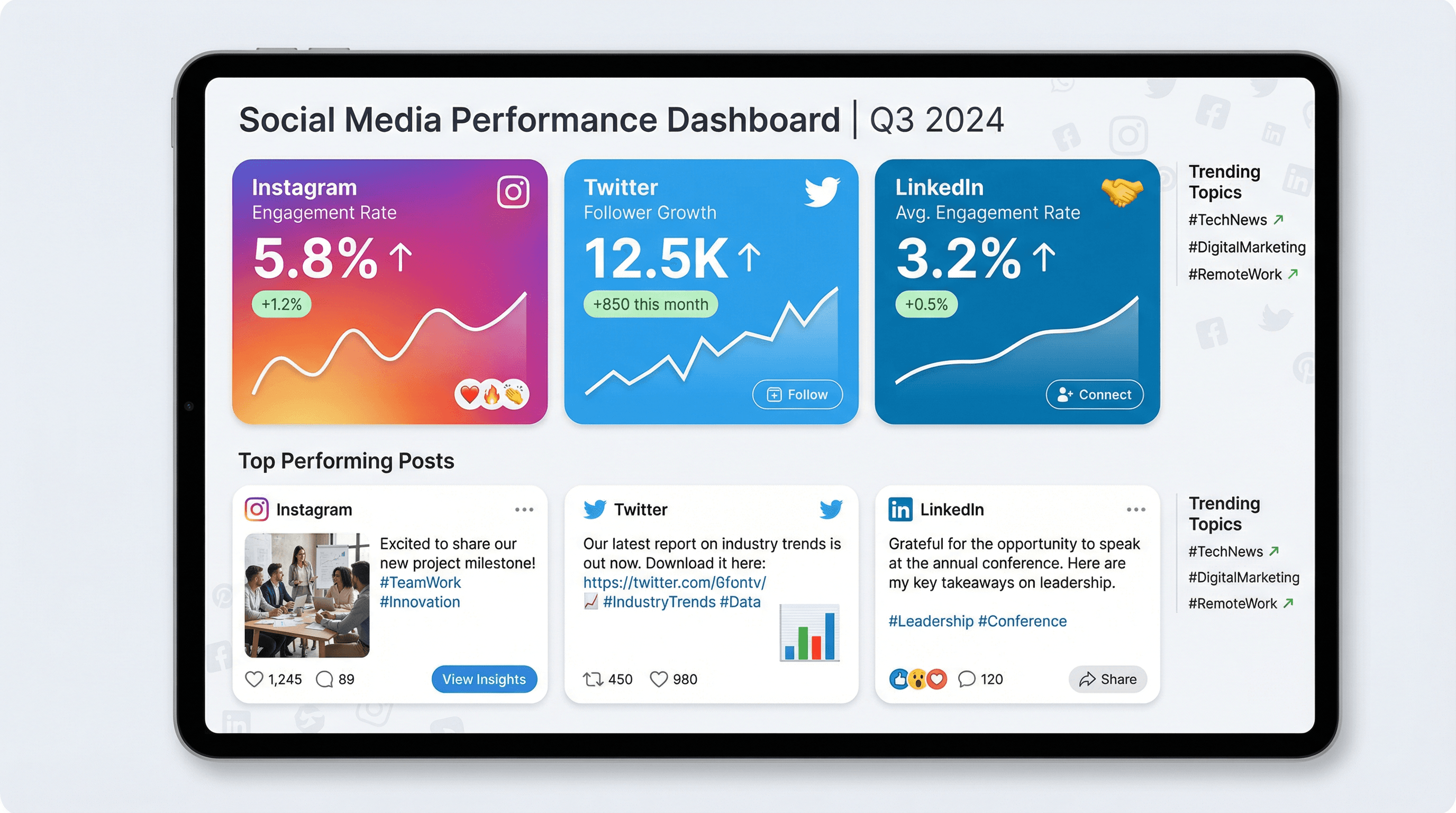
Create a dashboard slide showing engagement rates, follower growth, and top posts. Design in a social media native style with platform-branded colors (Instagram gradient, Twitter blue, LinkedIn blue), metric cards with large numbers and sparklines, post preview mockups, emoji reactions, trending arrow indicators, and modern social typography.
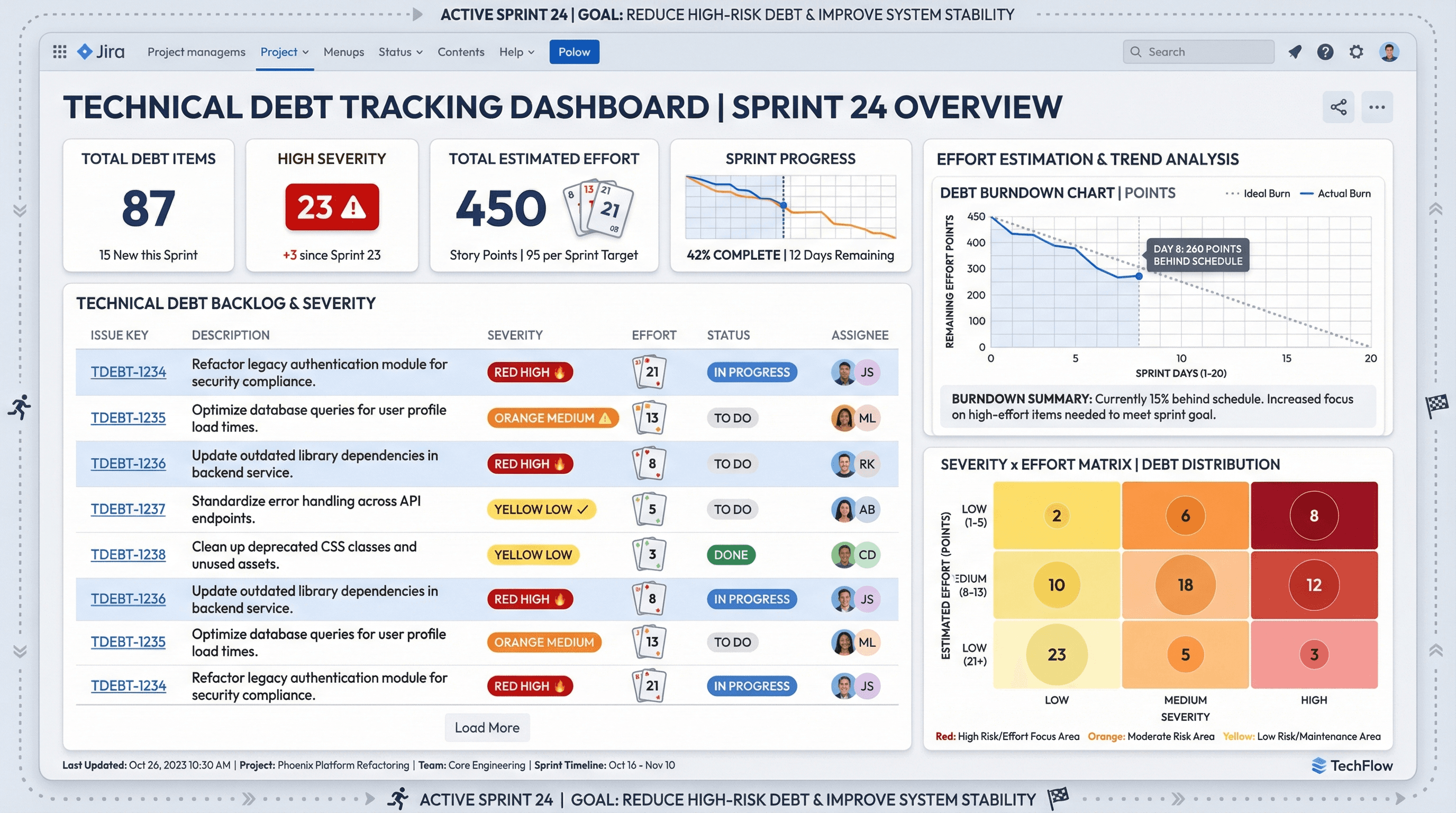
Design a dashboard slide tracking technical debt items by severity and estimated effort. Use a project management tool aesthetic with Jira-inspired styling, severity badges in red/orange/yellow, effort estimation poker cards, burndown chart graphics, backlog list formatting, agile sprint borders, and practical Atlassian-style typography.
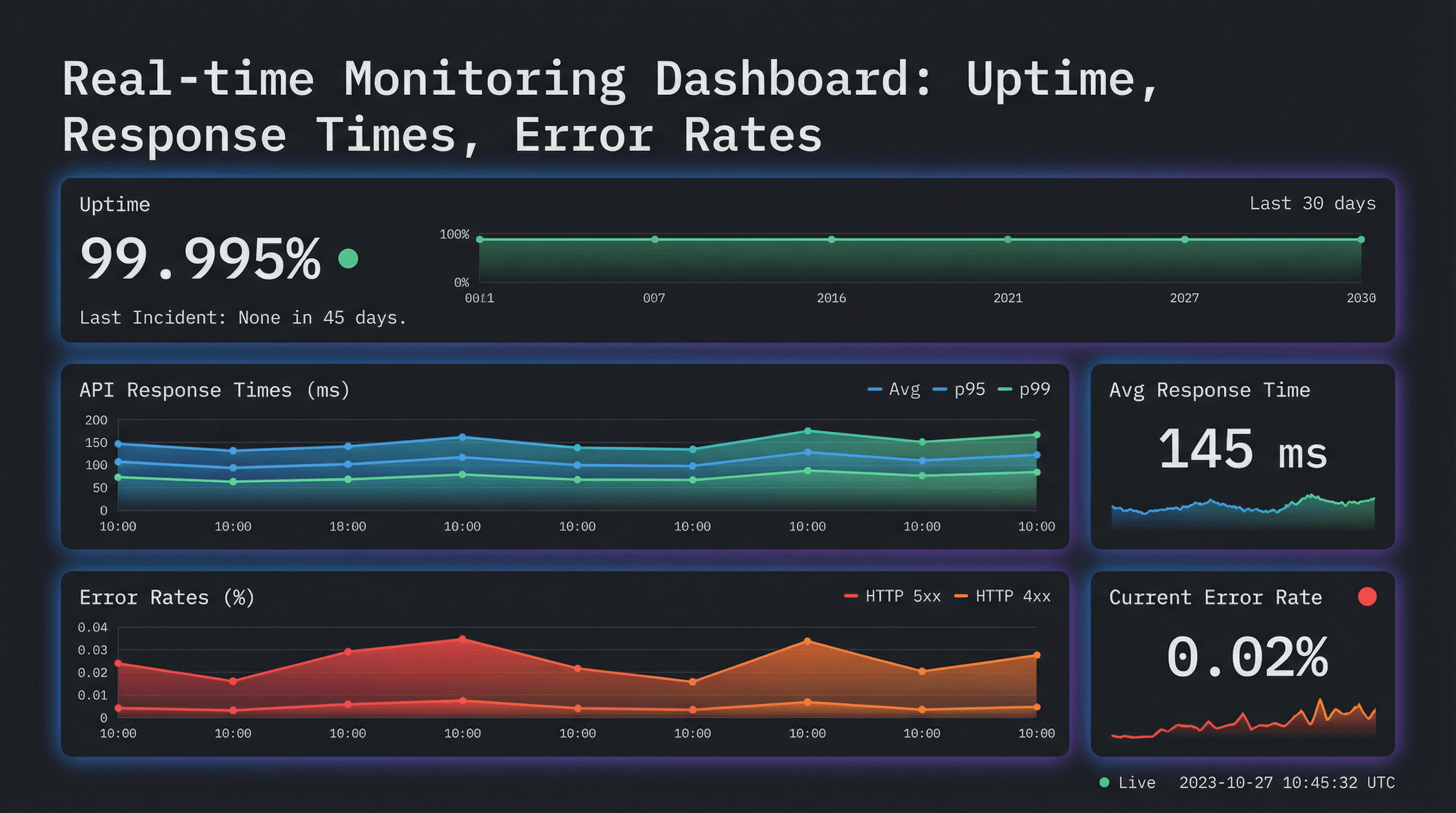
Design a metrics dashboard slide showing uptime, response times, and error rates. Use a monitoring tool aesthetic inspired by Grafana/Datadog with dark theme background, real-time chart widgets with gradient fills, status indicator dots (green/yellow/red), sparkline mini-graphs, metric cards with large numbers, and data-focused monospace typography.
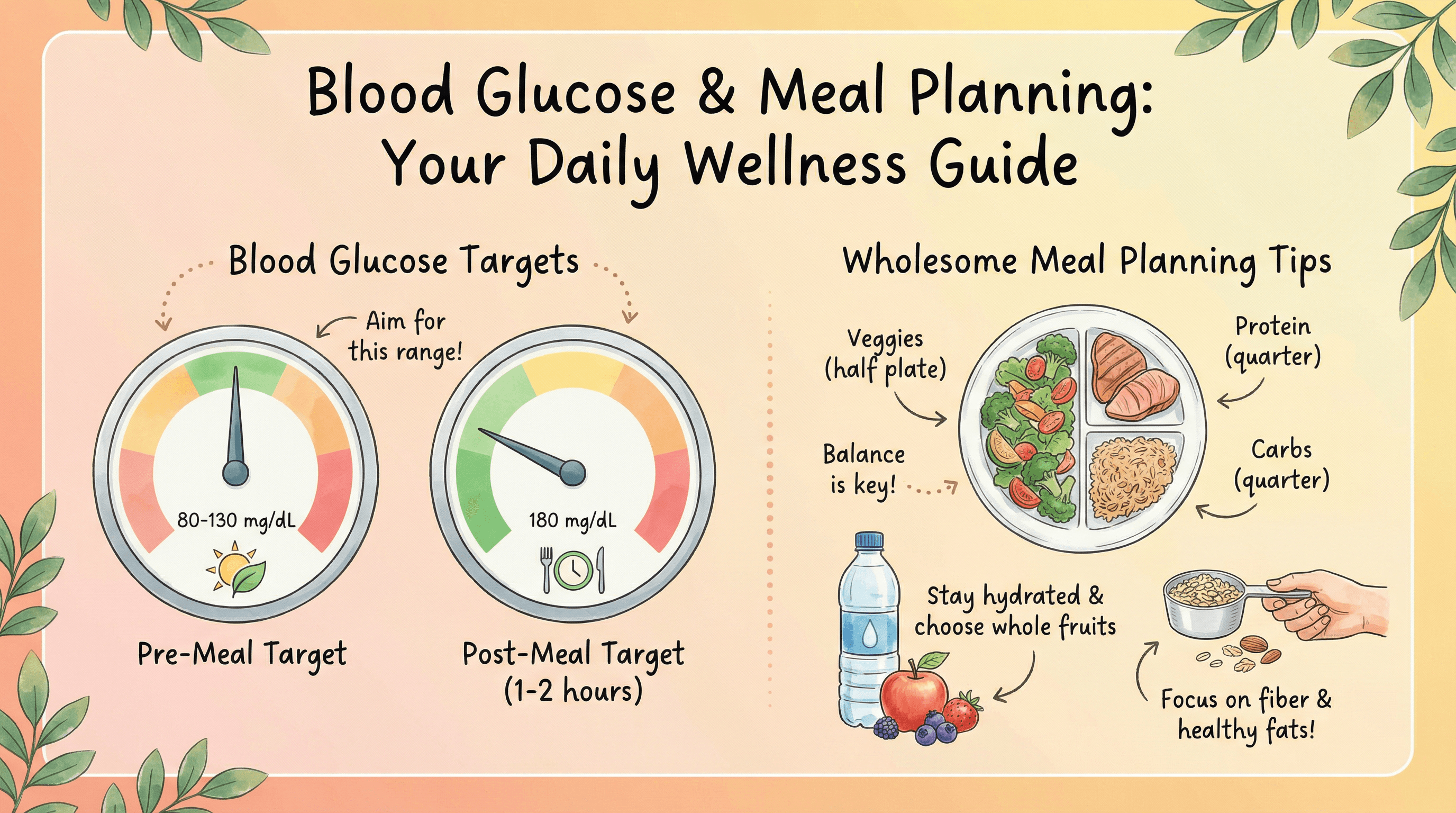
Create a patient education slide showing blood glucose targets and meal planning tips. Design in a friendly wellness app style with warm sunrise gradient (peach to soft yellow), circular gauge graphics for glucose levels, hand-drawn food illustrations in a wholesome cookbook style, encouraging handwritten-style notes, and nature-inspired leaf motifs.
How to use these Dashboard & Analytics Prompt Ideas for Nano Banana prompts
Think of this collection as your shortcut to professional data slides without the hassle of building charts from scratch. You can copy any prompt below and paste it right into Nano Banana to generate a sleek dashboard layout directly on your slide. Feel free to swap out our placeholder metrics for your actual KPIs or specific data points before hitting generate.
Be explicit with your text labels. Nano Banana Pro is surprisingly good at rendering text inside images, so go ahead and list the exact headers, axis labels, or big numbers you want to see. You do not need to hide text or add it later; just include it in your prompt instructions.
Specify the chart types you need. Instead of asking for a generic "data slide," tell the AI to create a "three-column layout with a donut chart on the left and a vertical bar graph on the right." The more specific you are about the layout, the closer the result will be to your vision.
Don't forget the color palette. If you need the dashboard to match your company branding, describe the colors clearly (like "navy blue background with neon green accents") or ask for a specific aesthetic like "clean minimalist corporate style" or "dark mode UI."
Quarterly Business Reviews often need a high-level summary slide that looks polished but doesn't require hours of formatting in Excel. You can generate a "KPI overview" slide that highlights revenue, growth, and churn in seconds to give stakeholders a quick snapshot.
Marketing performance reports are another great fit. You can ask for a grid layout showing engagement stats for Instagram, LinkedIn, and Twitter side-by-side to visually compare platform performance without taking messy screenshots of each tool.
Use the prompt to dictate visual hierarchy. You can tell Nano Banana to "make the conversion rate metric the largest element in the center" or "highlight the Q4 revenue in red." This ensures your audience focuses on the most important number immediately.
Try describing a specific UI style. If you want your slide to look like a SaaS product interface or a mobile app analytics screen, just ask for "SaaS dashboard UI style" to get that specific software look and feel.
Work directly in Google Slides and PowerPoint — no need to learn a new tool
Never start from scratch again, just tell us what kind of presentation you want to make.
Add, remix, and rewrite your slides to fine-tune your presentation.