
Plus AI Feature
Stuck building deck after deck for your classes? These Education Prompt Ideas for Nano Banana help you generate diagrams, labeled maps, and visual lesson plans that actually make sense. Since Nano Banana Pro nails text rendering, you can create detailed science charts or historical timelines with accurate labels right inside the image. Perfect for keeping students engaged without spending your whole weekend designing slides.
11 prompts
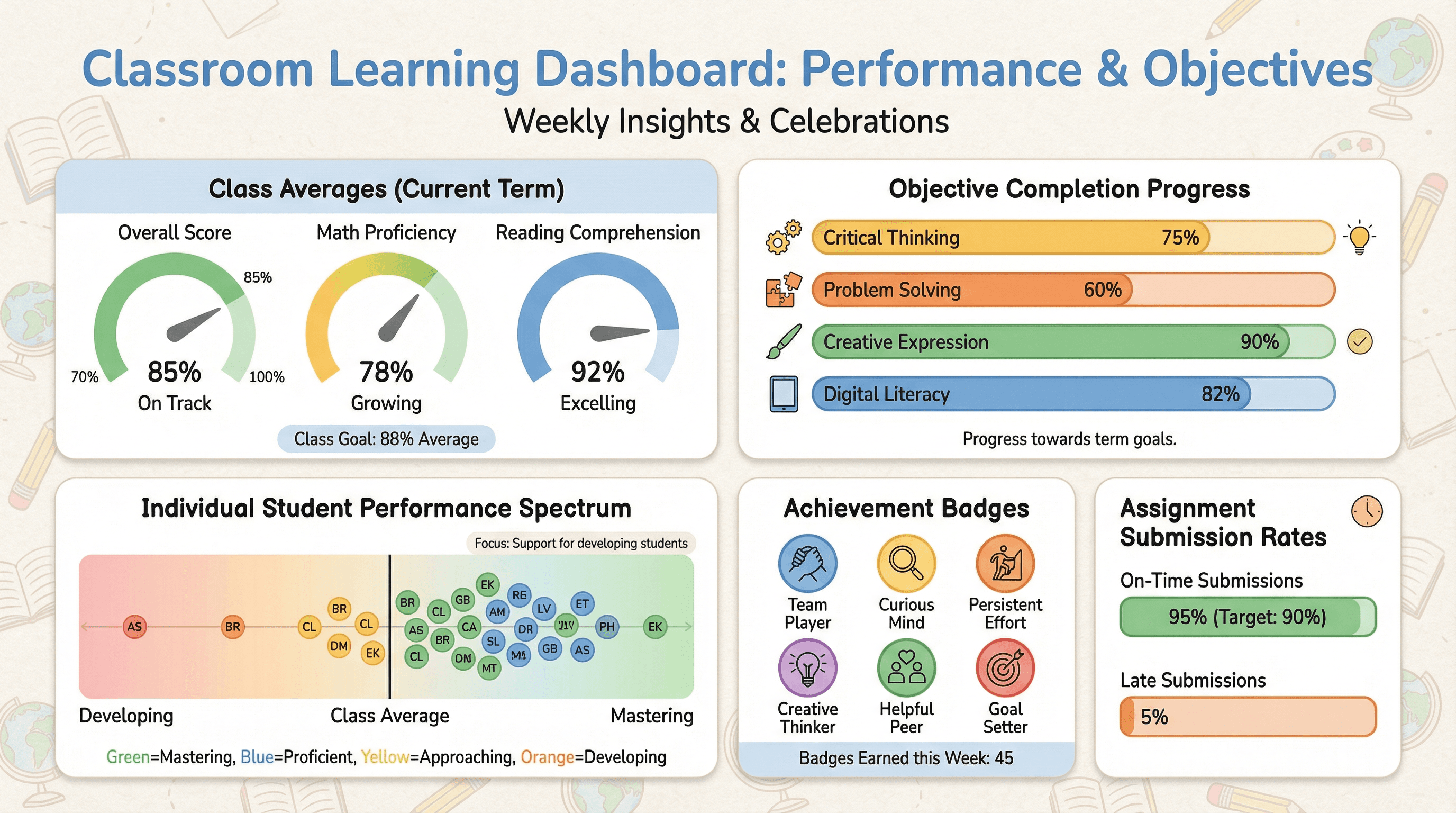
Create a classroom dashboard slide tracking student performance and learning objectives. Use an educational analytics style with class average gauges, objective completion progress bars, individual student performance dots on a spectrum, assignment submission rates, encouraging achievement badges, classroom-friendly colors, and supportive educational typography.
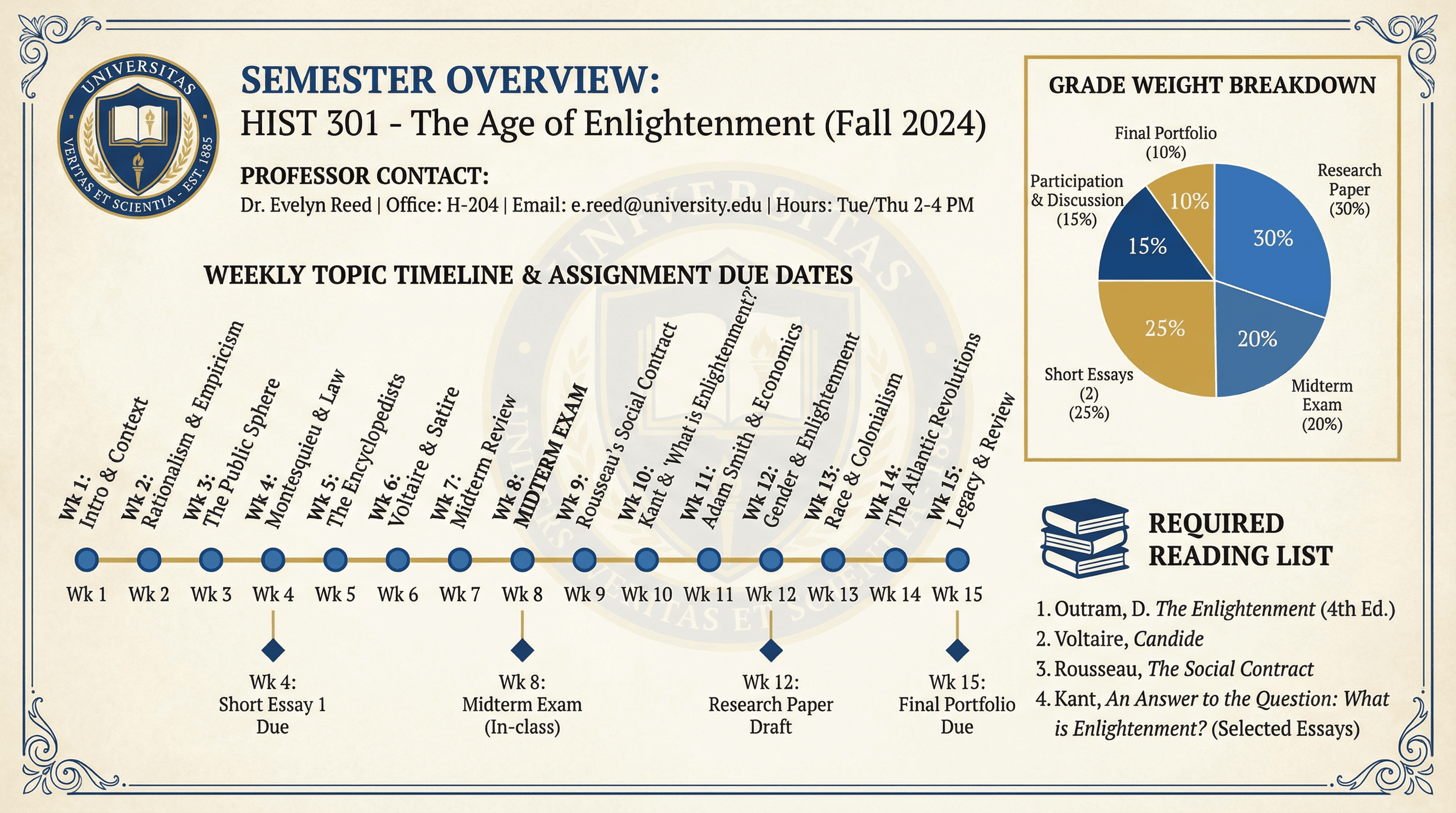
Design a semester overview slide showing weekly topics, assignments, and grading. Use an academic syllabus style with weekly topic timeline, assignment due date markers, grade weight breakdown pie chart, required reading list, professor contact info, university colors and crest, collegiate aesthetic, and scholarly academic typography.
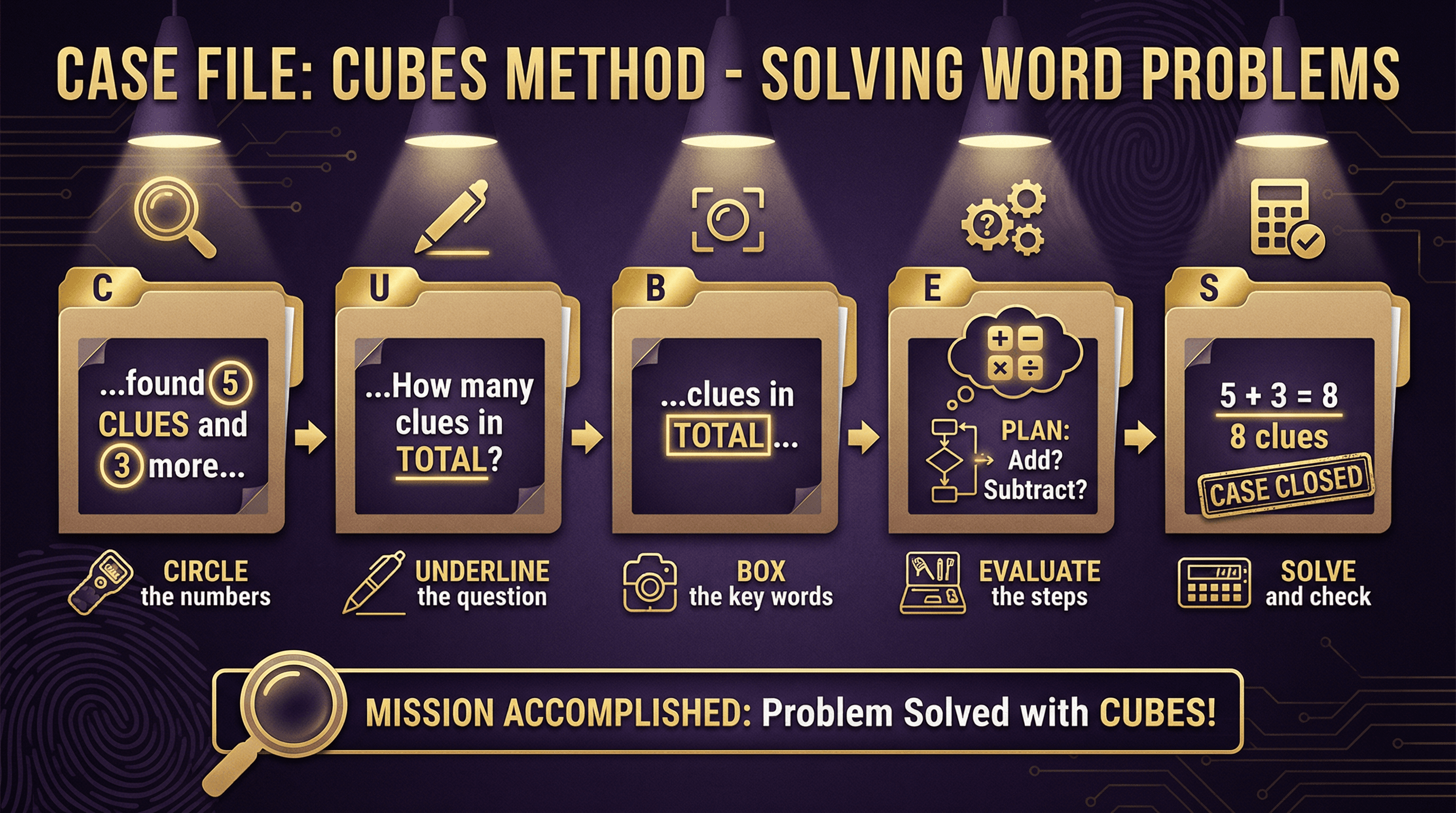
Create a slide teaching the CUBES method (Circle, Underline, Box, Evaluate, Solve) for solving word problems. Design in a detective mystery theme with magnifying glass motifs, noir-inspired dark purple and gold color scheme, case file folder graphics, fingerprint patterns in backgrounds, spy gadget icons for each step, and dramatic spotlight effects on key information.
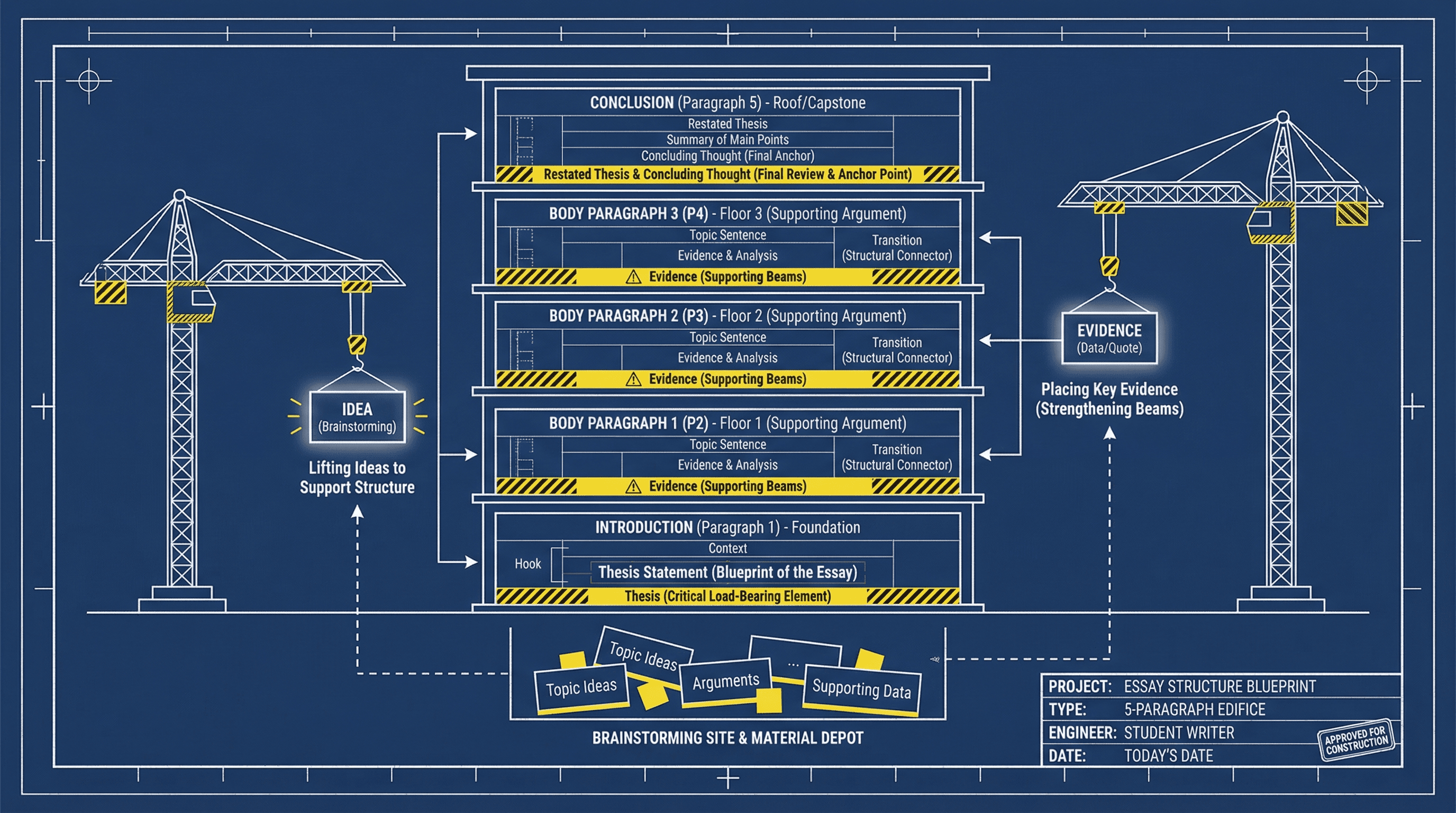
Design a slide showing the 5-paragraph essay structure visually. Use an architectural blueprint style with navy blue background, white line drawings resembling building schematics, paragraph blocks as stacked building floors, construction crane graphics lifting ideas, technical drafting fonts, and yellow caution stripe accents highlighting key structural elements.
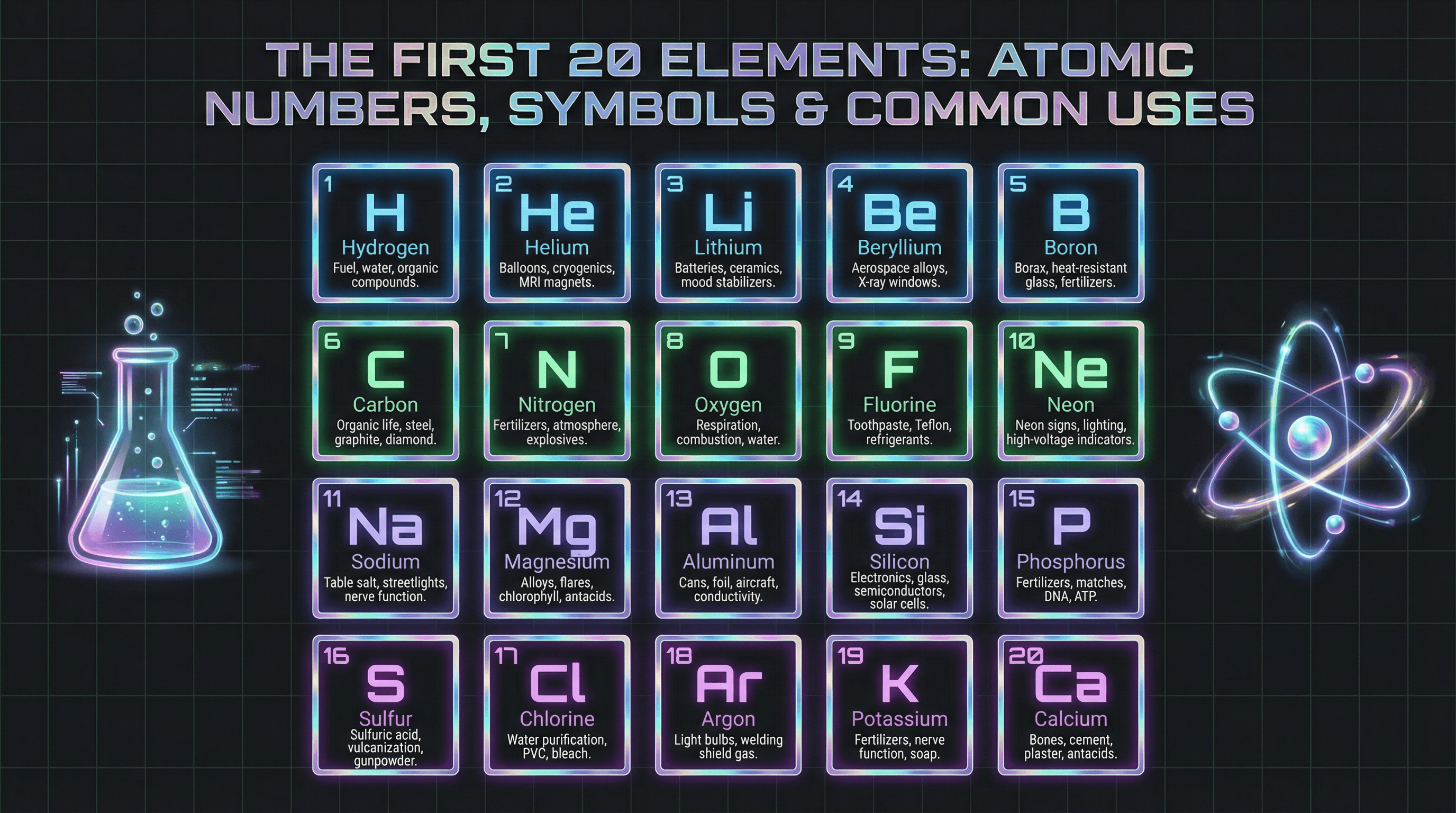
Create an informative slide highlighting the first 20 elements with atomic numbers, symbols, and common uses. Design in a neon laboratory style with dark charcoal background, glowing element tiles in electric blue, green, and purple gradients, holographic metallic accents, futuristic sans-serif typography, animated beaker and atom illustrations, and subtle grid patterns.
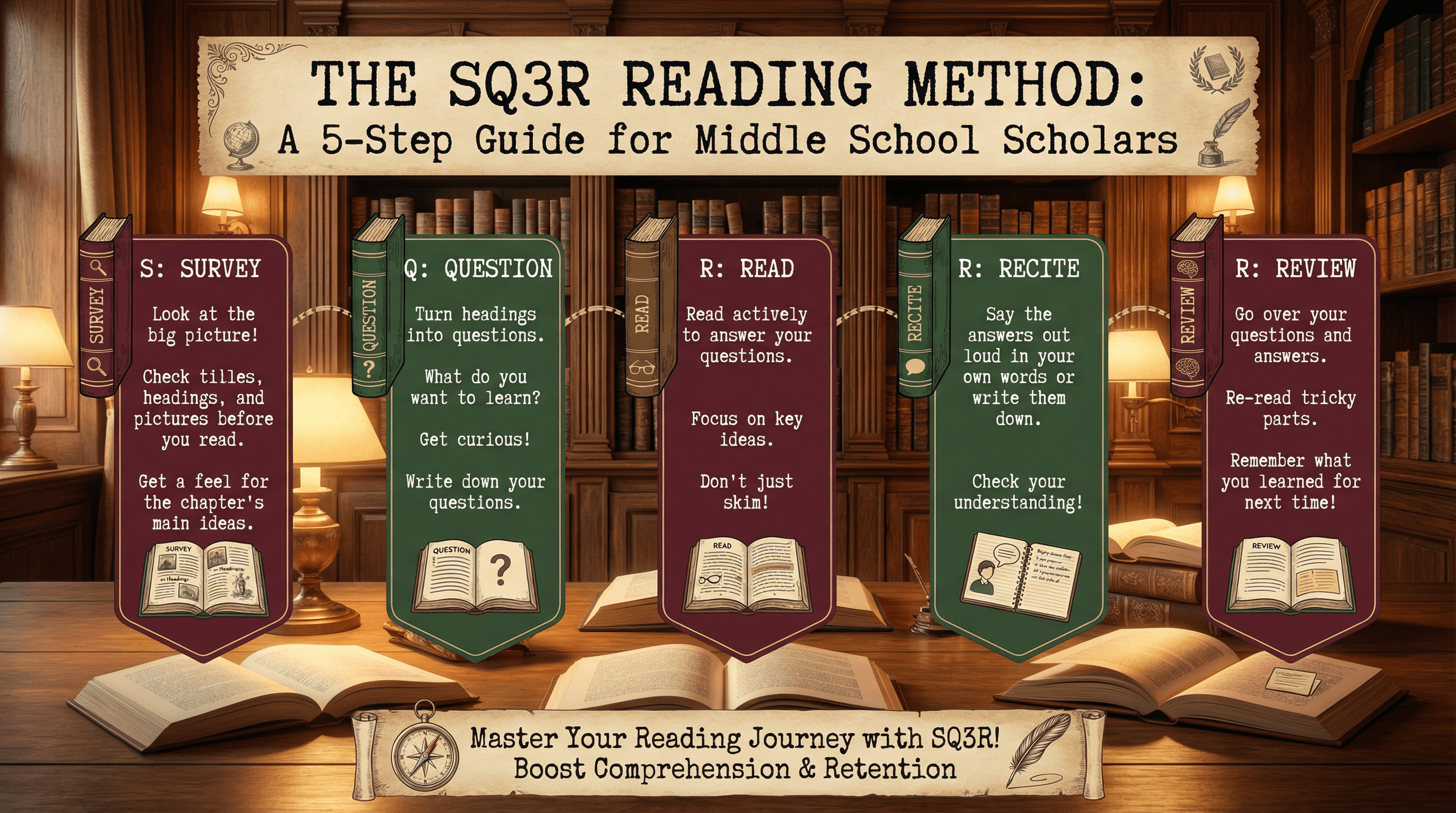
Design a slide explaining the SQ3R reading method for middle school students. Use a cozy library aesthetic with warm wood tones, vintage book spine illustrations, bookmark-shaped text containers in burgundy and forest green, classic typewriter-style fonts, scattered open book graphics, and soft reading lamp glow effects with a nostalgic scholarly feel.
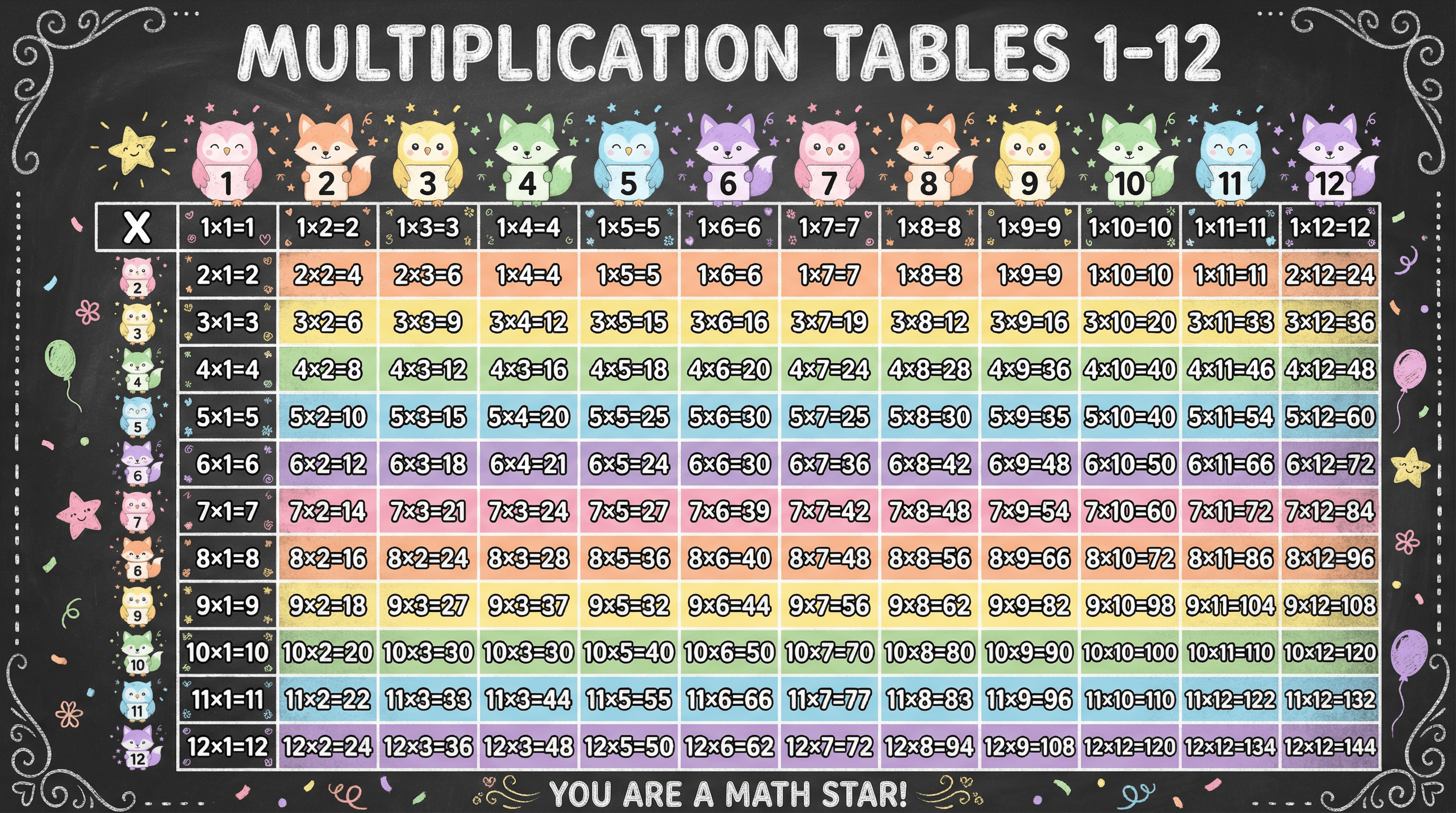
Create a colorful slide with multiplication tables 1-12 in a grid format for 3rd graders. Design in a cheerful rainbow gradient style with each row in a different pastel color, chunky rounded sans-serif numbers, cute animal mascots (owls, foxes) holding number cards, confetti and star decorations, and a chalkboard-inspired frame with hand-drawn chalk texture elements.
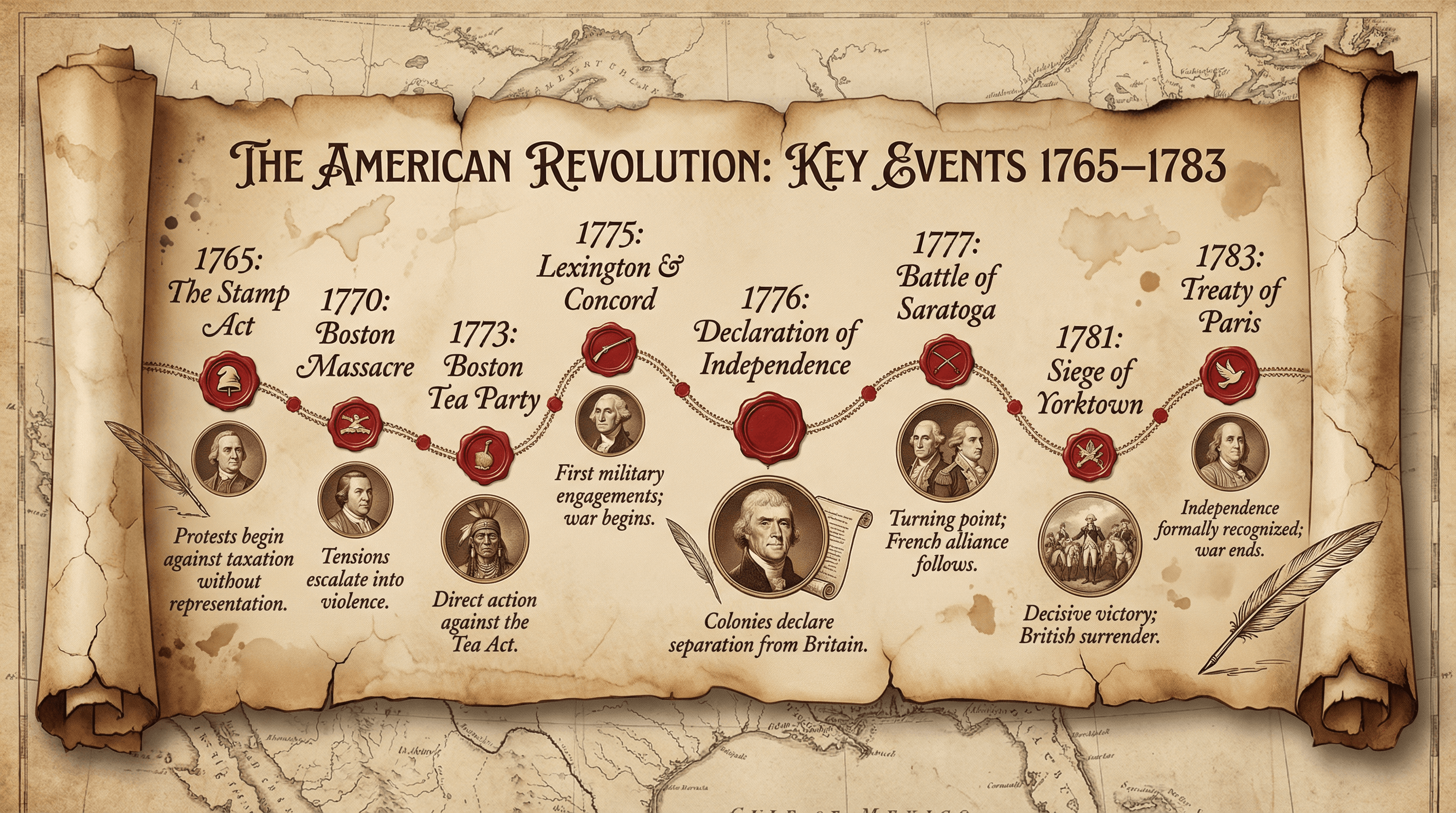
Design a timeline slide showing key events from 1765-1783 during the American Revolution. Style as an aged parchment scroll with sepia tones, colonial-era typography reminiscent of the Declaration of Independence, red wax seal accents, quill pen illustrations, faded map backgrounds of colonial America, and portrait medallions of key figures in copperplate engraving style.
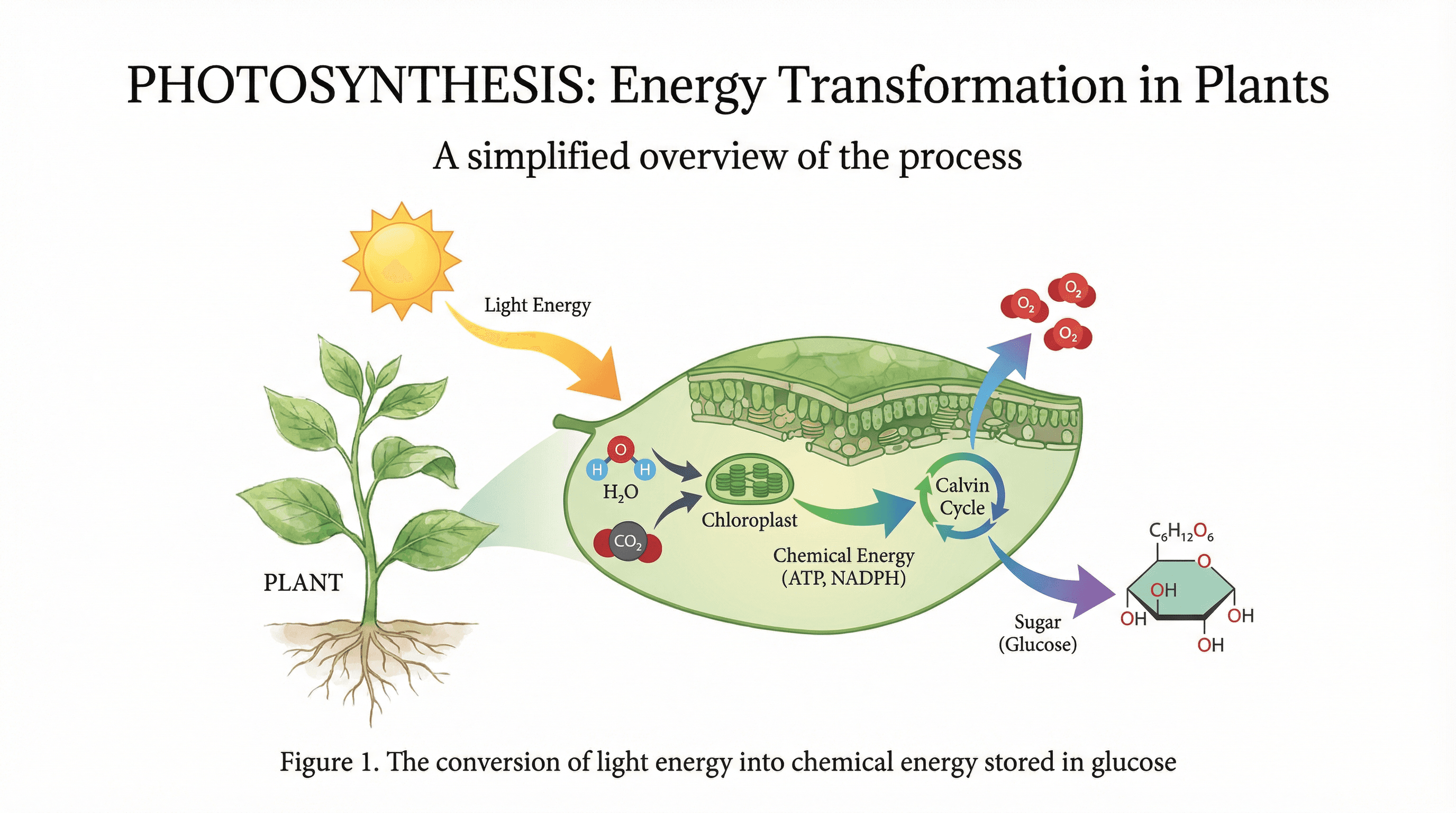
Create a scientific diagram slide explaining photosynthesis for high school biology students. Use a modern textbook aesthetic with a clean white background, botanical illustration style for plant elements in watercolor greens, flowing arrows in gradient colors showing energy transformation, molecular structures in flat design style, and elegant serif headers with scientific precision.
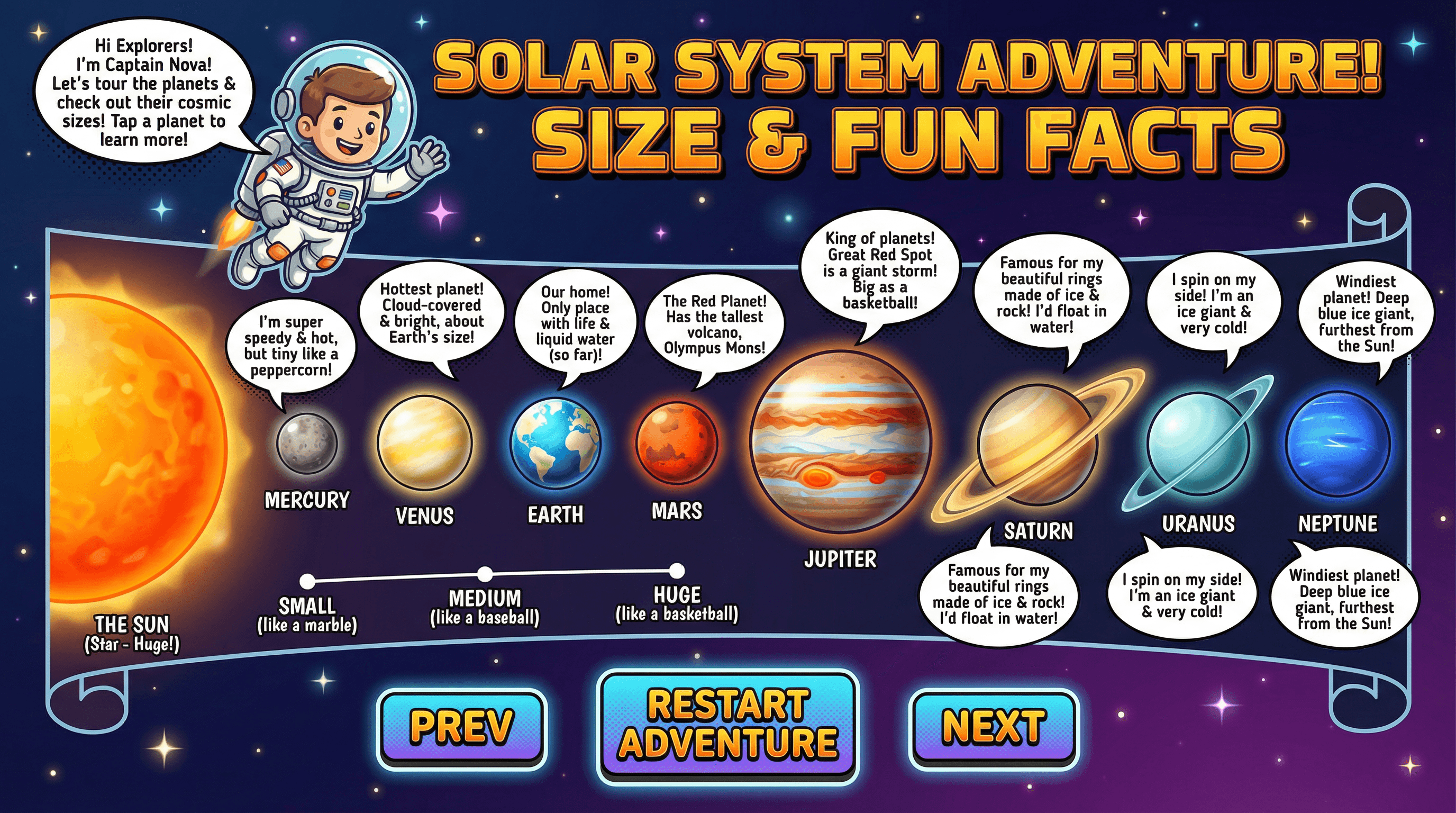
Design an interactive slide teaching 4th graders about the planets with size comparisons and fun facts. Use a vibrant space theme with deep navy/purple gradient background scattered with twinkling stars, planets rendered in bright saturated colors with subtle glow effects, comic-book style speech bubbles for facts, and a friendly cartoon astronaut guide with retro NASA-inspired typography.
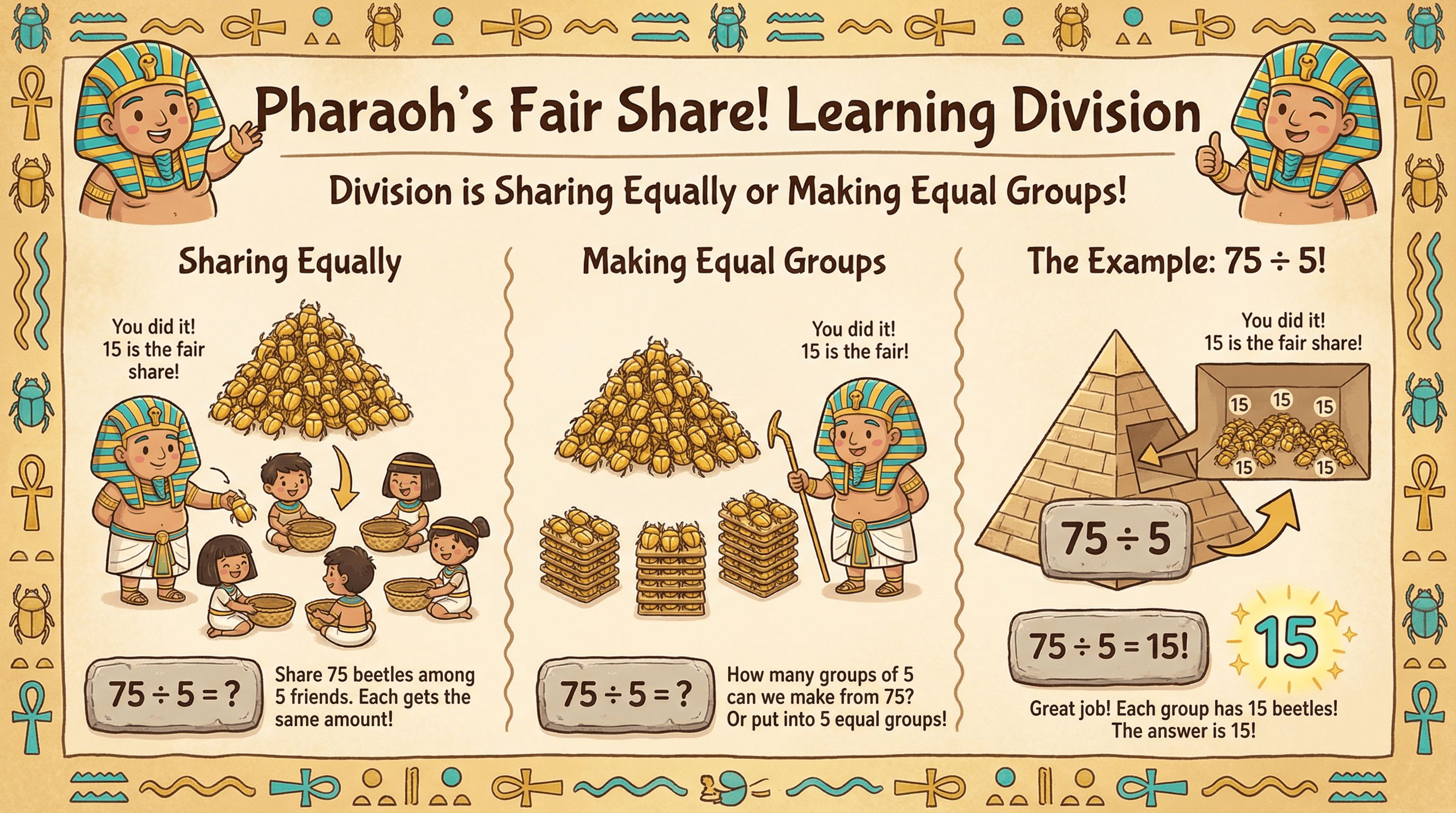
Create a slide to help first graders learn the basic concepts behind division and go through the example of 75 divided by 5. Use a fun cartoon Egyptian theme with hieroglyphic-style borders, friendly pharaoh mascot characters in gold and turquoise, papyrus-textured backgrounds, and playful hand-drawn illustrations of pyramids with division problems written on stone tablets.
How to use these Education Prompt Ideas for Nano Banana prompts
Think of these prompts as a cheat sheet for your lesson planning. You can copy them directly into Nano Banana inside Google Slides or PowerPoint to generate instant visuals, or treat them as a template and swap out the subjects to fit your specific curriculum. The goal is to spend less time searching for images and more time teaching.
Be specific about the target audience and artistic style. A visual for a third-grade history lesson should look very different from a graduate-level biology lecture. Tell Nano Banana if you want "playful, flat vector art with bright colors" for younger students or "photorealistic, detailed textbook illustration" for higher education. This ensures the vibe matches your classroom energy.
Take advantage of the text rendering features. Since Nano Banana Pro is exceptional at handling text, you do not need to add labels manually later. You can ask for specific labels on diagrams, bold headers, or captions directly within the image. Just put the exact text you want inside quotation marks in your prompt to ensure it renders accurately.
Describe the slide layout you need. If you plan to put bullet points on the left side of the slide, ask for an image with "negative space on the left" or "subject positioned on the right." This saves you from fighting with text boxes later and keeps your slide design clean and readable.
Visualizing abstract concepts or historical events is a massive time saver. Instead of searching for a generic stock photo that sort of looks like the Industrial Revolution, you can generate a specific scene showing a factory floor with period-accurate clothing. It helps students grasp complex ideas faster when the visual matches your exact explanation.
Creating cohesive title slides and section dividers helps structure your lectures. You can generate a consistent theme for an entire semester by using the same artistic style keywords (like "minimalist geometric shapes" or "watercolor painting") for every deck. It makes your course materials look professional and branded without needing a graphic designer.
Stack your text instructions for complex diagrams. You can ask for a "cross-section of a plant cell with labels for nucleus, mitochondria, and cell wall." Nano Banana Pro handles multiple text elements well, so do not be afraid to ask for detailed annotations in a single go.
Work directly in Google Slides and PowerPoint — no need to learn a new tool
Never start from scratch again, just tell us what kind of presentation you want to make.
Add, remix, and rewrite your slides to fine-tune your presentation.
Combine style descriptors with specific educational frameworks. Try prompting for visuals in the style of "Montessori learning materials" or "vintage scientific chart" to get an aesthetic that feels familiar and appropriate for the learning context.