
Plus AI Feature
Stop wasting your afternoon manually aligning boxes and arrows. These Timeline & Roadmap Prompt Ideas help you generate clean project schedules, product roadmaps, and milestone trackers in seconds. Because Nano Banana Pro excels at rendering text, your labels and dates come out perfectly spelled and ready to present.
12 prompts
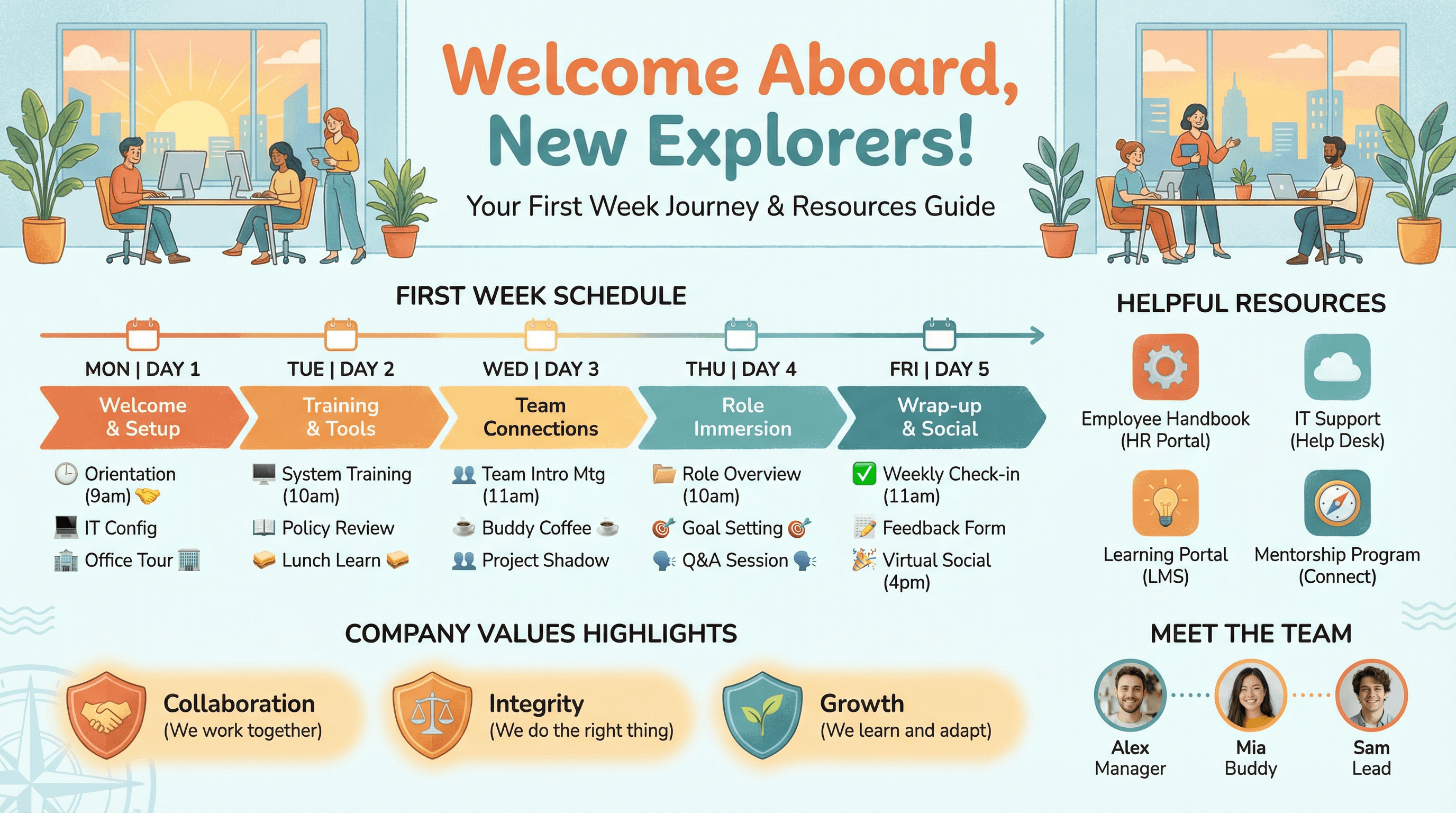
Create a slide for new hire orientation showing first week schedule and resources. Use a welcome aboard style with friendly illustrated office scene, day-by-day schedule timeline, helpful resource icons, team introduction photos, company values highlights, warm welcoming colors (orange, teal), and friendly onboarding typography.
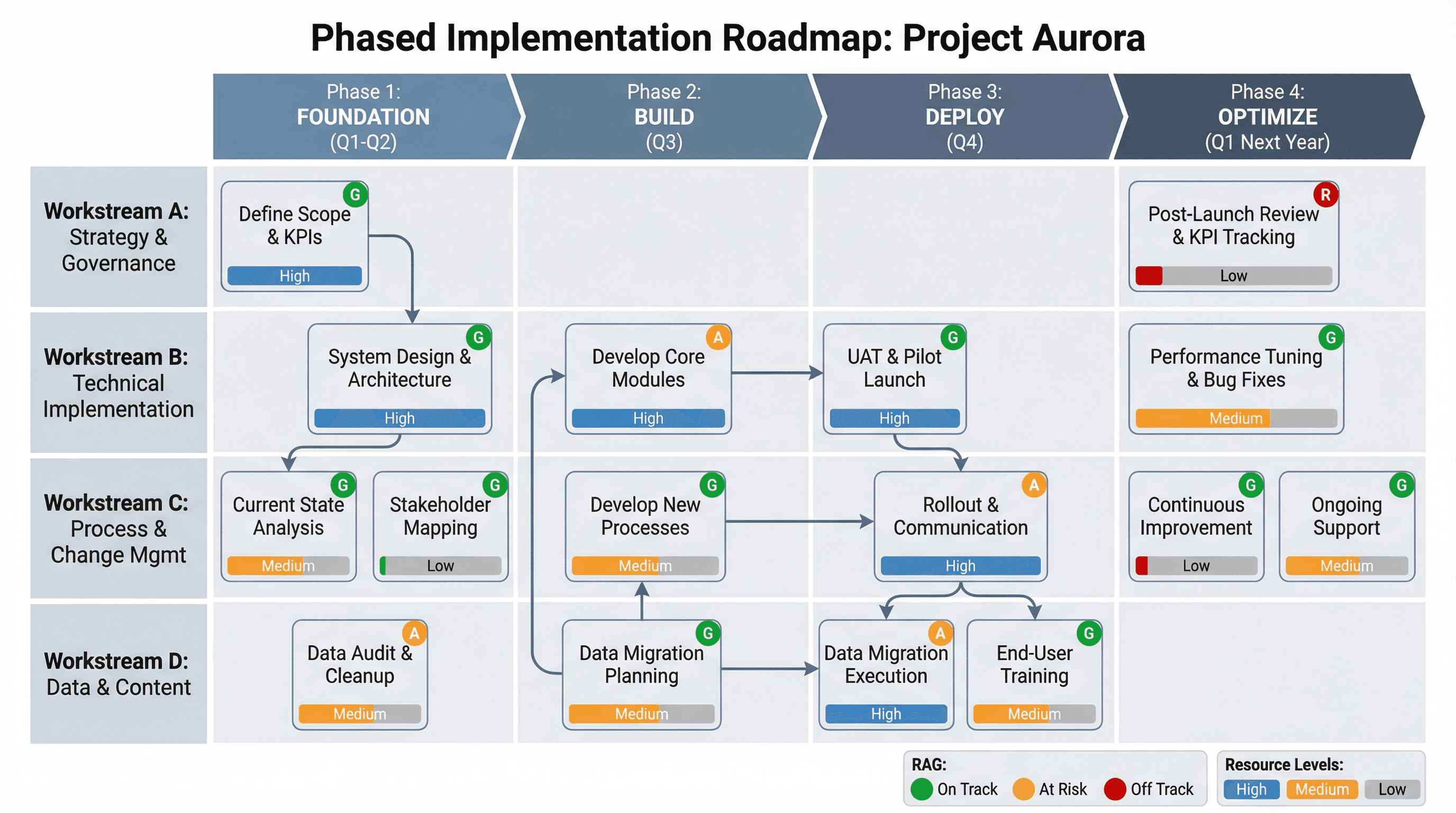
Design a phased implementation roadmap with dependencies and resource needs. Use a delivery planning style with horizontal phase blocks (Foundation, Build, Deploy, Optimize), vertical workstream rows, dependency arrows connecting tasks, resource allocation bars, RAG status indicators, PMO aesthetic, and structured implementation typography.
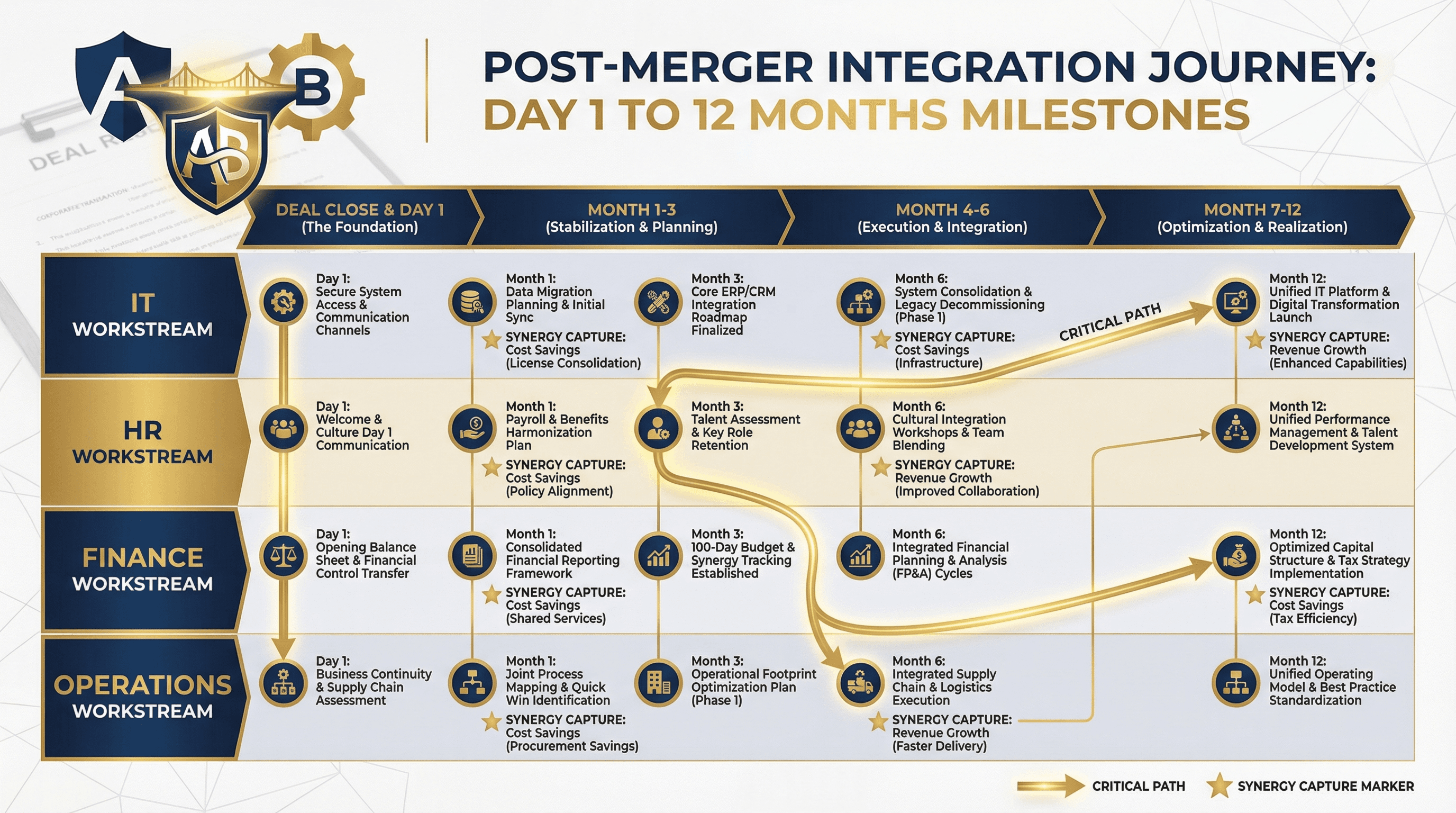
Create a post-merger integration timeline showing Day 1 to 12-month milestones. Use an M&A integration style with horizontal timeline, workstream swimlanes (IT, HR, Finance, Operations), critical path highlighting, synergy capture markers, two company logos merging graphic, deal-making navy and gold colors, and corporate transaction typography.
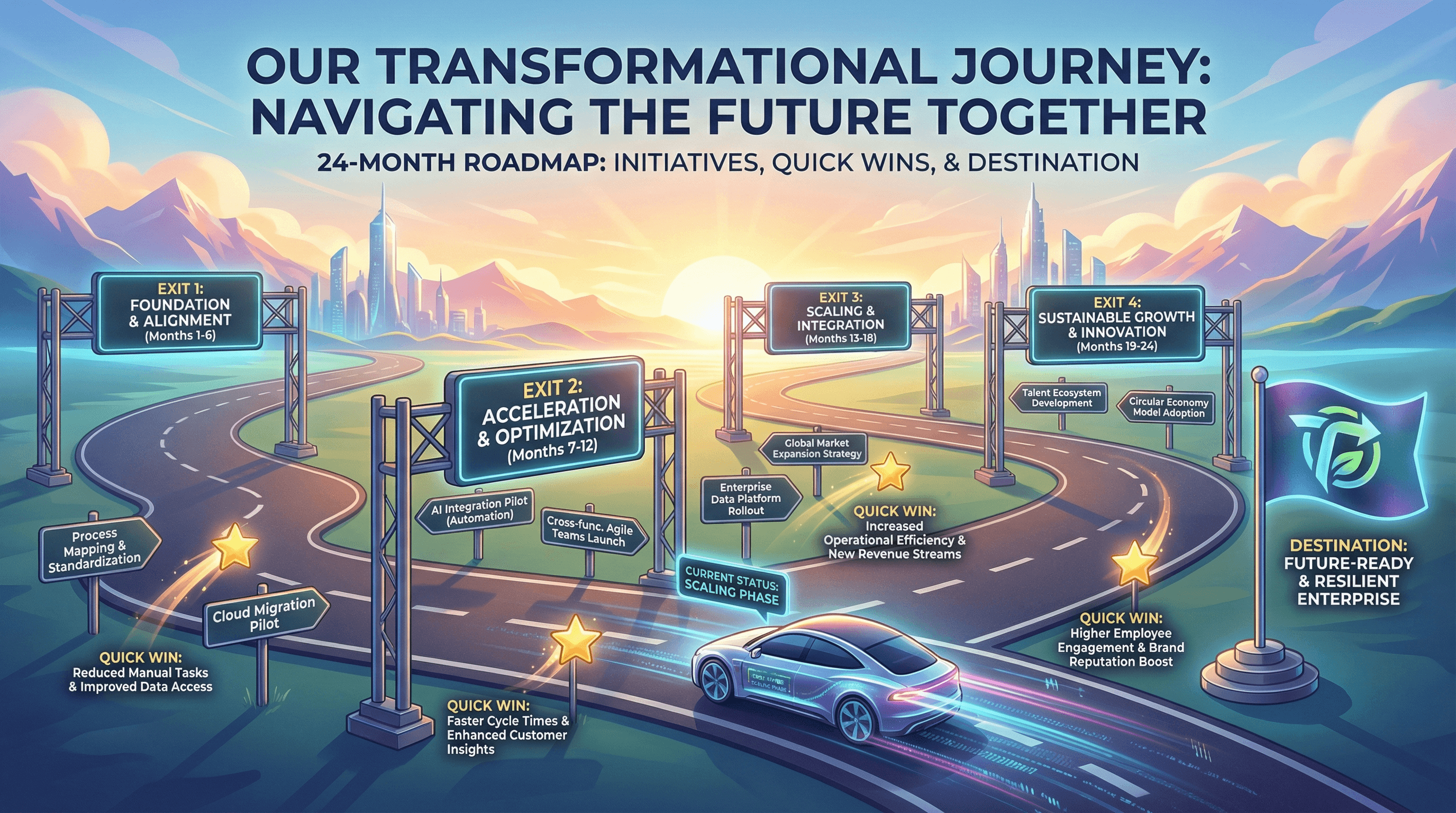
Design a 24-month transformation roadmap with key initiatives and quick wins. Use a journey metaphor style with horizontal road graphic, phase gates as highway exits, initiative signposts, quick win star markers, destination flag, progress vehicle icon, aspirational horizon imagery, and inspirational transformation typography.
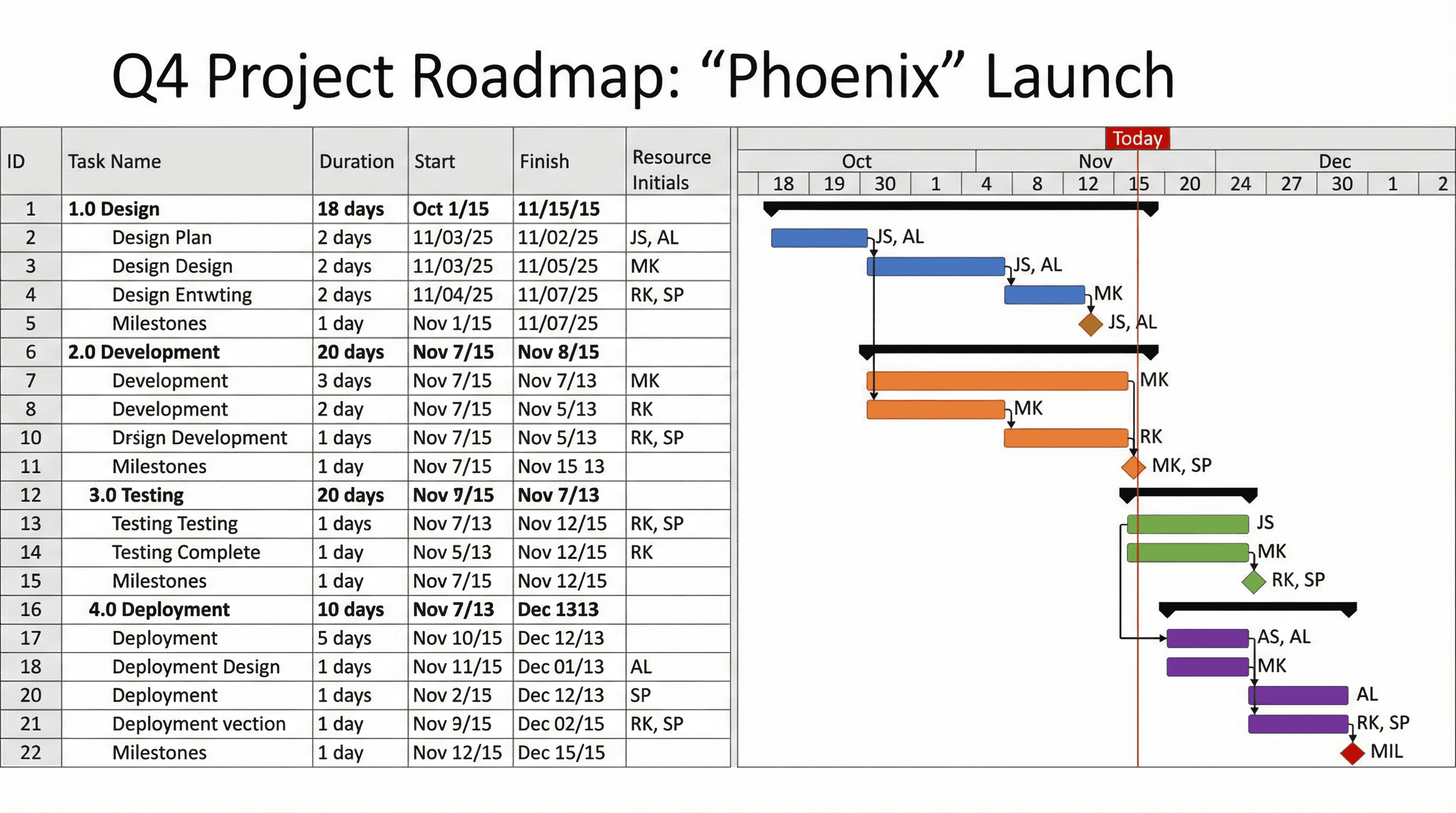
Create a Gantt chart slide showing project phases, tasks, and milestones. Use a project management style with horizontal timeline bars in different colors per workstream, diamond milestone markers, dependency arrows, resource assignment initials, today line indicator, MS Project-inspired aesthetic, and precise project planning typography.
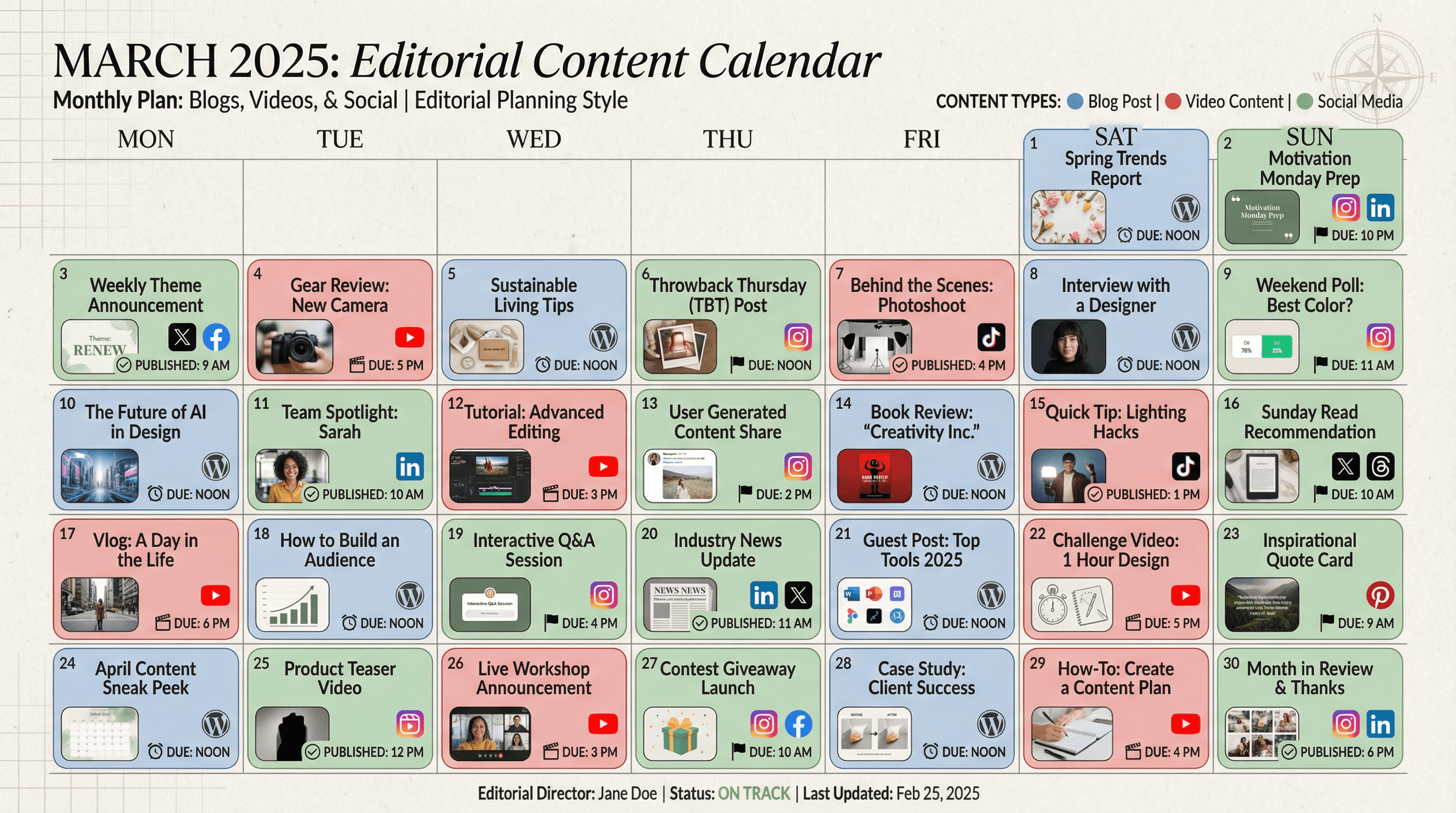
Design a monthly content calendar slide showing blog posts, videos, and social content. Use an editorial planning style with calendar grid layout, content type color coding (blog = blue, video = red, social = green), thumbnail previews, publishing platform icons, deadline markers, magazine editorial aesthetic, and organized publishing typography.
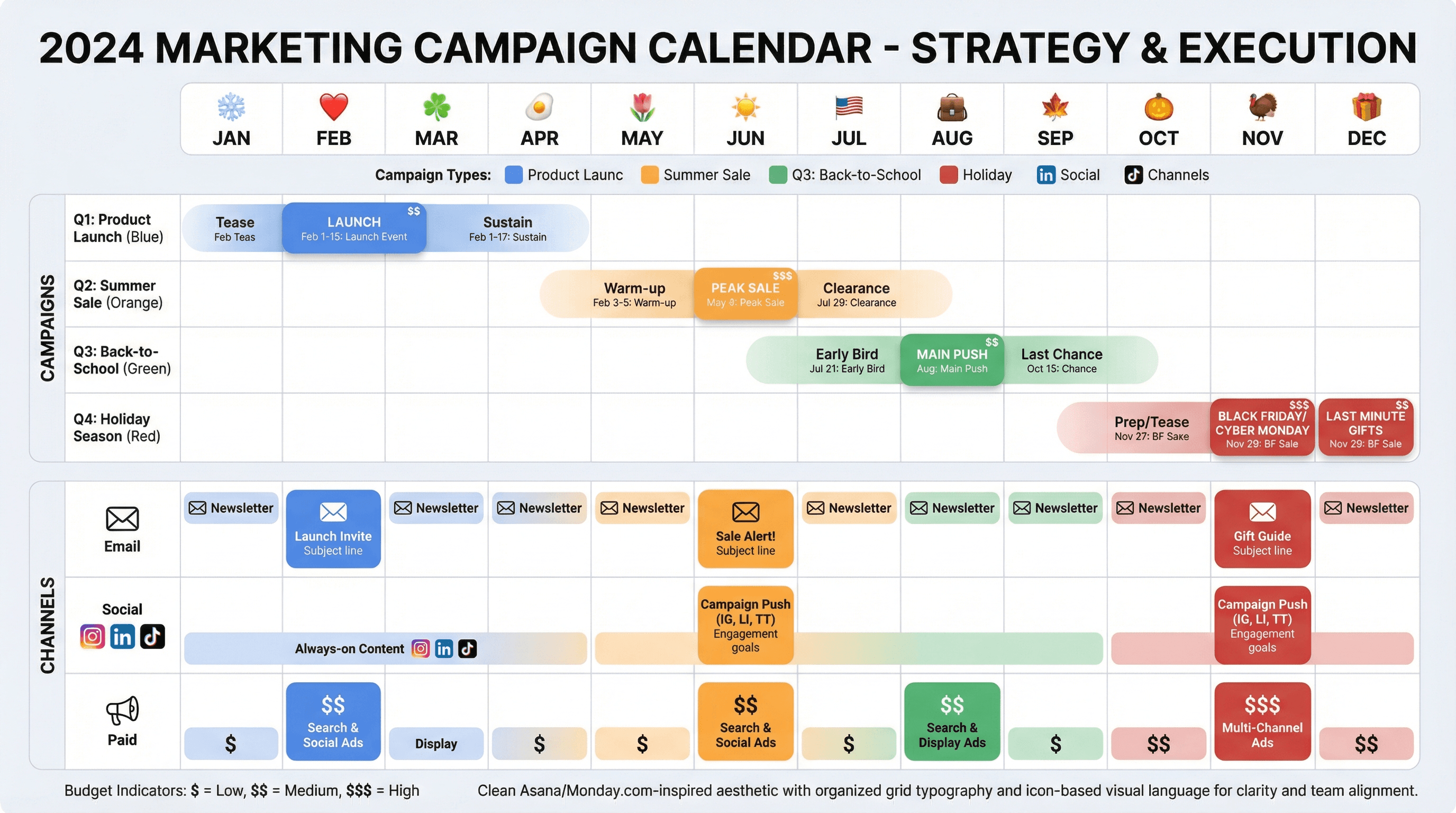
Create a 12-month marketing campaign calendar showing campaigns and channels. Design in a modern marketing team style with color-coded campaign bars across monthly columns, channel icons (email, social, paid), holiday markers, budget indicators, Gantt-style timeline bars, clean Asana/Monday.com-inspired aesthetic, and organized grid typography.
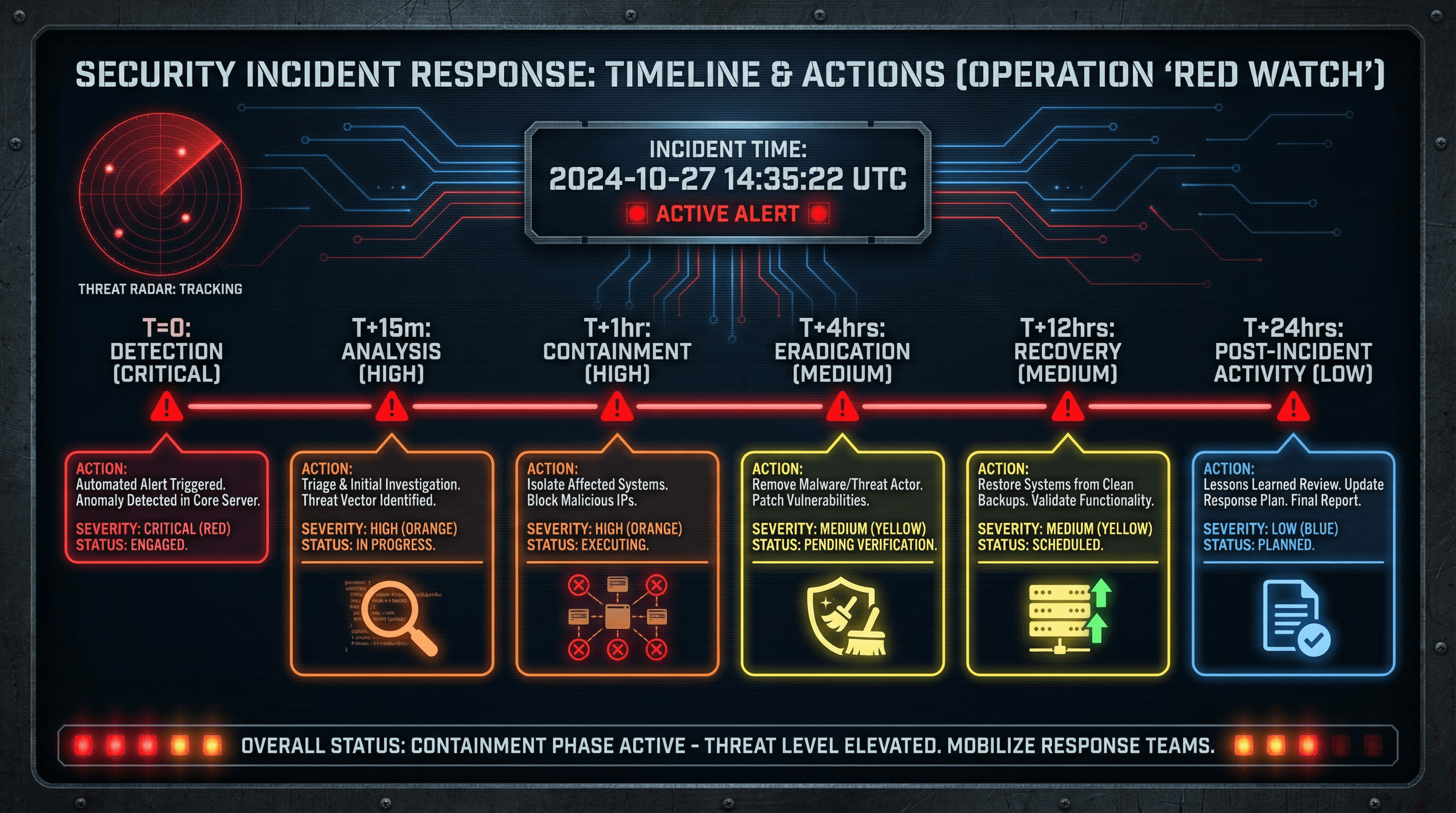
Create a slide showing the timeline and actions during a security incident response. Use a war room command center aesthetic with dark background, red alert timeline markers, clock and timestamp graphics, severity level color coding, radar sweep animations, military-inspired stencil fonts, and urgent status indicator styling.
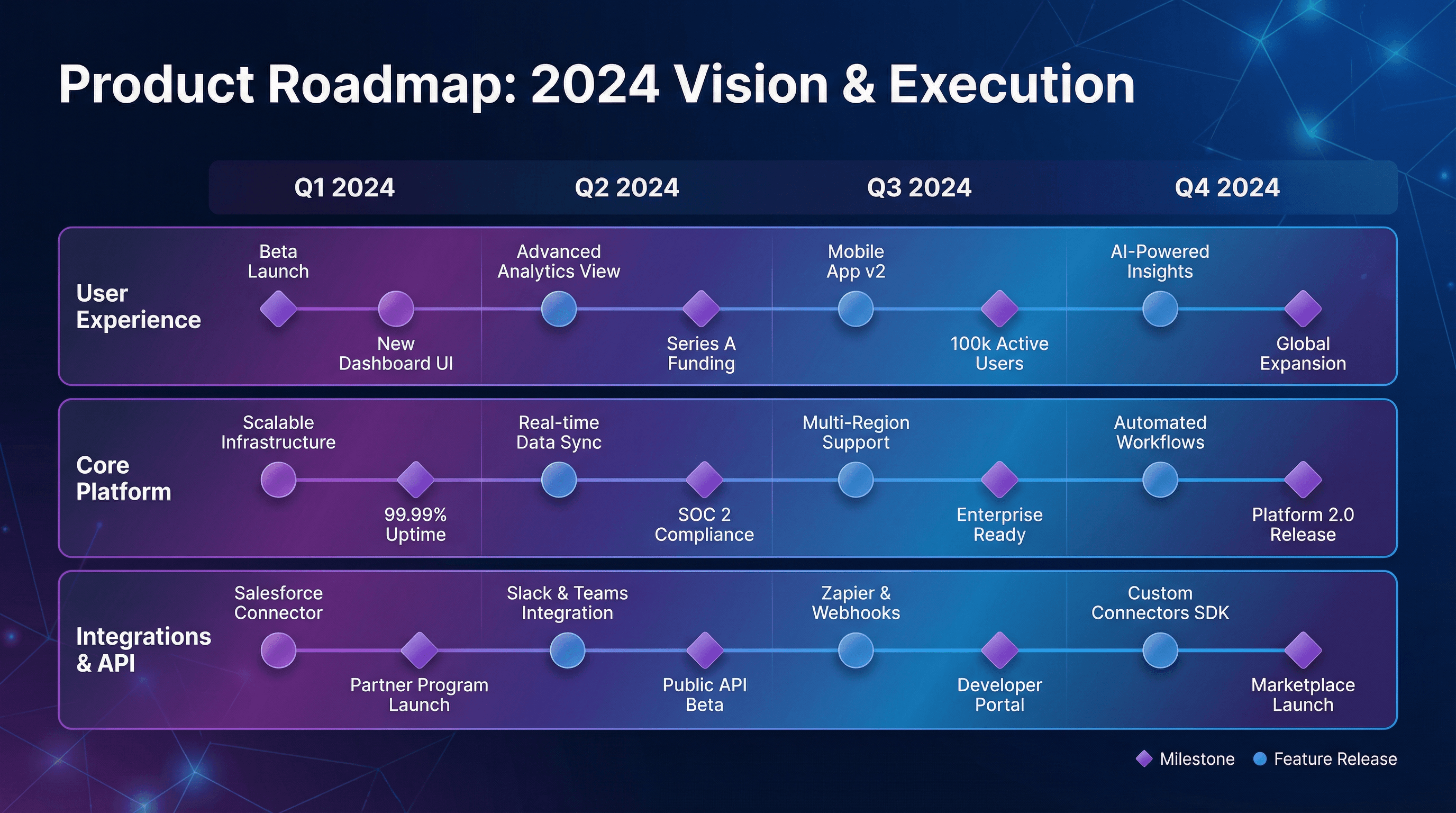
Create a quarterly product roadmap slide showing feature releases and milestones. Design in a sleek SaaS startup style with gradient purple to blue swimlanes, milestone diamonds and release circles, modern geometric shapes, clean white labels on colored tracks, subtle glassmorphism effects, and contemporary Inter or Poppins typography.
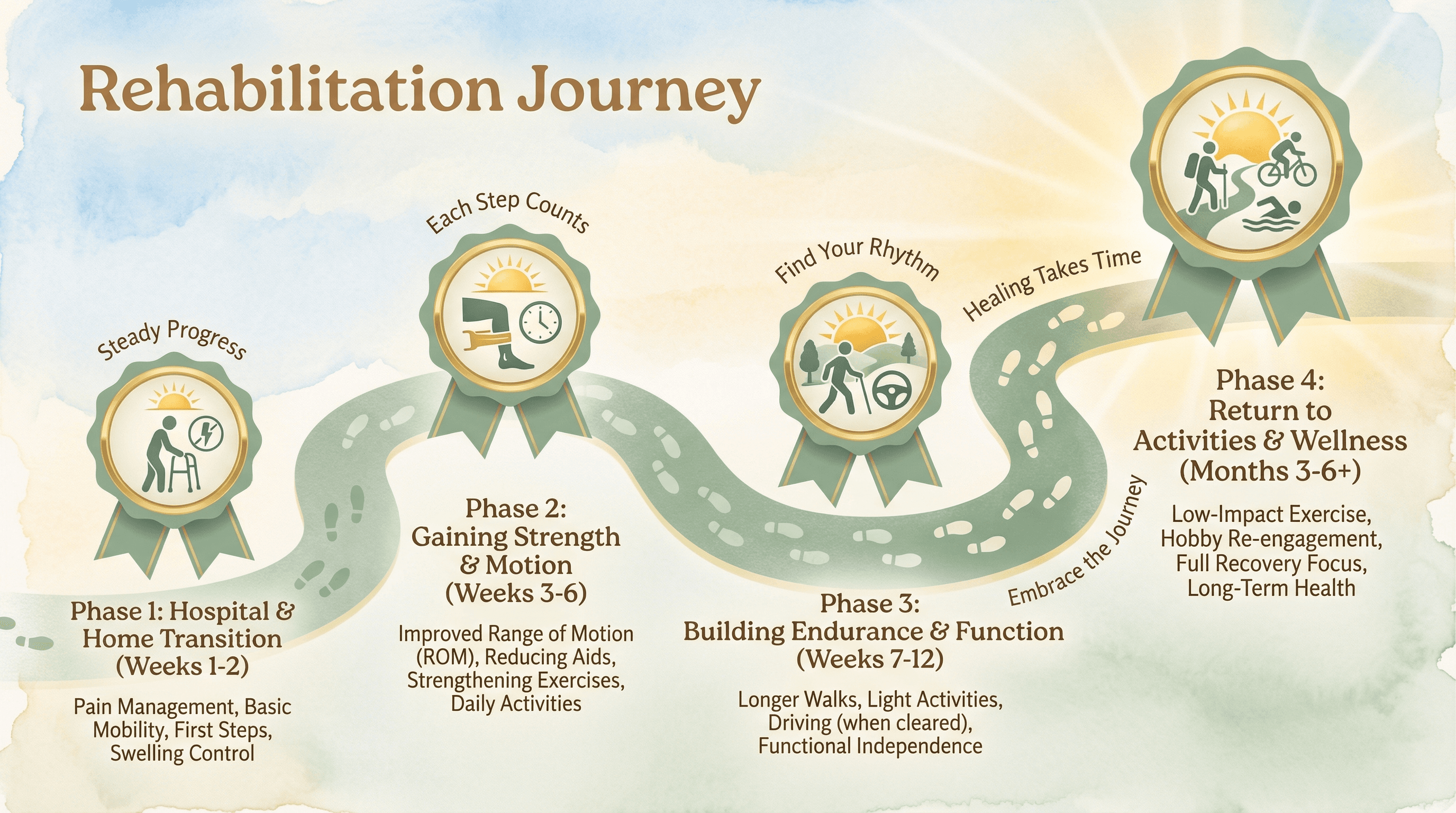
Design a timeline slide showing expected recovery milestones after knee replacement surgery. Use a rehabilitation journey theme with a winding path graphic in calming sage green, milestone markers as achievement badges, progress-tracking footstep icons, encouraging sunrise imagery, gentle watercolor background washes, and supportive warm typography.
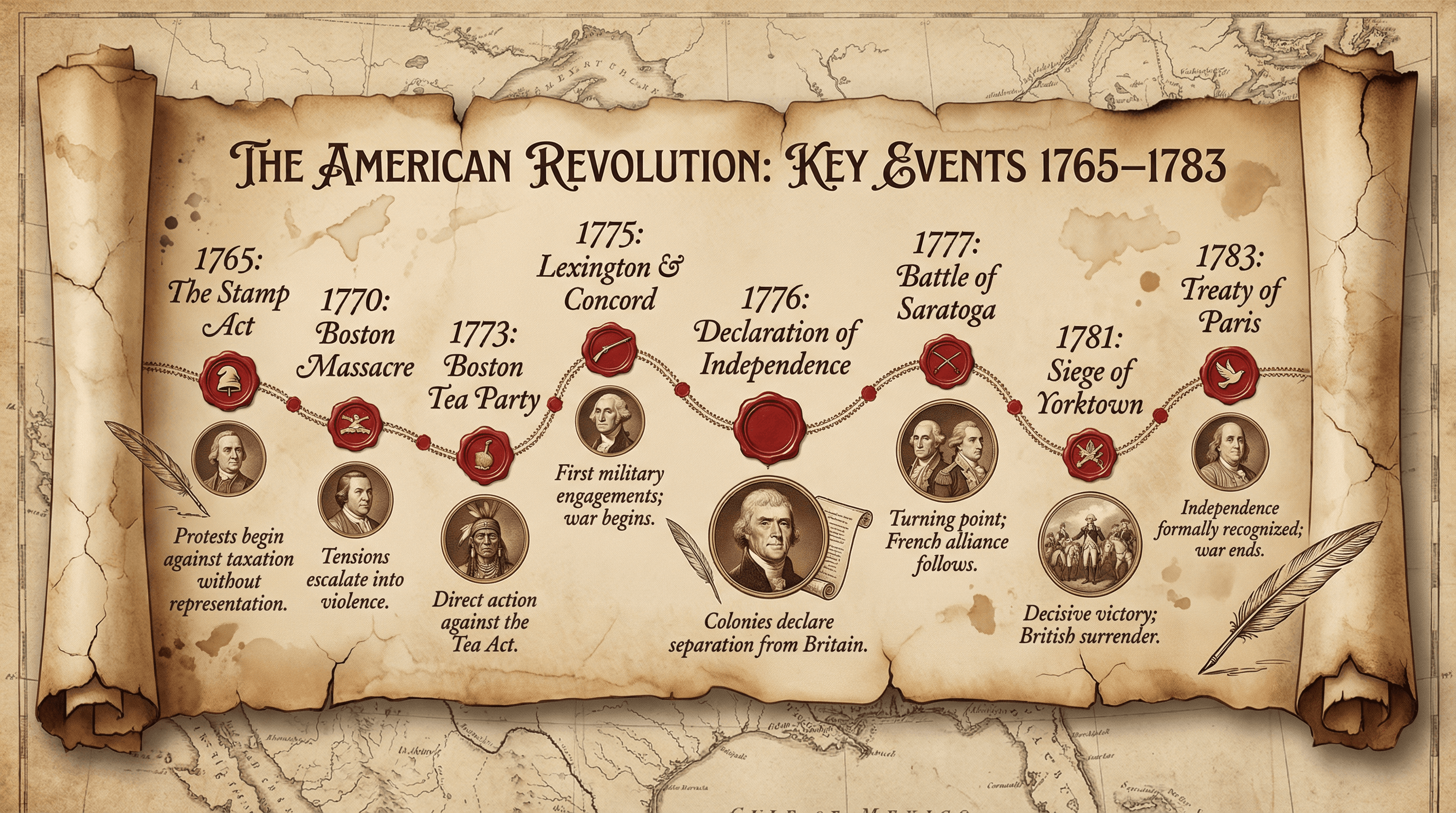
Design a timeline slide showing key events from 1765-1783 during the American Revolution. Style as an aged parchment scroll with sepia tones, colonial-era typography reminiscent of the Declaration of Independence, red wax seal accents, quill pen illustrations, faded map backgrounds of colonial America, and portrait medallions of key figures in copperplate engraving style.
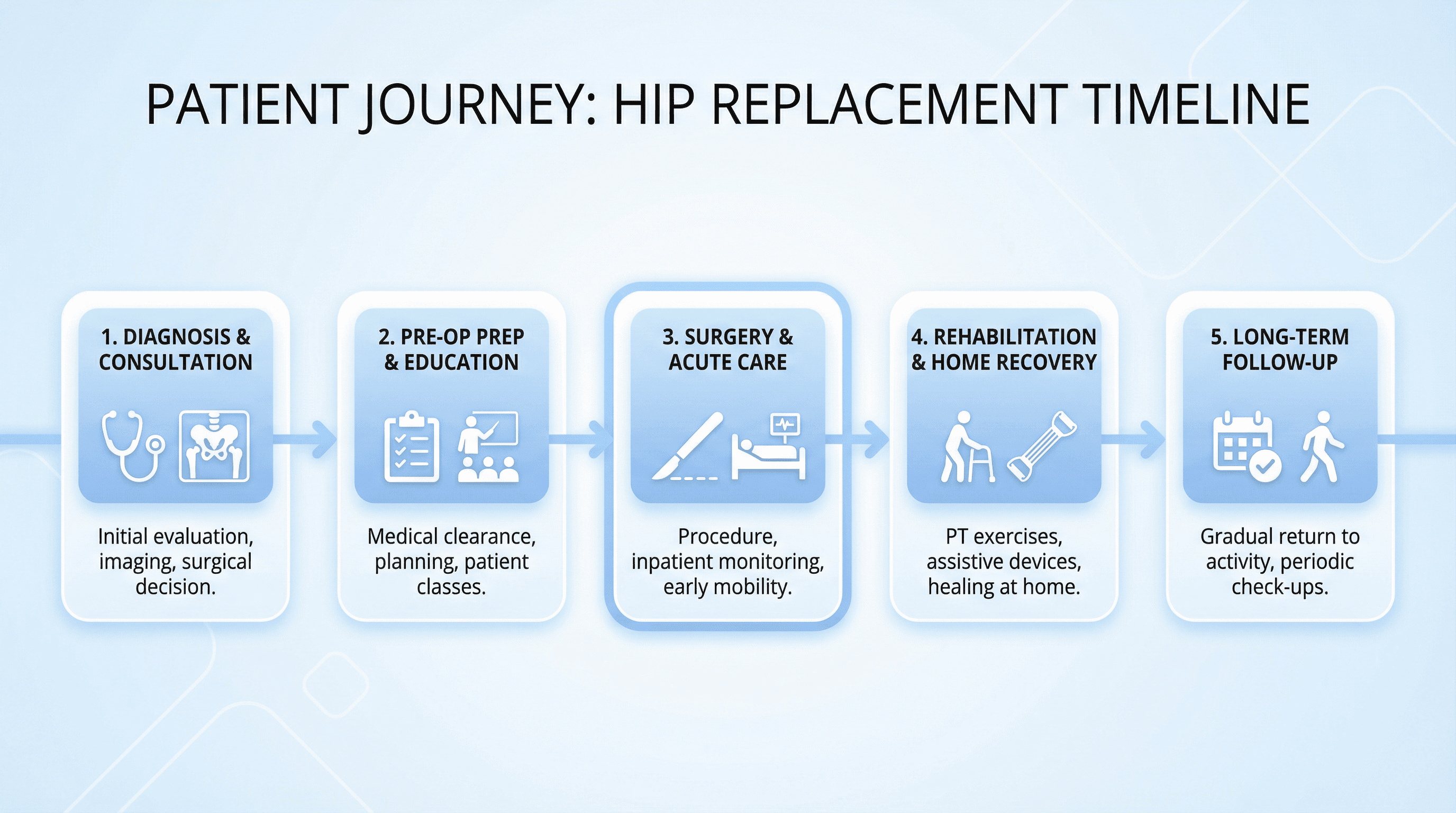
Slide for healthcare training presentation showing the timeline for a patient who needs a hip replacement. Design in a clean clinical style with a horizontal timeline using soft blue and white color palette, minimalist medical icons, sans-serif typography (like Open Sans), subtle gradient backgrounds, and professional hospital-grade aesthetic with rounded corners and ample white space.
How to use these Timeline & Roadmap Prompt Ideas for Nano Banana prompts
Think of these prompts as your shortcut to professional planning slides without the hassle of dragging shapes around. You can copy any prompt in this list and paste it directly into Nano Banana to get started. Just remember to swap out our placeholder dates and milestones with your actual project details before hitting generate to get a custom graphic that is ready to present.
Be specific with your labels. Nano Banana Pro is incredible at rendering text inside images, so do not be afraid to ask for exact wording. Instead of asking for "some dates," tell the prompt to "include labels for Q1, Q2, Q3, and Q4" or "write Kickoff, Development, and Launch on the timeline nodes" to get precisely what you need.
Define the direction and flow. Timelines can go left-to-right, top-to-bottom, or even snake around the slide. Clearly state the layout you want, such as "a horizontal linear timeline with arrows" or "a vertical roadmap with alternating text boxes," to ensure the composition fits your slide content perfectly.
Set the visual style early. If your presentation uses a specific color palette, include descriptive color names or even hex codes in the prompt. You can also specify typography preferences, like "bold sans-serif for headers" or "thin, elegant fonts for dates," to make sure the generated image matches your corporate branding right out of the gate.
Product launches are a perfect fit for these prompts. You can visualize the journey from initial concept to public release, ensuring stakeholders see the big picture immediately. A clean, labeled roadmap helps align the product, engineering, and marketing teams on critical deadlines without getting everyone lost in a dense spreadsheet.
Client implementation plans also benefit from clear visuals. When you are onboarding a new customer, a generated timeline showing the kickoff, data migration, and go-live dates builds confidence. It turns a boring list of dates into a professional graphic that looks like it took hours to design, helping you set expectations clearly.
Use visual hierarchy instructions. You can tell Nano Banana to emphasize certain milestones over others to tell a story. Try adding instructions like "highlight the Launch phase in bright red" or "make the Q4 milestone larger than the others" to draw the audience's eye exactly where you want it.
Work directly in Google Slides and PowerPoint — no need to learn a new tool
Never start from scratch again, just tell us what kind of presentation you want to make.
Add, remix, and rewrite your slides to fine-tune your presentation.
Combine icons with text. Since the model handles complex compositions well, ask for specific iconography to accompany your text labels. A prompt like "add a magnifying glass icon next to the Research phase and a rocket ship next to Launch" adds a layer of polish that makes the slide feel bespoke and helps visual learners grasp the content faster.