Plus AI Feature
Need to visualize a clinical protocol or explain a complex treatment workflow? These Healthcare Prompt Ideas for Nano Banana help you create professional medical slides, from accurate anatomical diagrams to fully labeled process charts. Since Nano Banana Pro handles text generation exceptionally well, you get clear, readable annotations directly inside your images. Great for medical training decks, patient handouts, or anywhere precision counts.
13 prompts
How to use these Healthcare Prompt Ideas for Nano Banana prompts
These prompts are designed to be your starting block for creating professional medical visuals without leaving your slide deck. You can use them exactly as they are written to see what the AI is capable of, or treat them as templates by swapping out the specific medical terms for your own topics. The goal is to help you visualize complex clinical concepts quickly, whether you are building a lecture for med students or a pamphlet for a waiting room.
Precision is everything in medical imagery, so don't be afraid to get technical with your vocabulary. If you need a specific angle, ask for "sagittal view," "anterior view," or "cross-section" explicitly. Nano Banana understands clinical context, so using the correct terminology helps it deliver a more accurate result than using vague descriptions like "side view."
Make sure you leverage the text rendering capabilities of Nano Banana Pro. This model is incredibly good at placing legible text inside images, which is a game changer for healthcare diagrams. You can include instructions like "label the left ventricle" or "include a title at the top that says 'Surgical Safety Checklist'." This saves you from having to overlay text boxes manually after the image is generated.
Define the aesthetic based on your audience. Medical content can range from hyper-realistic and gritty to soft and illustrative. If you are making slides for a pathology conference, ask for "photorealistic, high detail, clinical lighting." If you are creating patient education materials, try prompting for "soft vector illustration, friendly colors, clean lines." Specifying the style ensures the image feels appropriate for the viewer.
One of the best ways to use these prompts is for patient education materials where clarity is key. You can generate step-by-step visual guides for things like wound care or medication administration. Because you can instruct Nano Banana to include numbers and short captions directly on the image, you can create a "3-step guide to using an inhaler" that is easy to follow and visually consistent.
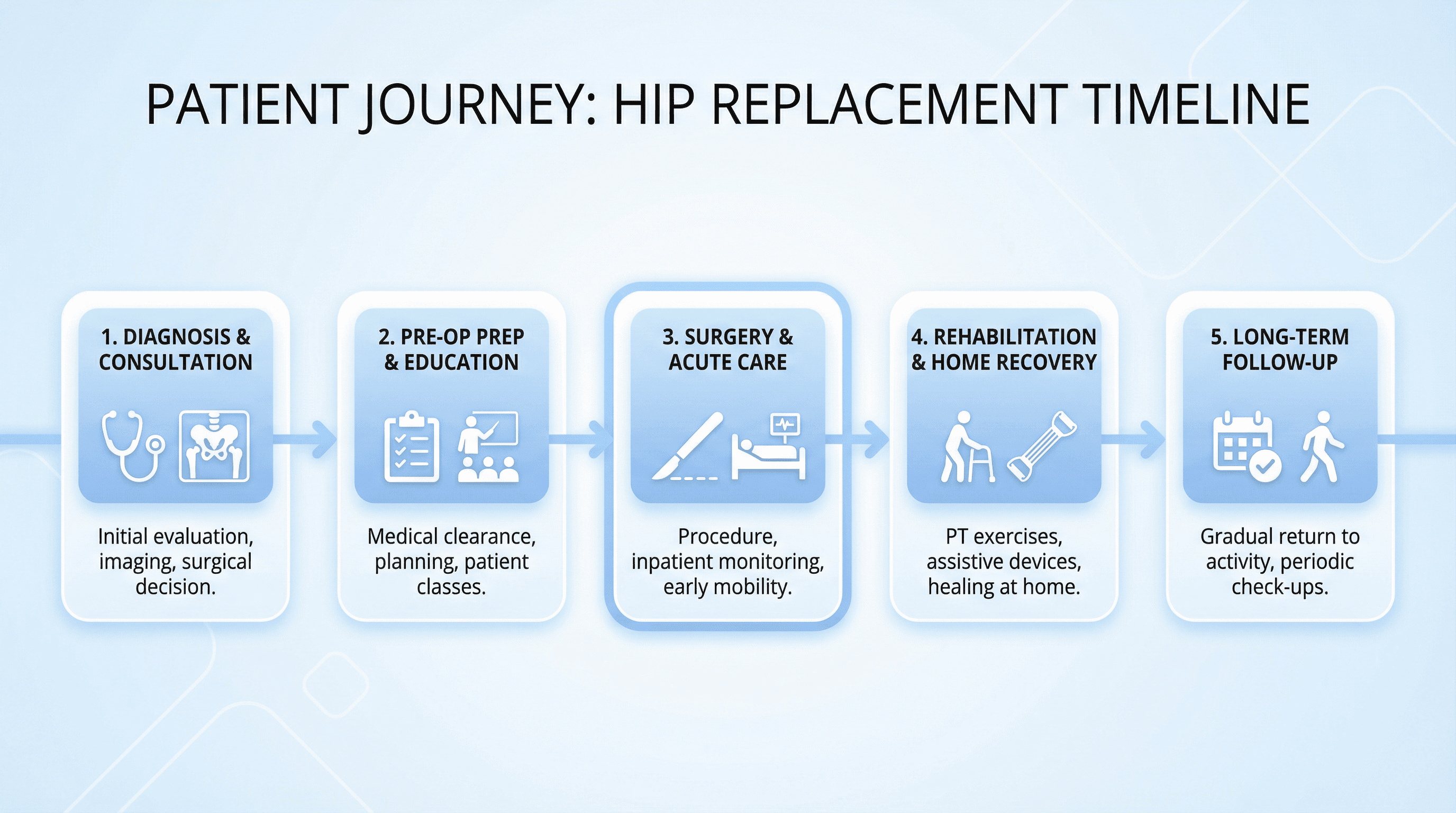
Clinical protocols and training slides also benefit huge from custom generation. Instead of using a generic stock photo of a hospital hallway, you can generate a specific flowchart or diagram that outlines a triage protocol. You can ask for a "modern infographic layout showing the stroke pathway timeline," and the AI can render the timeline elements with the correct phase labels included.
You can control the layout composition to make side-by-side comparisons much easier. Try a prompt structure like "split image vertically, left side showing healthy bone density labeled 'Normal', right side showing bone loss labeled 'Osteoporosis'." This creates a perfect comparison slide in one go without you needing to edit two separate images together.
If your hospital or organization has specific brand colors, you can actually include the hex codes in your prompt. Telling Nano Banana to "use a color palette of white, grey, and #005EB8" helps ensure that the generated diagrams and backgrounds match your official slide template perfectly.
Work directly in Google Slides and PowerPoint — no need to learn a new tool
Never start from scratch again, just tell us what kind of presentation you want to make.
Add, remix, and rewrite your slides to fine-tune your presentation.