
Plus AI Feature
Building a pitch deck or mapping a customer journey? These Sales & Marketing Prompt Ideas for Nano Banana help you generate professional slide layouts, funnels, and competitive analysis charts instantly. Since our model handles text rendering exceptionally well (no gibberish labels here), you can trust it to create complex, annotated diagrams that are ready for your next meeting.
20 prompts
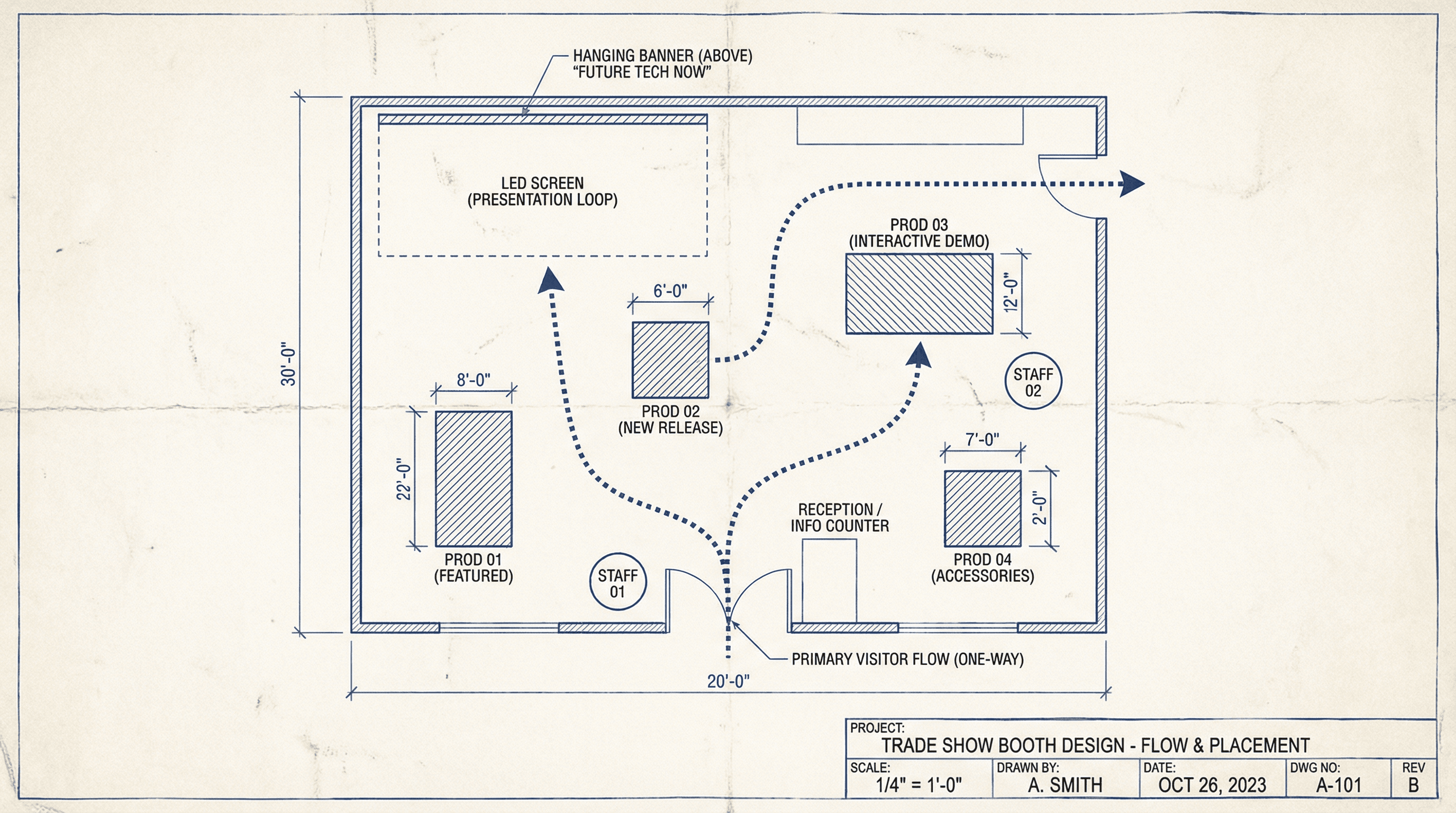
Create a slide showing trade show booth design with product placement and flow. Design in an event planning blueprint style with top-down floor plan view, visitor flow arrows, product display markers, staff position indicators, banner and screen placements, measurement annotations, architectural drawing aesthetic, and technical labeling.
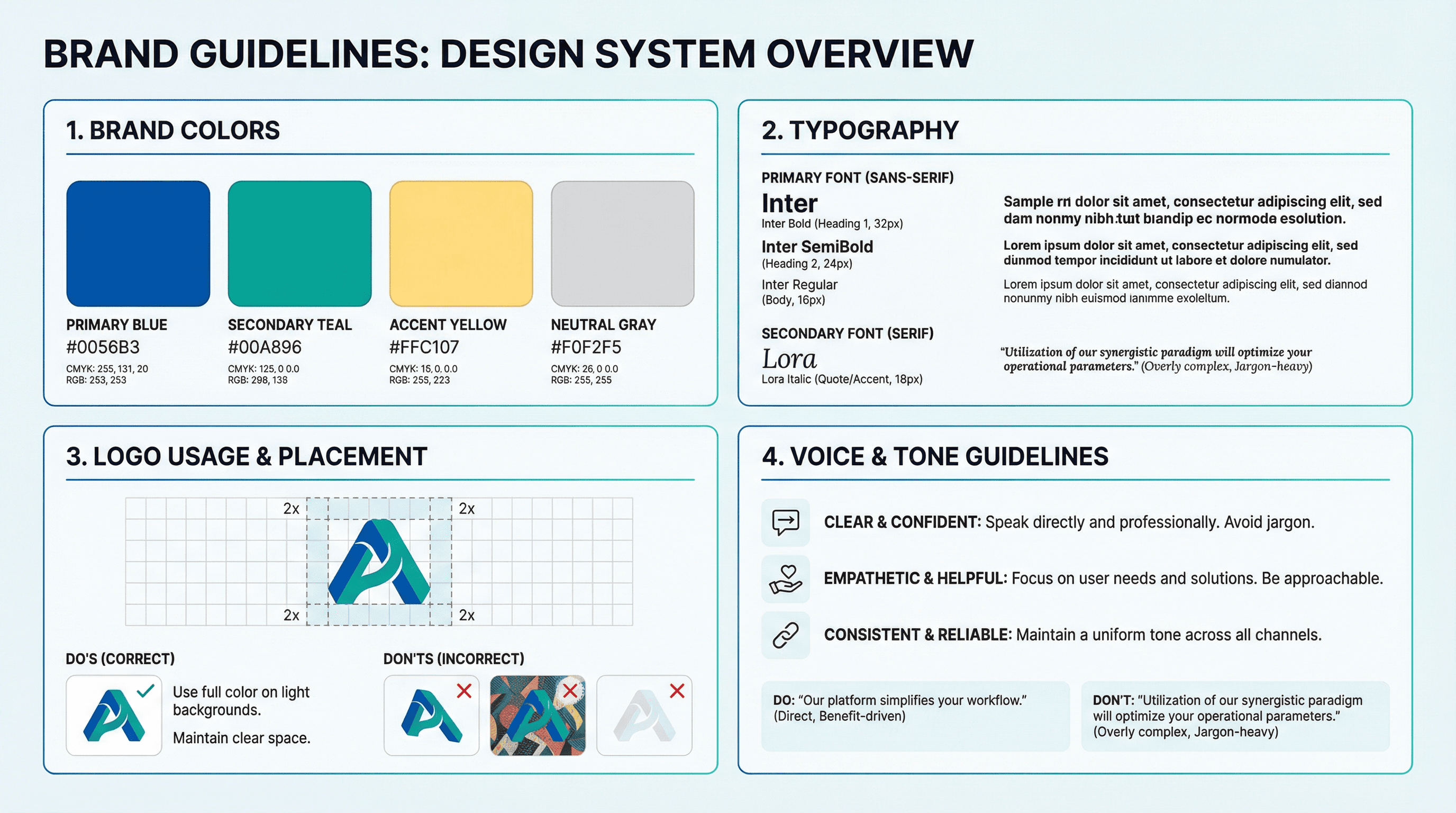
Design a slide presenting brand colors, fonts, logo usage, and voice guidelines. Use a design system style with color swatches showing hex codes, typography specimens, logo placement grid, do's and don'ts examples, spacing measurements, clean white background with brand color accents, and precise specification typography.
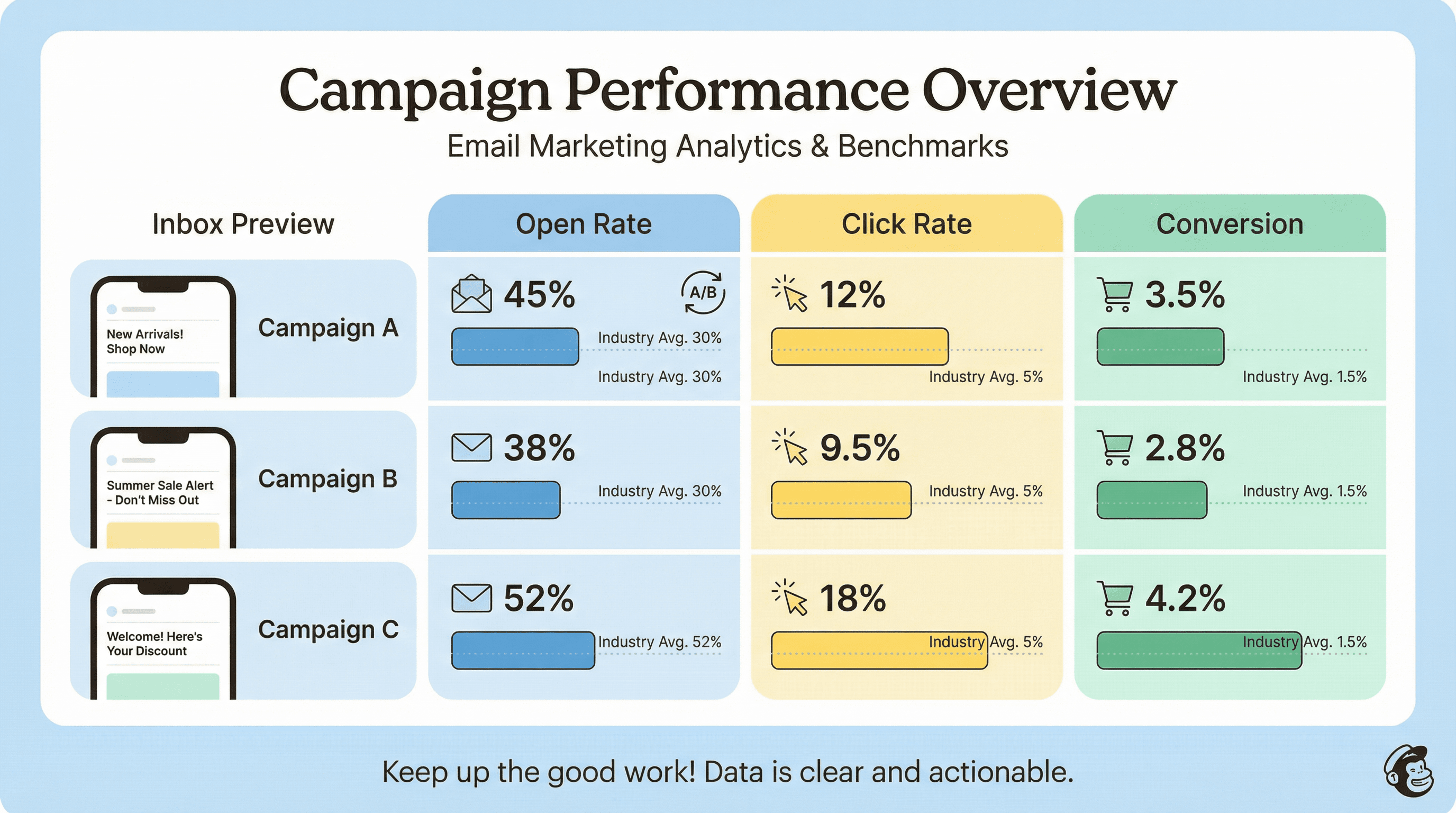
Create a slide showing email open rates, click rates, and conversion by campaign. Design in an email marketing analytics style with envelope and click icons, performance bar charts in brand colors, benchmark comparison lines, A/B test indicators, inbox preview mockups, Mailchimp-inspired friendly aesthetic, and data-clear typography.
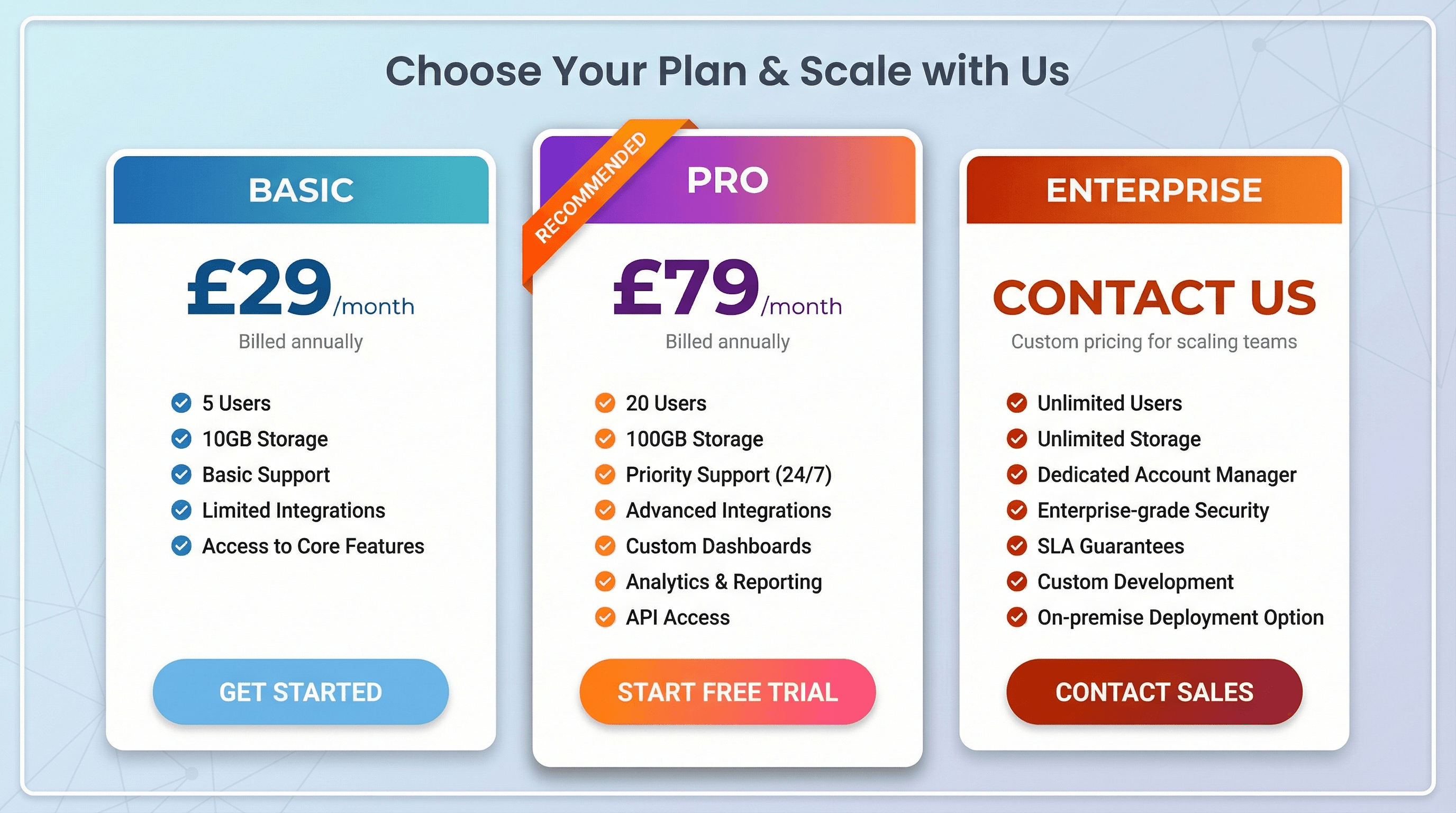
Design a pricing table slide comparing Basic, Pro, and Enterprise subscription tiers. Use a SaaS pricing page style with three vertical pricing cards, recommended tier highlighted with ribbon badge, feature checkmark lists, price in large bold numbers, CTA button styling, gradient header bars, and clean conversion-optimized typography.

Create a slide featuring 3 customer testimonials with photos and company logos. Design in a trust-building style with circular customer headshot photos, large quotation mark graphics in brand accent color, star rating displays, company logo badges, subtle gradient background, testimonial cards with soft shadows, and warm credible serif quotes.

Design an exciting product launch slide with key features and launch date. Use an Apple keynote-inspired style with dramatic dark background, hero product image with spotlight effect, minimal white text with powerful single words, feature icons with subtle animations, countdown timer graphic, and elegant San Francisco Pro typography.
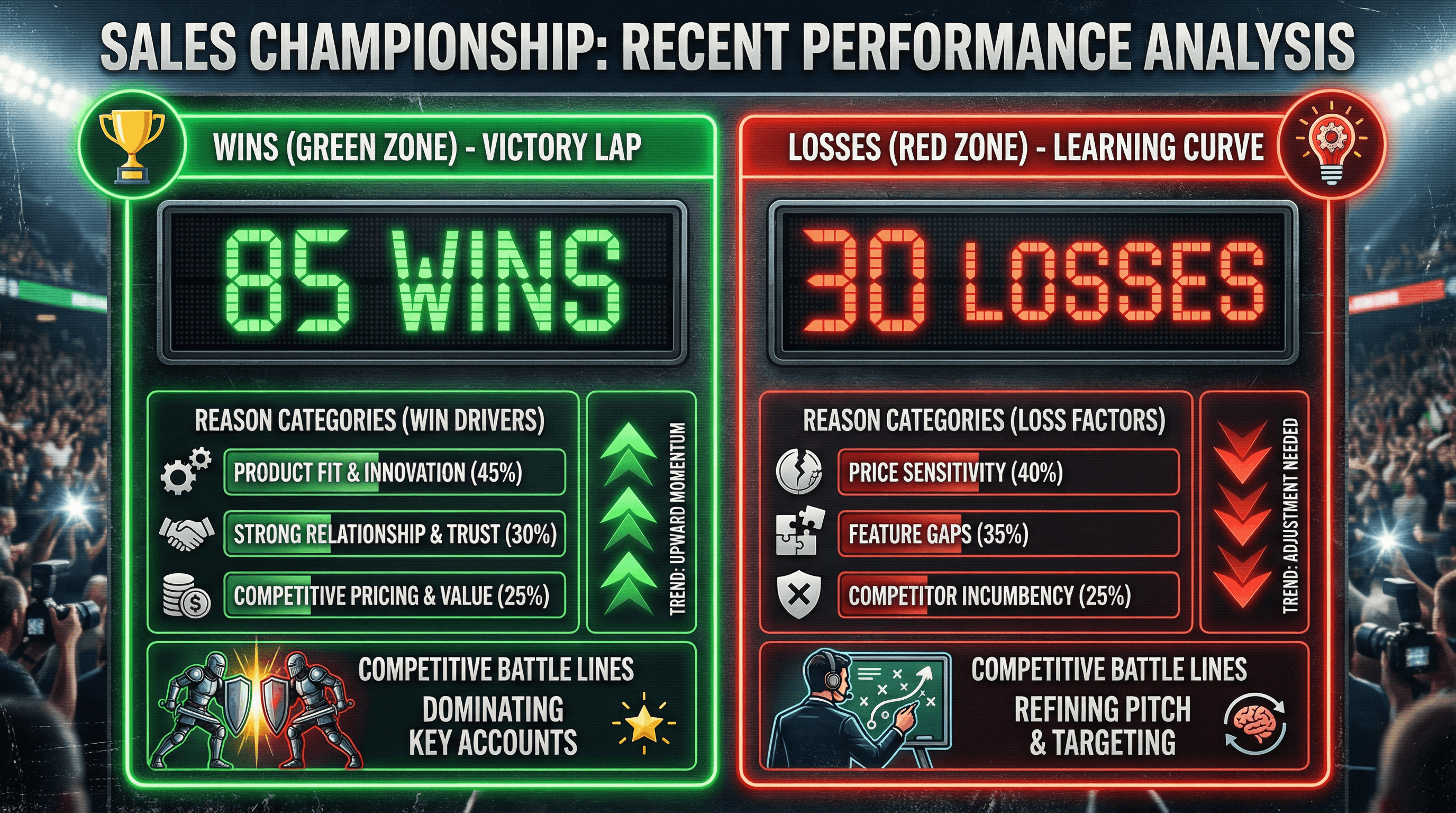
Create a slide analyzing recent sales wins and losses with reasons and trends. Use a sports scoreboard style with wins in green column, losses in red column, reason category breakdowns, trend arrows, competitive battle imagery, victory trophy and learning lightbulb icons, scoreboard number display, and competitive sports typography.
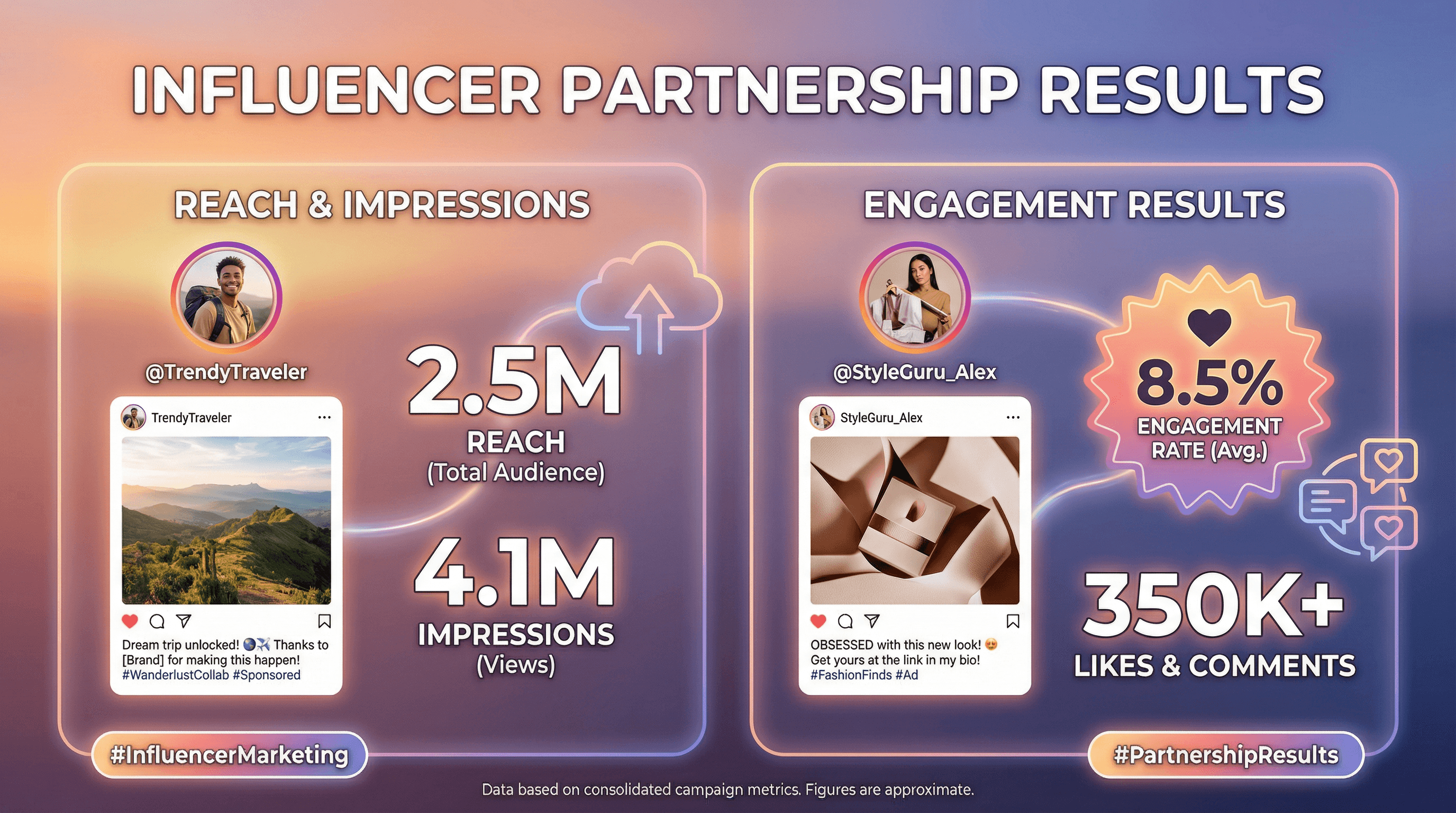
Design a slide presenting influencer partnership results with reach and engagement. Use a social media influencer aesthetic with Instagram-style post mockups, influencer profile photos in circular frames, reach and impression large numbers, engagement rate badges, hashtag graphics, trendy gradient backgrounds, and influencer-culture typography.
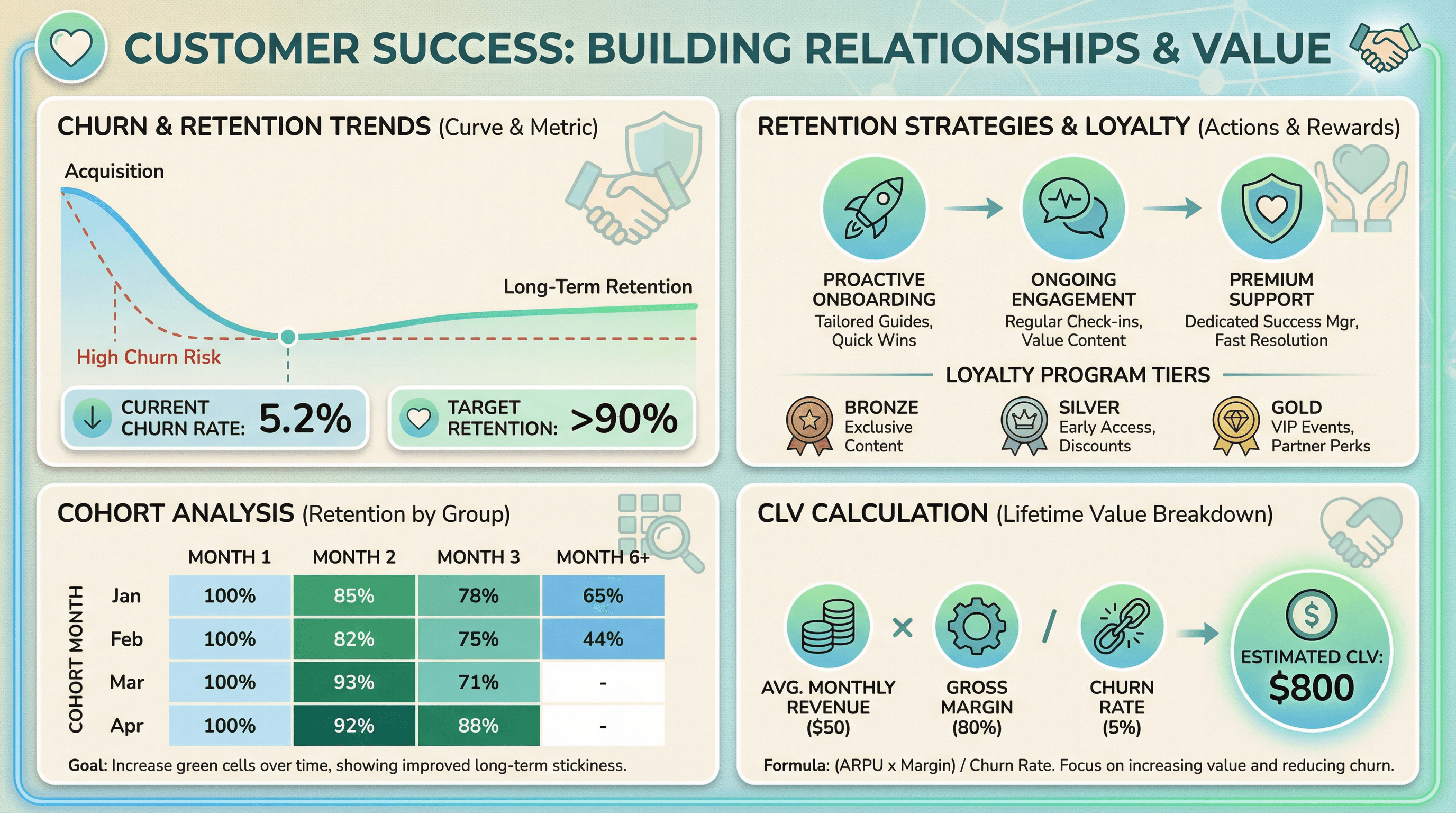
Create a slide showing churn rates, retention strategies, and customer lifetime value. Design in a customer success style with retention curve graph, cohort analysis grid, CLV calculation breakdown, loyalty program icons, heart and handshake graphics, warm retention-focused colors (greens and blues), and relationship-building typography.
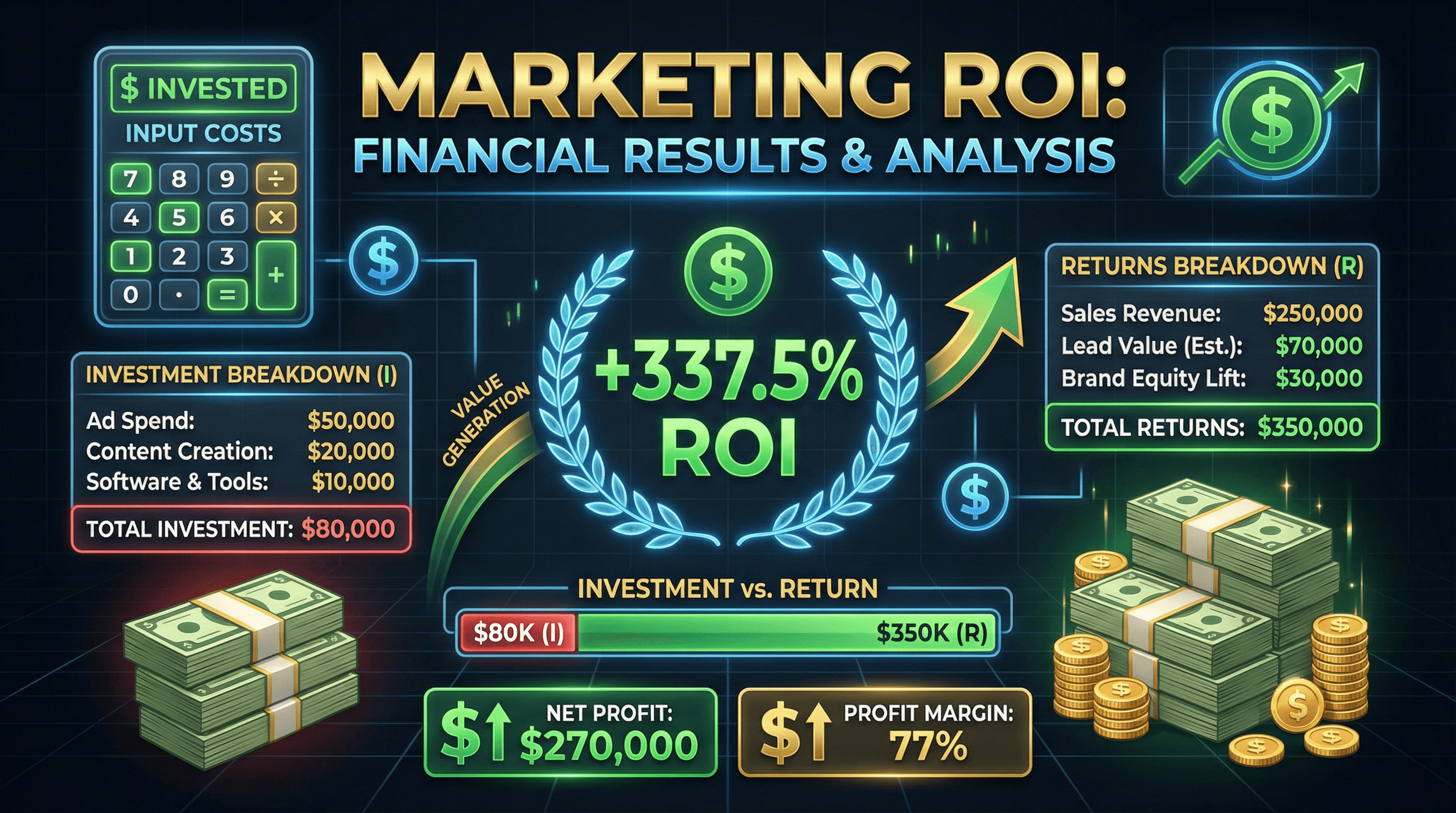
Design a slide showing marketing ROI calculation with investment and returns breakdown. Use a financial results style with calculator graphic, large ROI percentage in green, investment vs return comparison bars, money stack illustrations, upward trending arrow, profit highlight boxes, and impactful financial typography with dollar signs.

Create a slide explaining the lead scoring methodology with criteria and point values. Use a gamification style with point badge graphics, scoring thermometer visualization, criteria checklist with point values, tier levels (hot/warm/cold leads) with fire/sun/snowflake icons, leaderboard aesthetic, and engaging game-inspired typography.
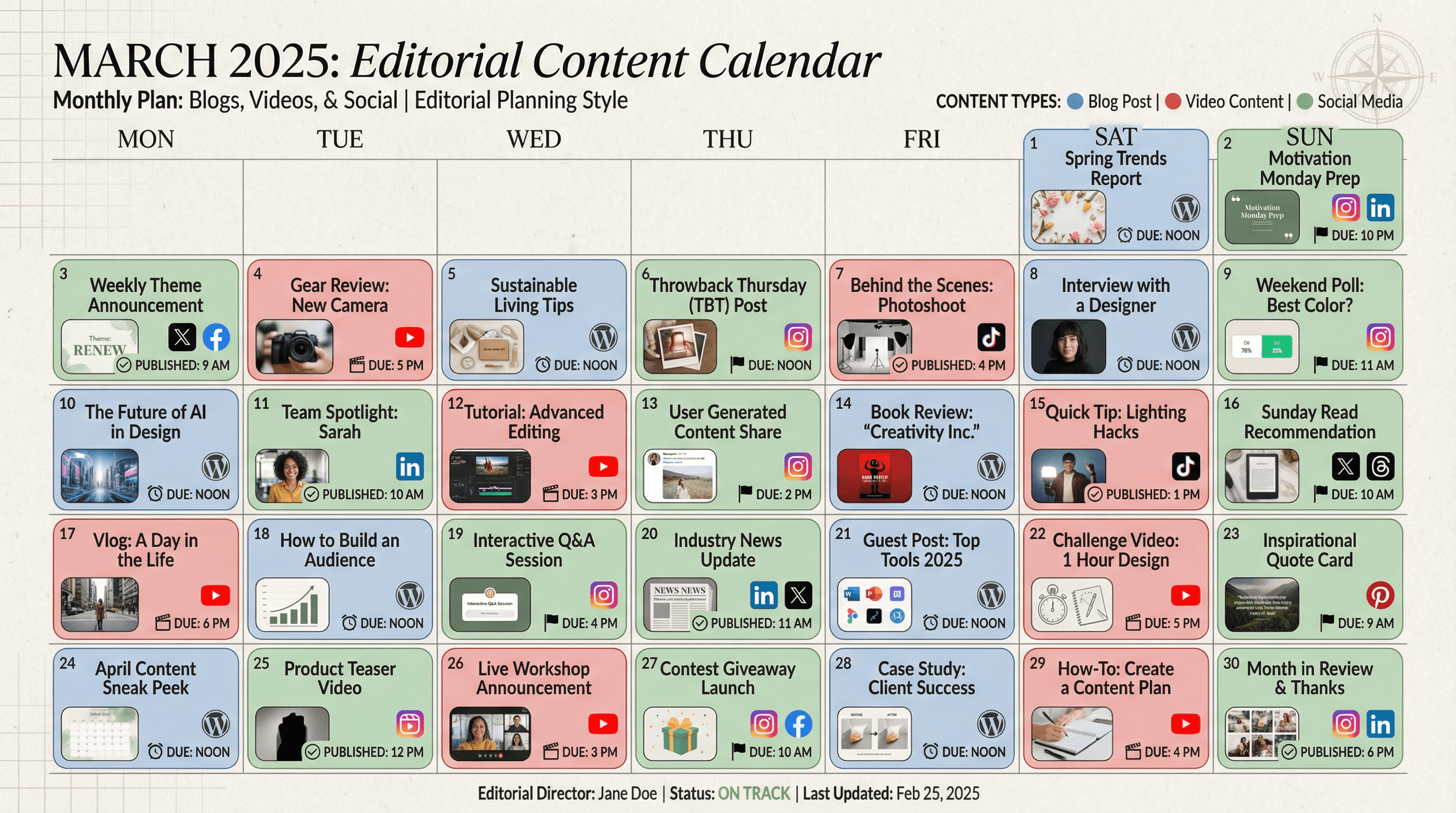
Design a monthly content calendar slide showing blog posts, videos, and social content. Use an editorial planning style with calendar grid layout, content type color coding (blog = blue, video = red, social = green), thumbnail previews, publishing platform icons, deadline markers, magazine editorial aesthetic, and organized publishing typography.
How to use these Sales & Marketing Prompt Ideas for Nano Banana prompts
Think of these prompts as blueprints for your high-stakes presentations. You can copy them directly to get immediate results, or tweak the specific variables like industry terms and color schemes to match your brand guidelines. The goal here is to help you move from a blank slide to a persuasive visual narrative without needing a degree in graphic design.
Leverage the text rendering capabilities. Nano Banana Pro is genuinely good at handling text within images, which is a game changer for sales visuals. When you want a label, title, or specific data point to appear, put the exact phrase in quotation marks inside your prompt. For example, asking for a sales funnel labeled Awareness, Consideration, Decision will actually give you those legible labels in the correct spots.
Be specific about design styles. Vague words like professional or nice can lead to generic stock-photo vibes. Instead, use specific descriptors that match your company's aesthetic, such as flat vector illustration, isometric 3D icons, minimalist line art, or corporate Memphis style. This ensures your generated images feel like they belong in the same deck.
Define the layout structure clearly. If you need a comparison slide, explicitly ask for a split screen layout or a side-by-side comparison table. If you are showing a process, ask for a linear flowchart or a circular loop. The model follows these structural instructions closely, saving you the hassle of cropping and rearranging elements later.
Visualizing complex customer journeys. Instead of listing touchpoints in a boring bulleted list, use these prompts to generate a winding path or a roadmap visual. You can instruct Nano Banana to place specific labels like Email Campaign or Demo Call directly onto the path, creating a visual story that is much easier for stakeholders to follow during a strategy meeting.
Creating distinct competitive landscapes. Standard 2x2 matrices often look dry when built with basic shapes. You can generate a stylized quadrant chart with custom icons and legible axis labels like High Cost vs Low Cost. It makes the competitive analysis section of your pitch deck pop without requiring you to manually align text boxes and arrows.
Work directly in Google Slides and PowerPoint — no need to learn a new tool
Never start from scratch again, just tell us what kind of presentation you want to make.
Add, remix, and rewrite your slides to fine-tune your presentation.
Dictate the typography hierarchy. Since the model understands design intent, you can get granular with text styling. Try asking for a bold, dark blue sans-serif headline at the top and small, grey caption text at the bottom. This helps you generate slides that are 90 percent finished right out of the gate.
Mix metaphors with hard data. Sales decks often need to balance emotion with facts. Try prompting for a visual metaphor, like a mountain climber reaching a peak, but explicitly ask for a flag at the top labeled Q4 Revenue Goal. This technique bridges the gap between motivational imagery and the hard numbers you need to present.