
Plus AI Feature
Mapping out a system or team structure usually involves hours of dragging boxes around, but these Diagram & Flowchart Prompt Ideas for Nano Banana can generate the layout you need in seconds. Whether you are building a technical architecture diagram, a decision tree, or a detailed org chart, Nano Banana Pro nails the structure and actually renders the text labels correctly. Use these examples to create annotated, presentation-ready slides that clearly communicate your workflow (and save you from alignment hell).
33 prompts
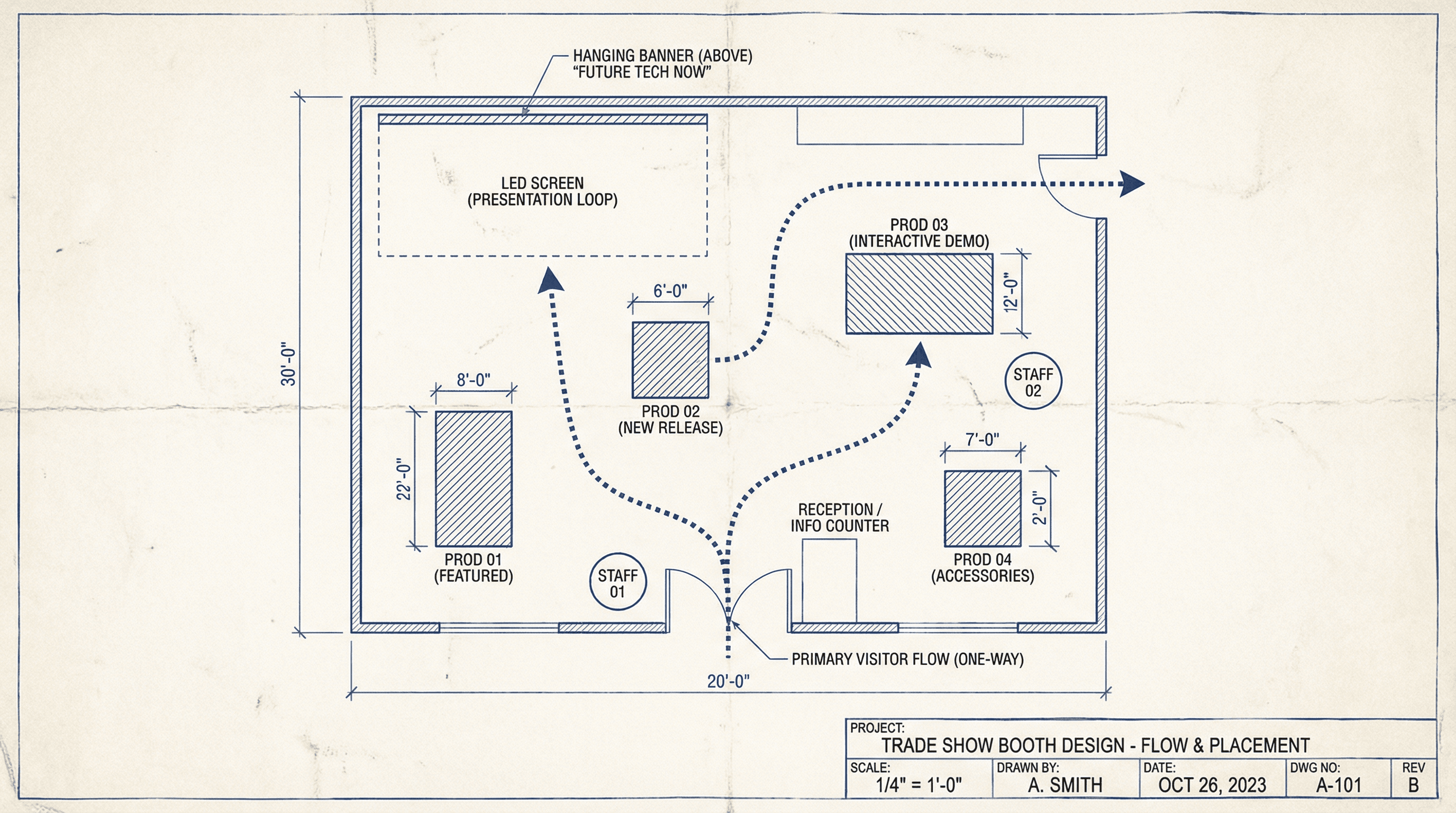
Create a slide showing trade show booth design with product placement and flow. Design in an event planning blueprint style with top-down floor plan view, visitor flow arrows, product display markers, staff position indicators, banner and screen placements, measurement annotations, architectural drawing aesthetic, and technical labeling.
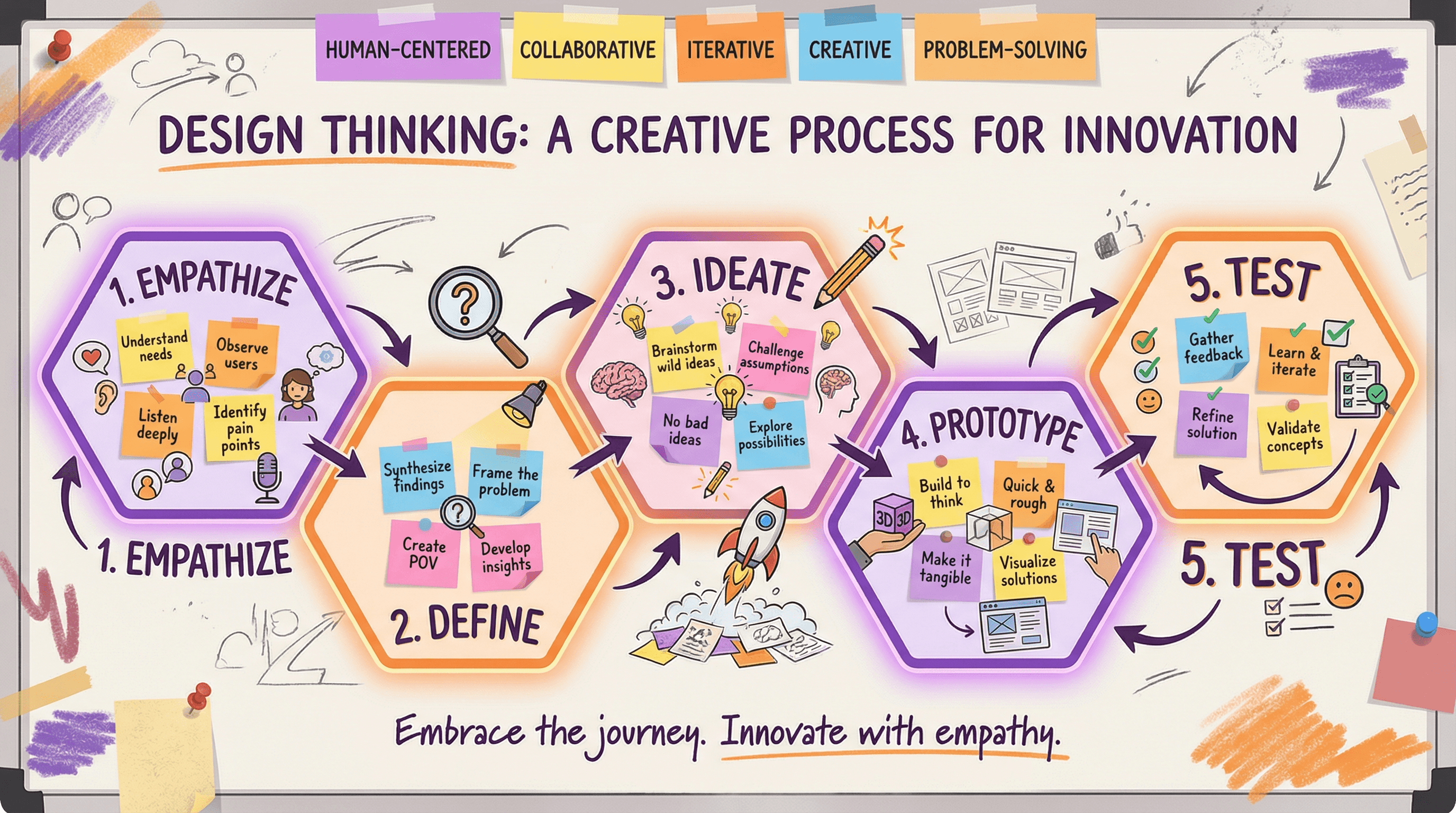
Design a slide explaining the design thinking process with 5 stages. Use a creative workshop style with five connected hexagonal stages (Empathize, Define, Ideate, Prototype, Test), sticky note accents, lightbulb and pencil icons, collaborative whiteboard aesthetic, innovation-inspiring purple and orange colors, and creative process typography.
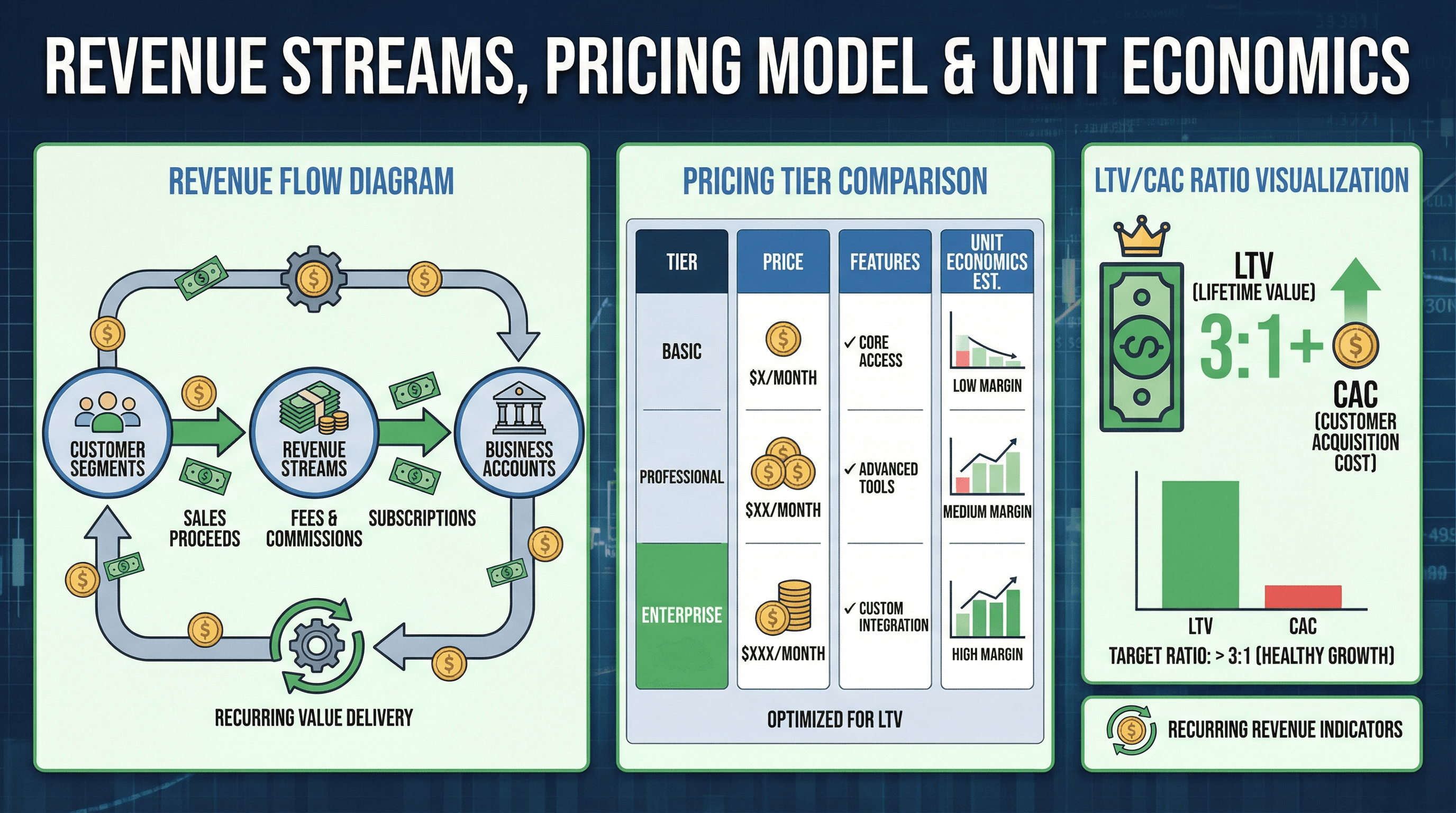
Create a slide explaining revenue streams, pricing model, and unit economics. Design in a unit economics style with revenue flow diagram showing money movement, pricing tier comparison, LTV/CAC ratio visualization, recurring revenue indicators, dollar bill and coin graphics, financial model aesthetic, and clear business model typography.
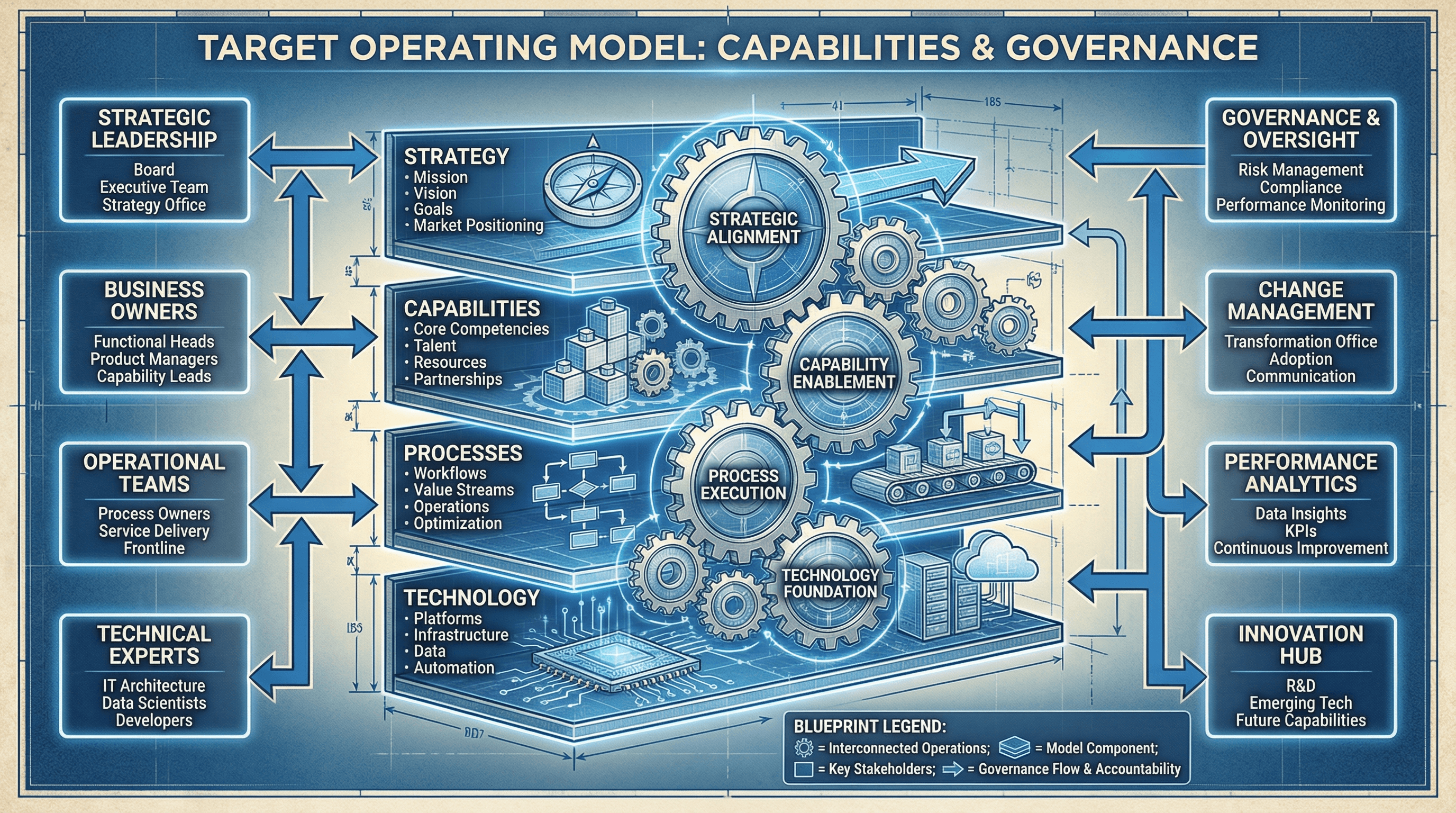
Design a slide presenting the target operating model with capabilities and governance. Use an organizational design style with layered model graphic (strategy, capabilities, processes, technology), interconnecting gears showing how elements work together, role boxes, governance arrows, blueprint aesthetic, and architectural organization typography.
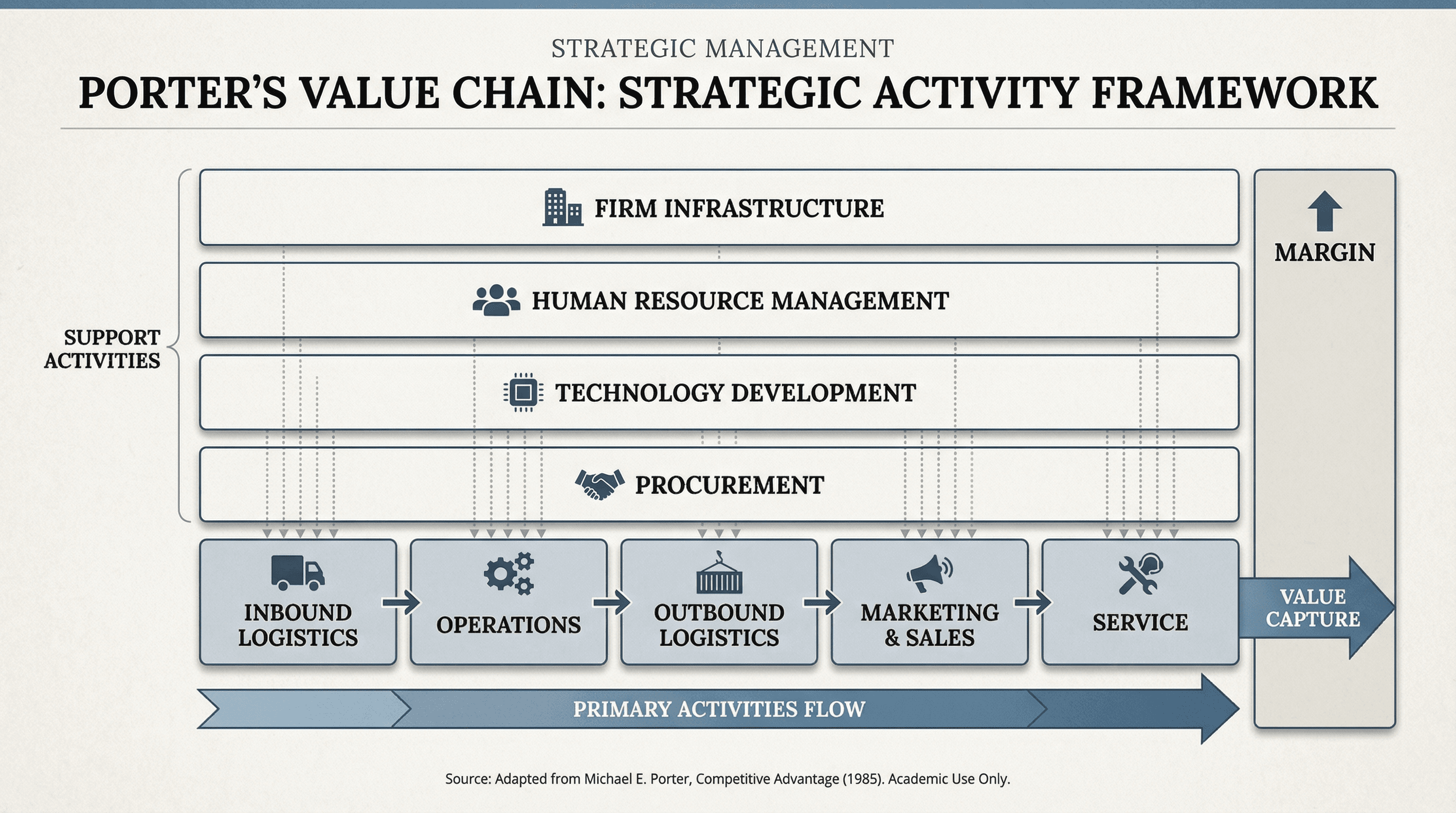
Design a slide showing primary and support activities in Porter's value chain. Use a strategic framework style with horizontal arrow showing primary activities flow, support activities stacked above, activity boxes with icons, margin indicator on right, interconnecting dotted lines, academic business school aesthetic, and strategic management typography.
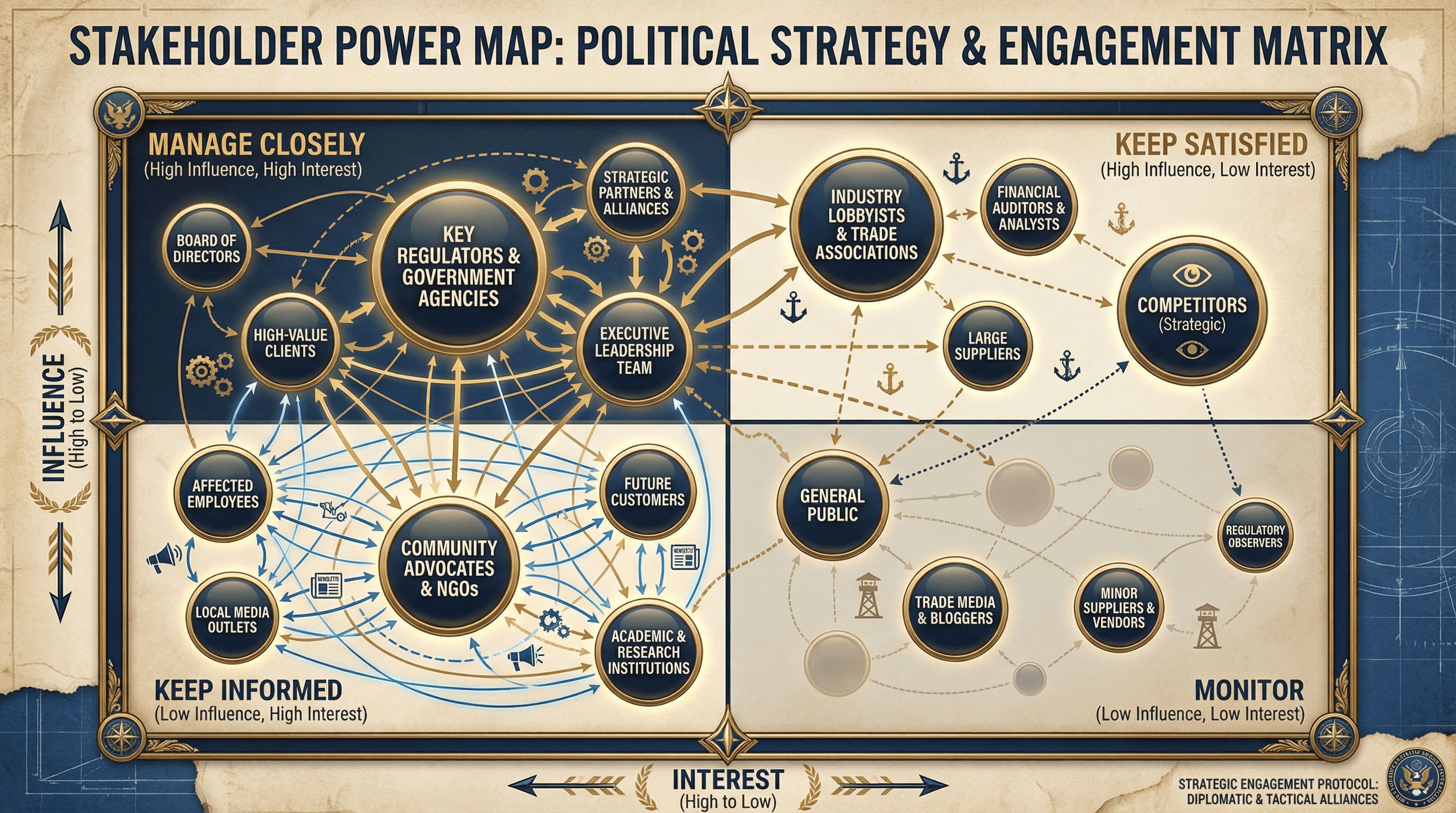
Design a slide mapping stakeholders by influence and interest in a 2x2 matrix. Use a political strategy style with quadrant grid, stakeholder names in positioned bubbles sized by importance, quadrant labels (Manage Closely, Keep Satisfied, Keep Informed, Monitor), connection lines showing relationships, diplomatic navy and gold colors, and strategic typography.
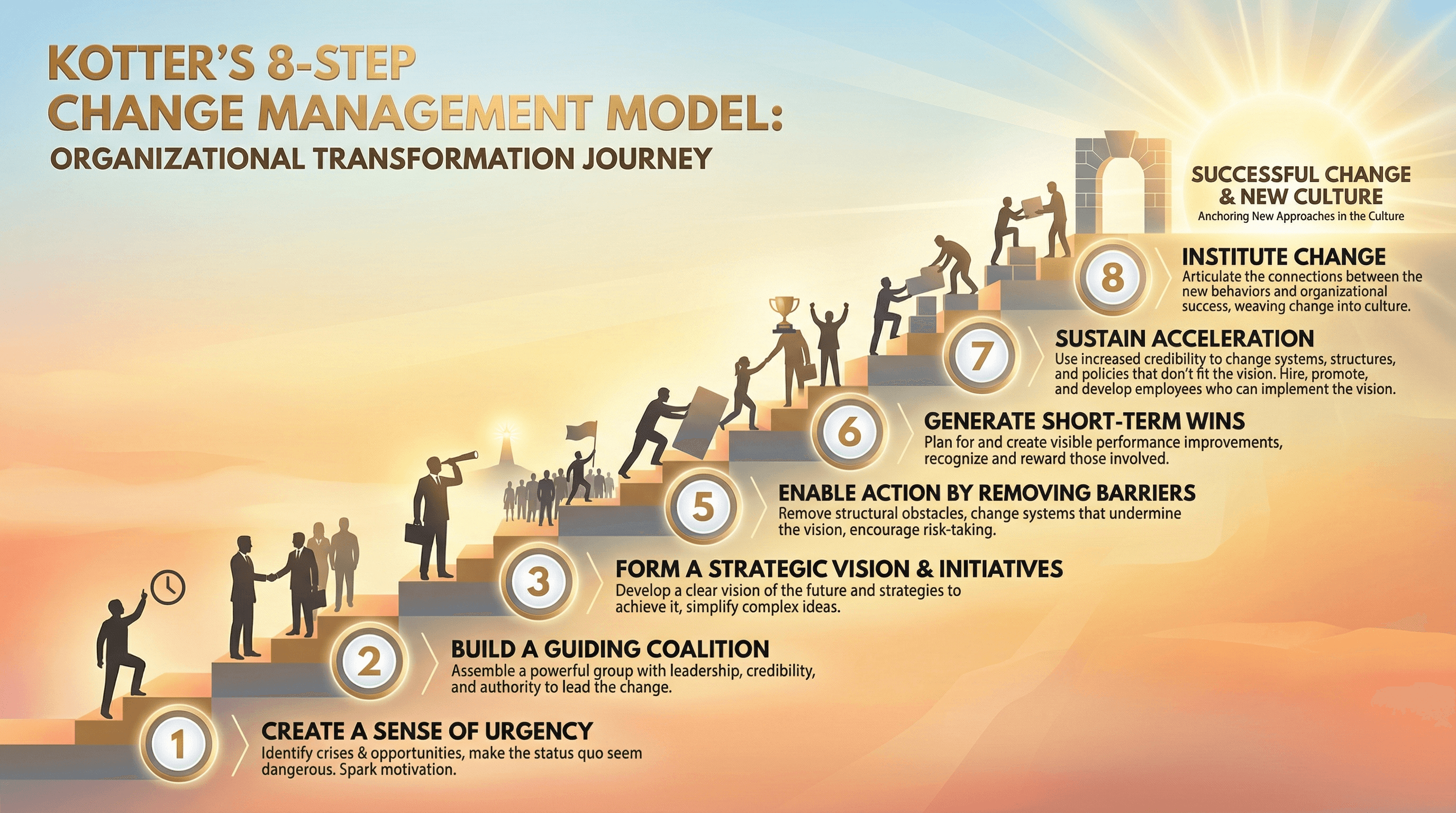
Create a slide explaining Kotter's 8-step change management model. Use an organizational transformation style with ascending staircase graphic representing 8 steps, step numbers in circles, brief descriptions at each level, people silhouettes climbing stairs, sunrise at top representing successful change, warm encouraging colors, and leadership typography.
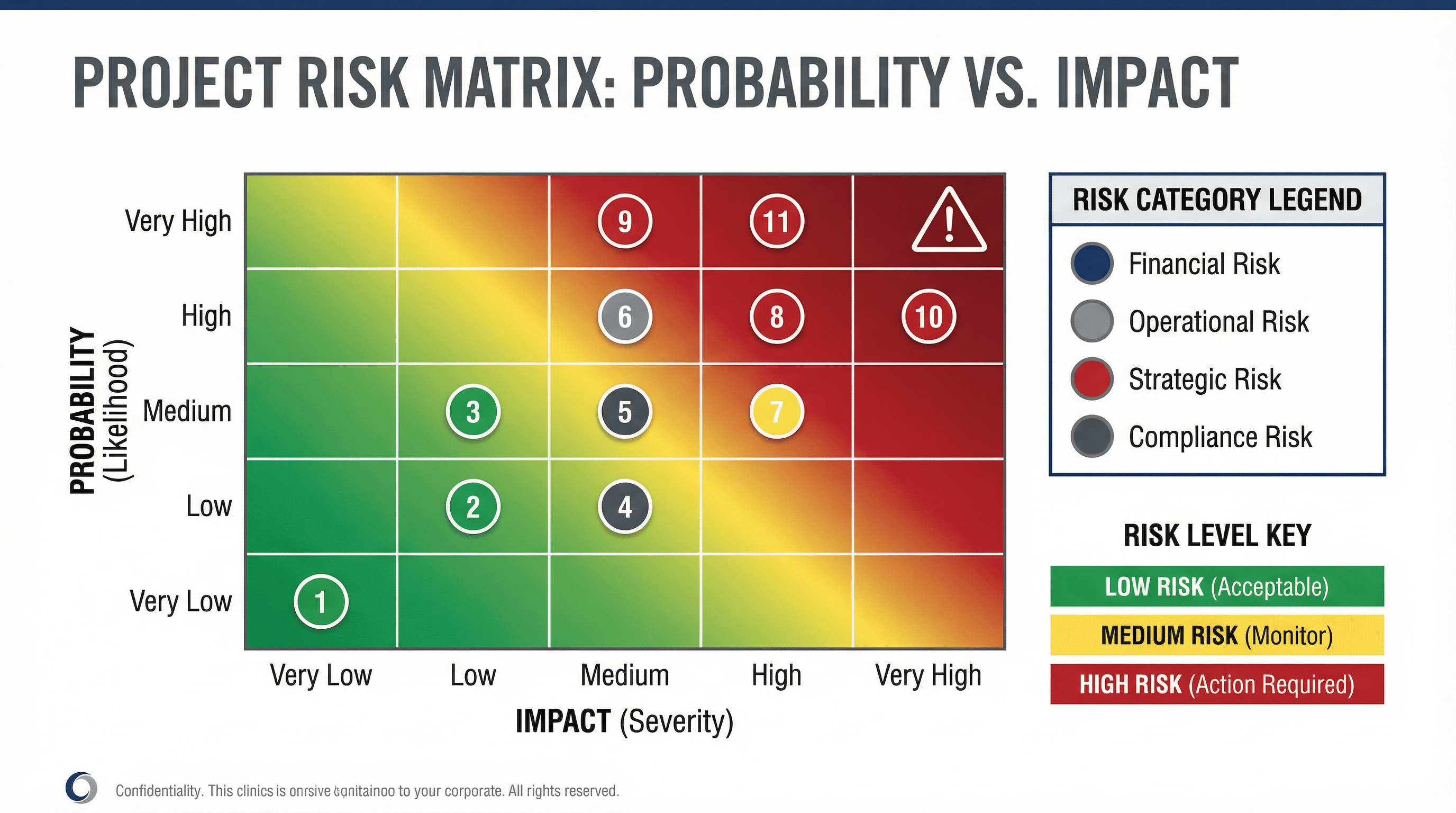
Create a slide with a risk matrix showing probability vs impact for project risks. Use a risk management style with 5x5 heat map grid (green to yellow to red gradient), plotted risk items as numbered circles, risk category legend, warning triangle icons, corporate governance colors (navy, gray, red), and serious risk management typography.
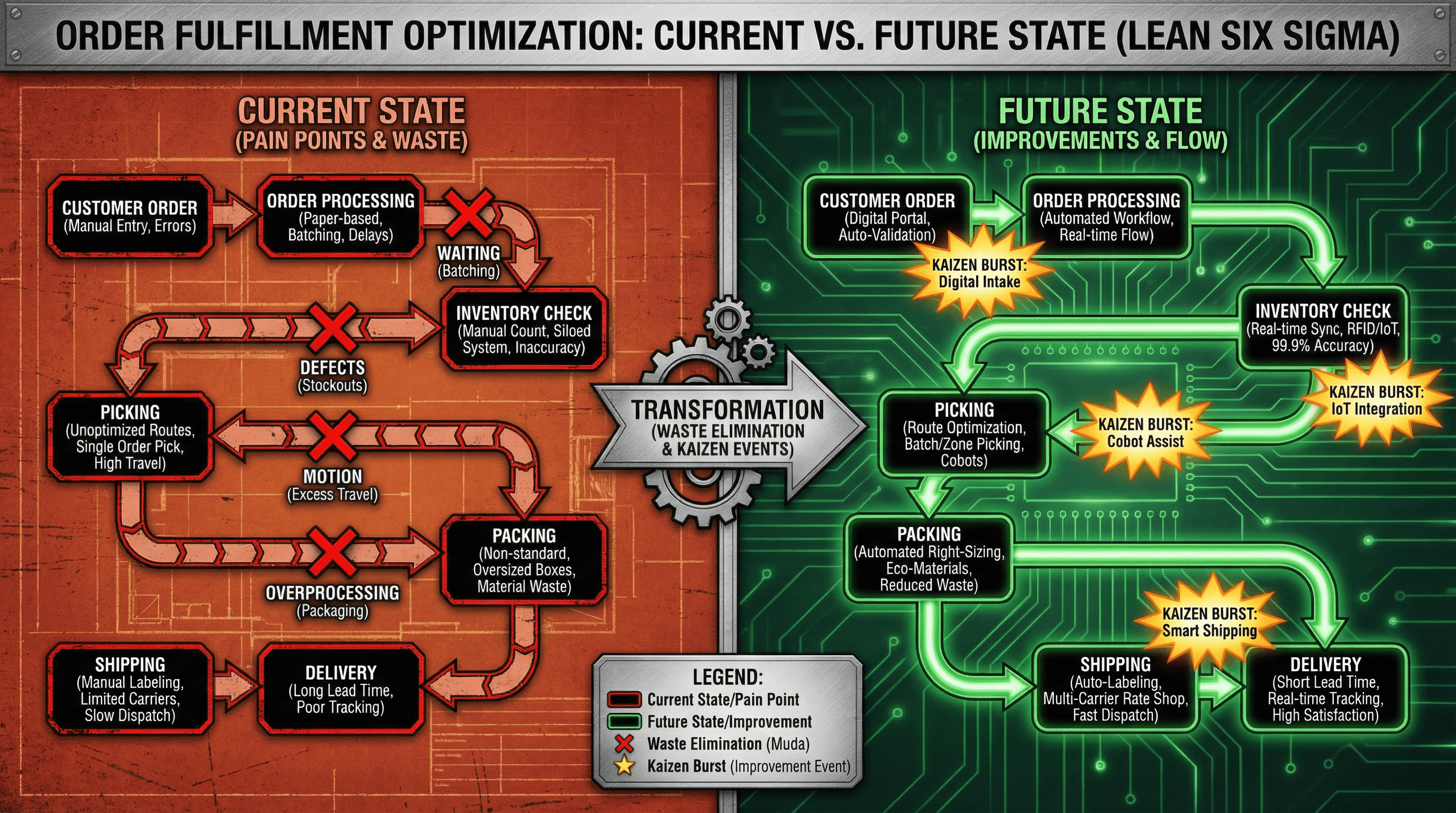
Design a current vs future state process map for order fulfillment optimization. Use a lean six sigma style with side-by-side process flows, current state in red/orange showing pain points, future state in green showing improvements, waste elimination X marks, kaizen burst stars, industrial efficiency aesthetic, and process engineering typography.
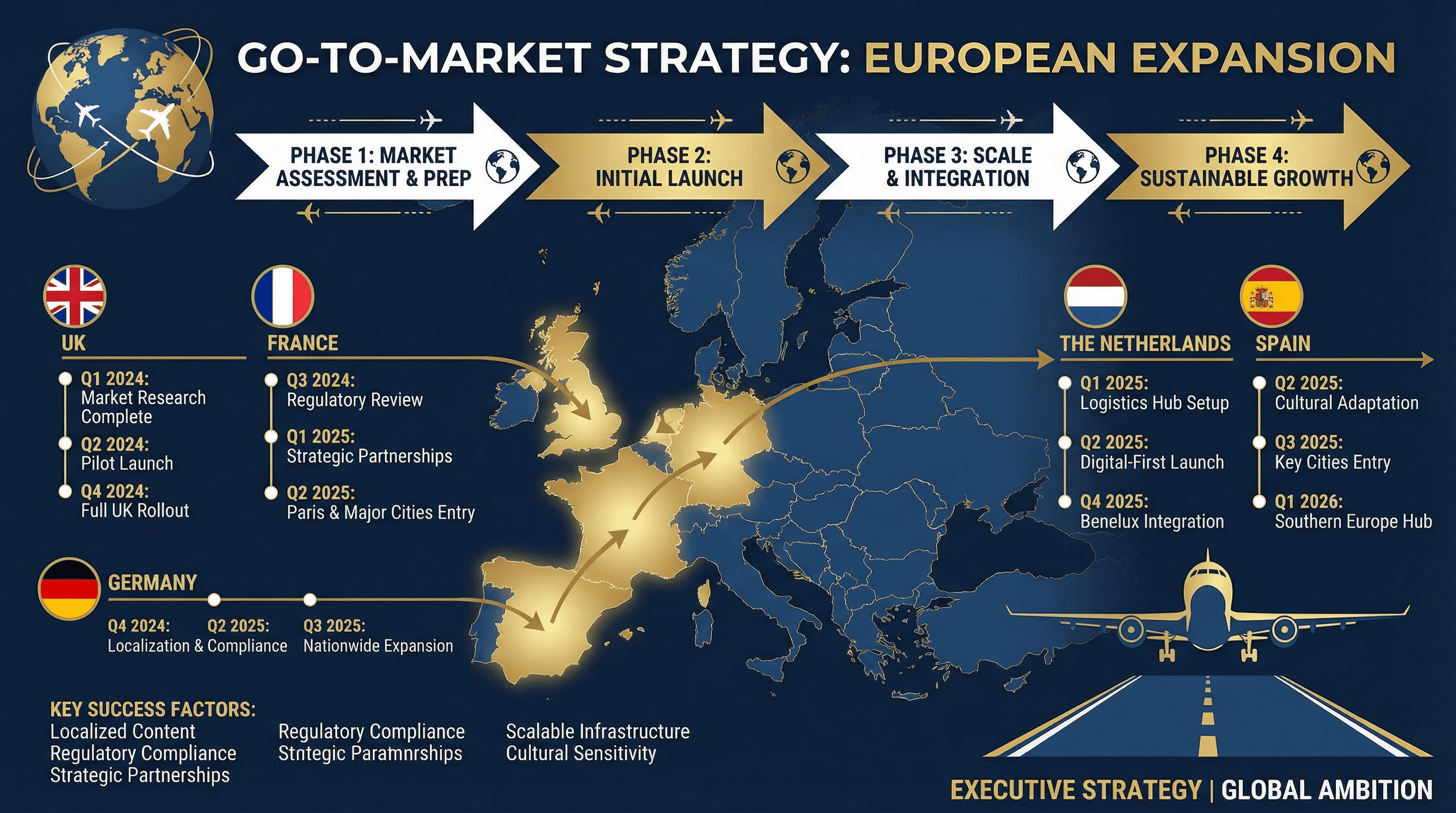
Create a slide outlining the go-to-market strategy for expanding into European markets. Use a global expansion style with European map highlighting target countries, market entry phase arrows, flag icons for each country, timeline milestones, airplane and globe graphics, international business navy colors, and executive strategy typography.
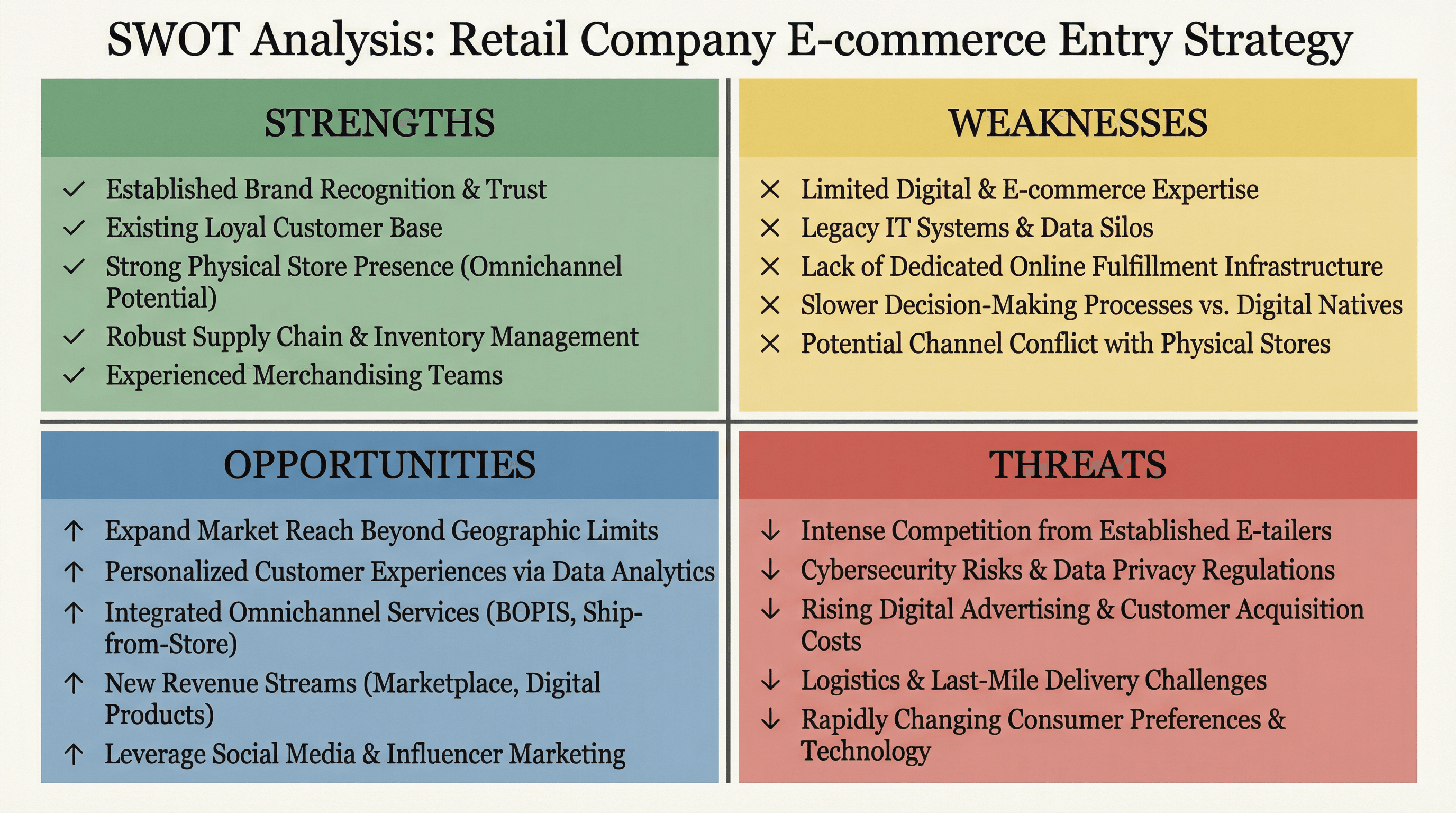
Design a 4-quadrant SWOT analysis slide for a retail company entering e-commerce. Use a classic consulting framework style with four equal quadrants in distinct colors (green strengths, yellow weaknesses, blue opportunities, red threats), bold quadrant labels, bullet point lists, clean dividing lines, BCG/McKinsey aesthetic, and professional serif headers.

Create a slide explaining the lead scoring methodology with criteria and point values. Use a gamification style with point badge graphics, scoring thermometer visualization, criteria checklist with point values, tier levels (hot/warm/cold leads) with fire/sun/snowflake icons, leaderboard aesthetic, and engaging game-inspired typography.
How to use these Diagram & Flowchart Prompt Ideas for Nano Banana prompts
Need to visualize a process, team structure, or decision path? This collection gives you the starting blocks for creating professional diagrams directly in your slides. Browse through these examples to find a structure that fits your data, then copy the prompt and swap in your specific labels. It saves you the headache of manually dragging shapes and arrows around for hours.
Since Nano Banana Pro is exceptional at rendering text, you should be specific about your labels. Don't be afraid to list exactly what you want written inside the boxes. For example, you can write: Create a flowchart with three steps labeled "Research," "Development," and "Launch." The model handles these instructions accurately, so you get usable text right out of the gate.
Define the flow and layout clearly. Tell the AI if you want a horizontal timeline, a vertical hierarchy, or a circular feedback loop. Words like "left-to-right flow," "top-down tree structure," or "concentric circles" help the model understand exactly how to arrange the elements on the canvas.
Be descriptive about the visual style to match your deck. If your presentation is corporate and clean, ask for "flat vector style, minimal blue and gray color palette, sans-serif typography." If you want something more brainstorming-friendly, try asking for a "hand-drawn whiteboard style with marker textures."
Organizational charts are a massive time-saver here. Instead of manually aligning boxes and connectors, you can describe the hierarchy levels—like "CEO at top, three VPs below, and team leads under them"—and let the AI generate a perfectly aligned structure with the titles included.
Technical workflows and architecture diagrams also shine with Nano Banana. You can request a "cloud infrastructure diagram" with specific icons for databases, servers, and users. Because the model follows design instructions closely, you can even specify color-coding for different parts of the system (like "red for firewalls, blue for servers") to make complex tech concepts easier to digest.
Use the "container" method for complex ideas. If you need to group information, explicitly ask the AI to "place related steps inside a light gray container" or "use a dotted line to group the marketing phase." This helps visually organize the logic of the chart.
Work directly in Google Slides and PowerPoint — no need to learn a new tool
Never start from scratch again, just tell us what kind of presentation you want to make.
Add, remix, and rewrite your slides to fine-tune your presentation.
If you are pasting this into an existing slide deck, mention your background color in the prompt. Asking for a "transparent background" or matching the hex code of your slide background ensures the diagram looks native to your presentation rather than like a pasted screenshot.