
Plus AI Feature
Mapping out a system or team structure usually involves hours of dragging boxes around, but these Diagram & Flowchart Prompt Ideas for Nano Banana can generate the layout you need in seconds. Whether you are building a technical architecture diagram, a decision tree, or a detailed org chart, Nano Banana Pro nails the structure and actually renders the text labels correctly. Use these examples to create annotated, presentation-ready slides that clearly communicate your workflow (and save you from alignment hell).
33 prompts
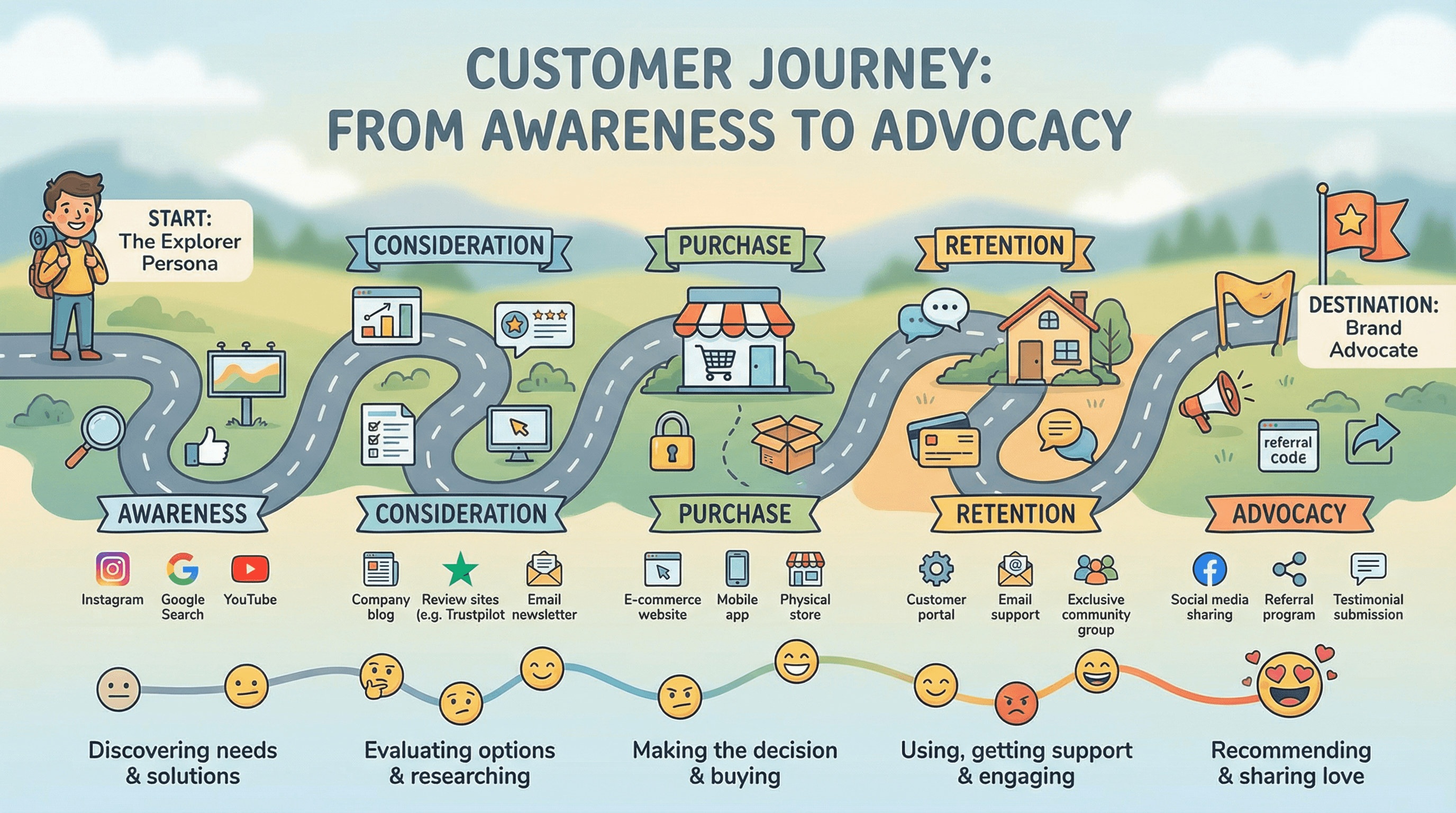
Design a slide mapping the customer journey from awareness to advocacy. Use an experience design style with horizontal journey path as a winding road, touchpoint icons at each stage, emotion indicators (happy to frustrated faces), channel logos, persona avatar at start, destination flag at end, and friendly approachable typography.
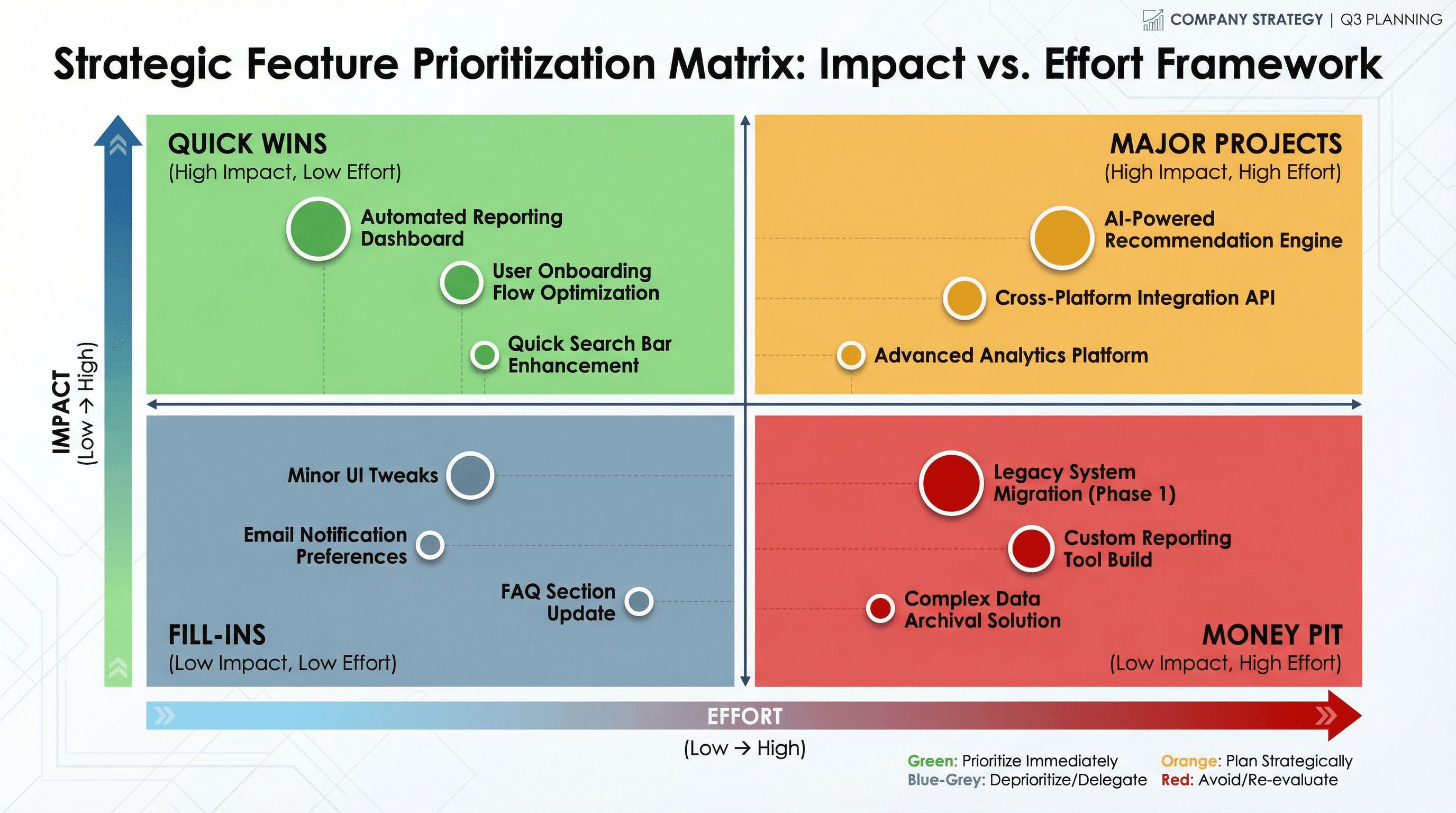
Create a slide with a 2x2 matrix showing features plotted by impact vs effort. Design in a strategic planning style with quadrant grid in contrasting colors (green for quick wins, red for money pit), plotted feature dots with labels, axis arrows with gradient fills, decision framework aesthetic, and executive presentation typography.
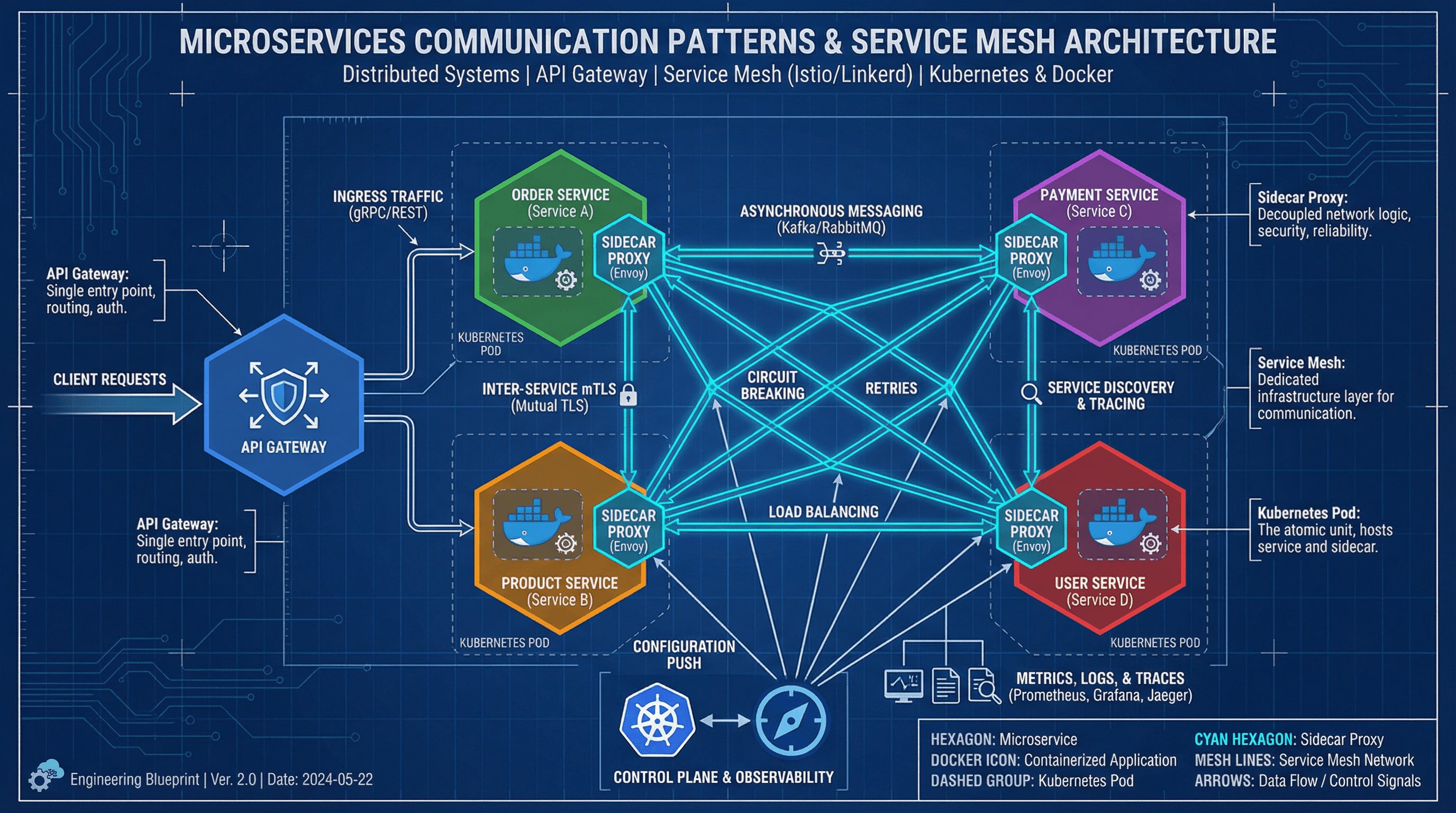
Design a technical slide showing microservices communication patterns and service mesh. Use a distributed systems style with hexagonal service containers in various colors, API gateway graphics, mesh network connection lines, Docker container icons, Kubernetes pod groupings, technical blueprint aesthetic, and clean engineering typography.
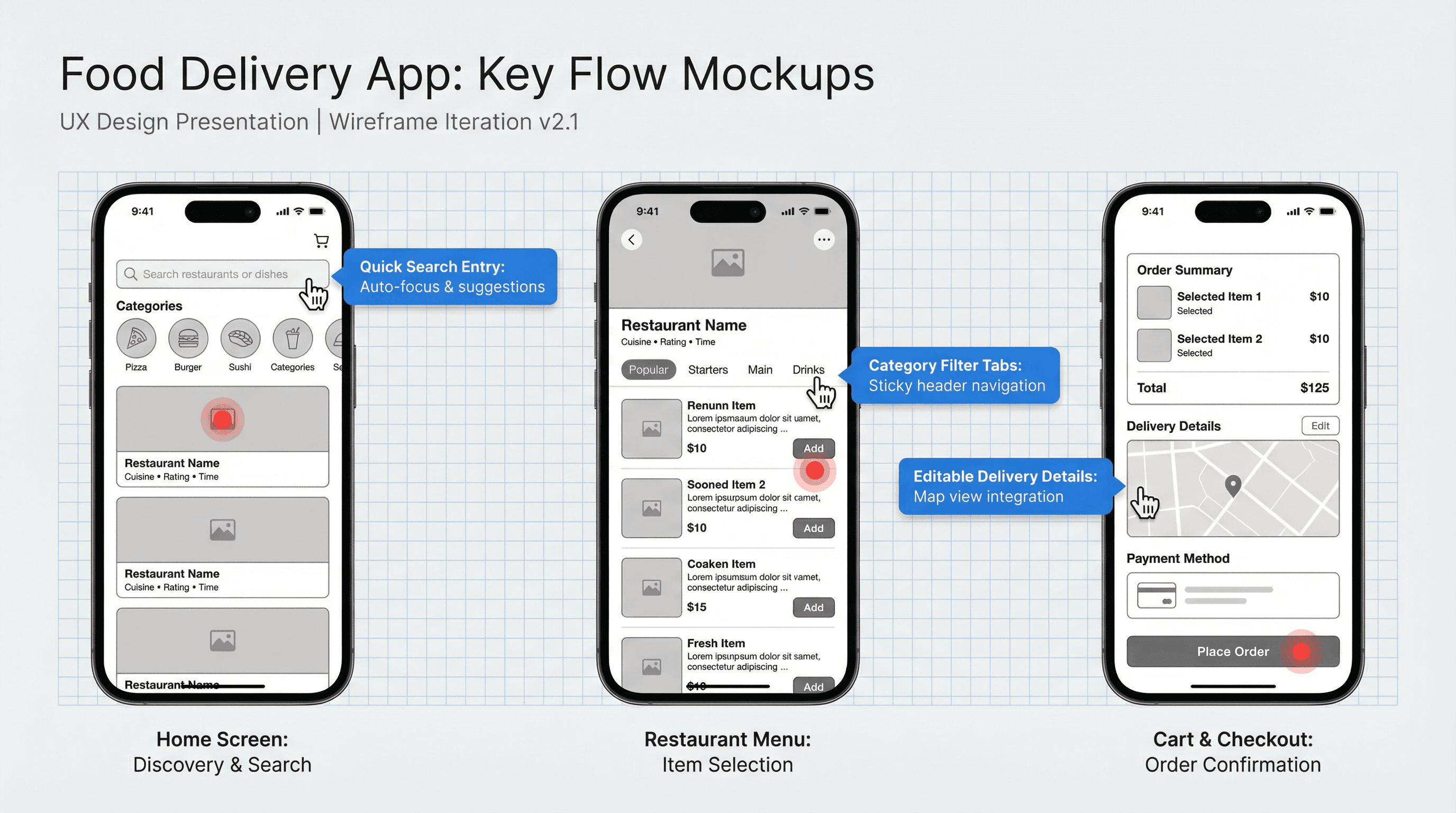
Create a slide showing key screen mockups for a food delivery mobile application. Design in a UX design presentation style with iPhone device frames, clean grayscale wireframes with blue annotation callouts, hand cursor interaction indicators, grid overlay showing spacing, red hotspot markers, and design system typography labels.
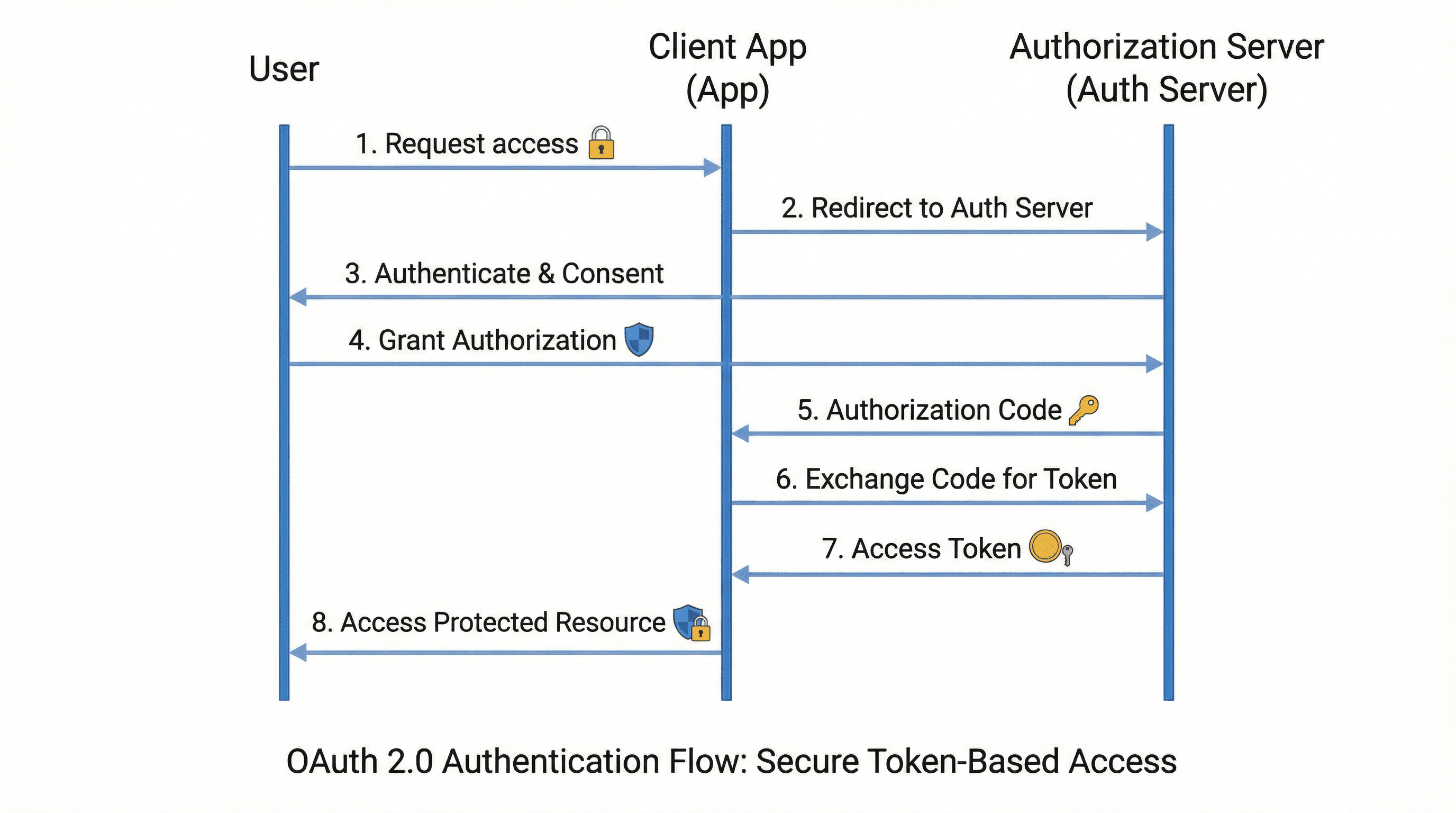
Design a sequence diagram slide showing OAuth 2.0 authentication process. Use a security protocol style with vertical swimlanes for each actor (User, App, Auth Server), numbered step arrows, token and key graphics, padlock and shield icons, clean white background with subtle blue accents, and technical documentation typography.
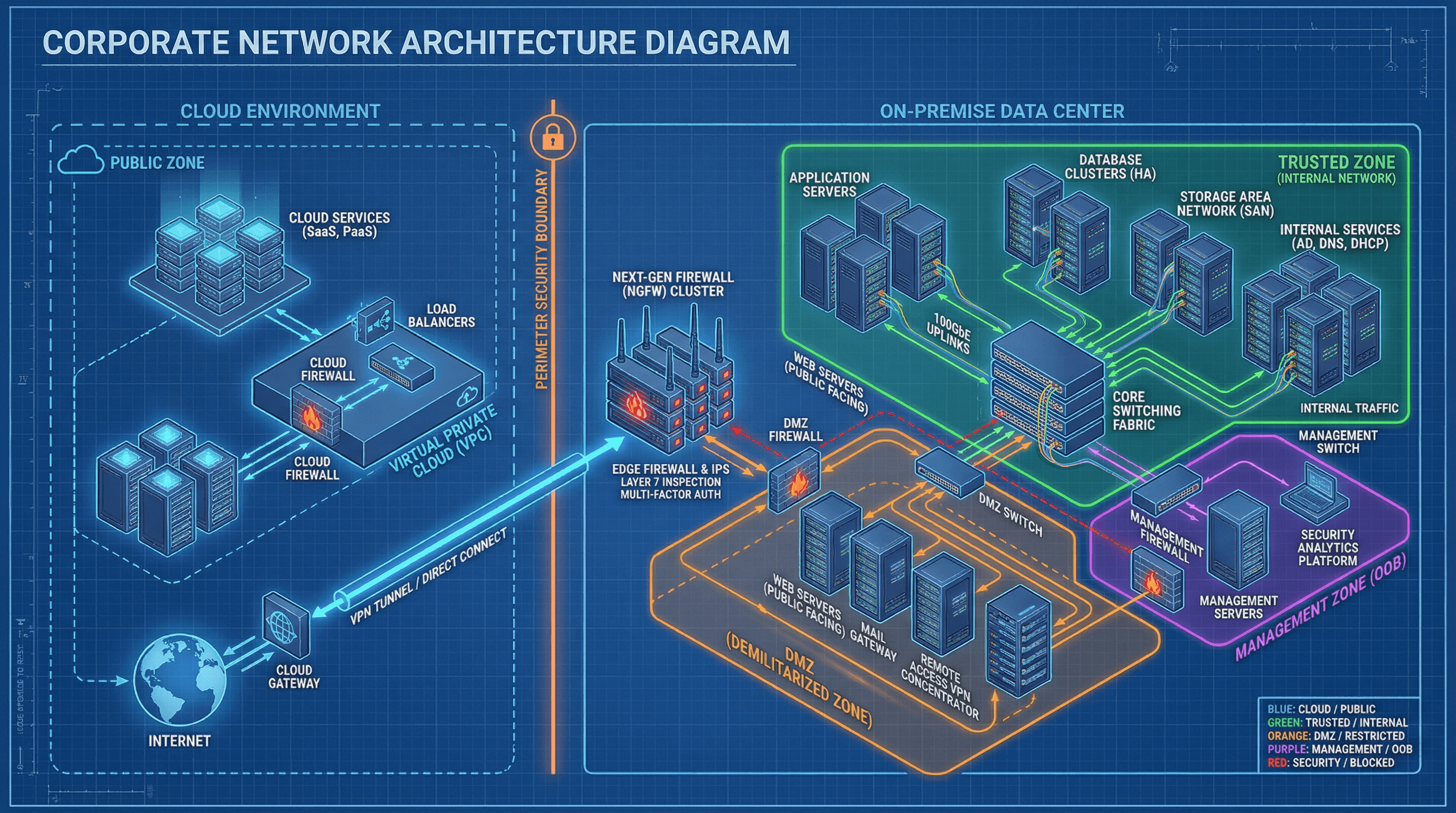
Create a slide showing corporate network architecture with servers and firewalls. Design in a technical infrastructure style with isometric 3D rack servers and network devices, connection lines showing data paths, security zone boundaries in different colors, cloud and on-premise separation, blueprint grid background, and precise engineering typography.

Design a flowchart slide showing data preprocessing, training, validation, and deployment. Use an AI/ML aesthetic with neural network node graphics, gradient purple to pink futuristic colors, data flow tubes with particle effects, brain and chip iconography, abstract geometric backgrounds, and cutting-edge tech typography with subtle glow.
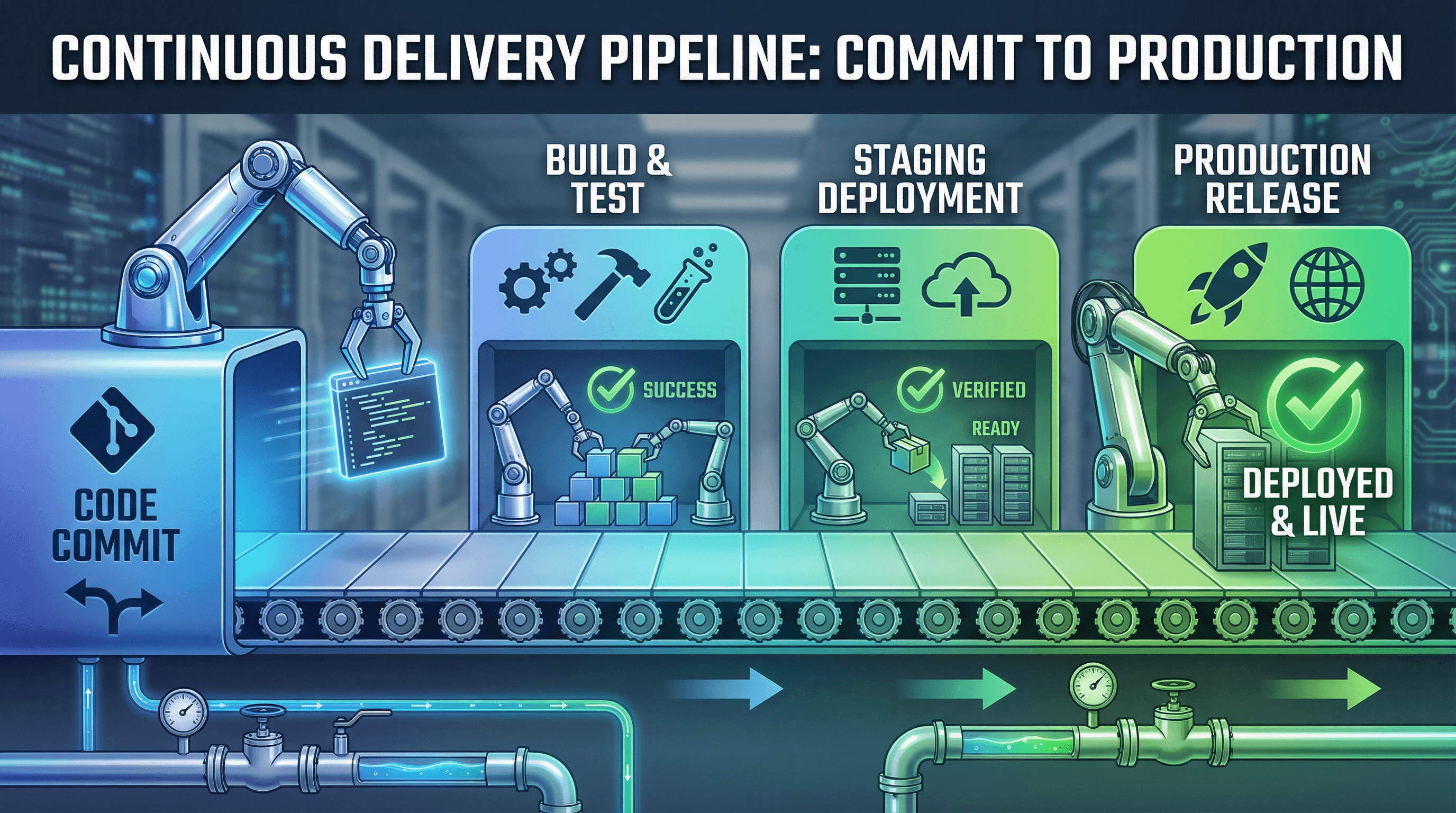
Create a CI/CD pipeline diagram slide showing code commit to production deployment. Design in a continuous delivery aesthetic with horizontal conveyor belt visual, stage containers in gradient blues and greens, automation robot arm graphics, success checkmark and build icons, industrial pipeline imagery, and bold impactful typography.
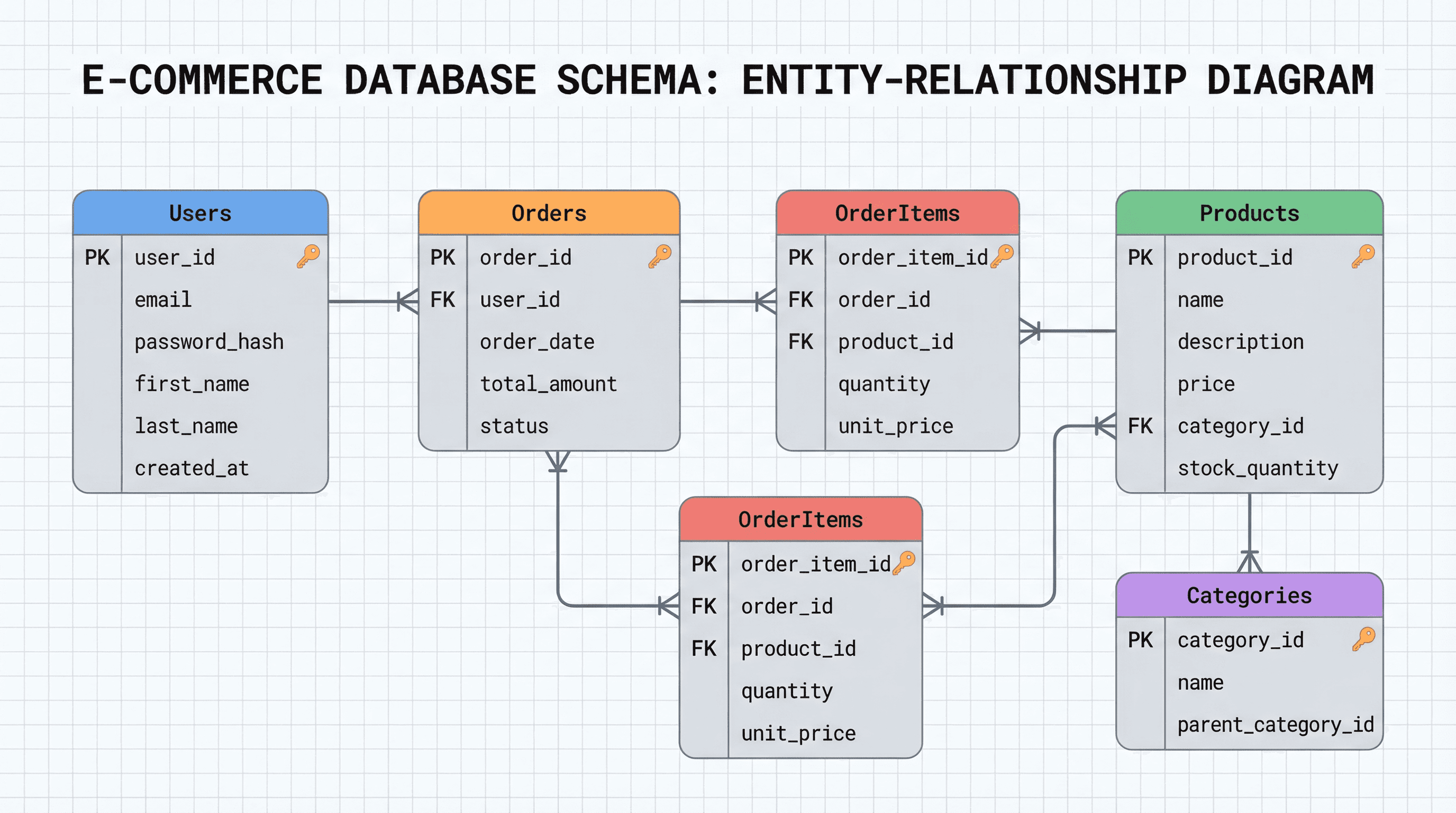
Design a slide showing an e-commerce database schema with tables and relationships. Use an entity-relationship diagram style with rounded rectangle tables in soft gray with colored header bars, primary key icons, foreign key connection lines with crow's foot notation, clean grid background, and precise technical Roboto Mono typography.

Design a slide presenting the NIST cybersecurity framework with five core functions. Use a cyber defense aesthetic with matrix-style green code rain background, shield and firewall iconography, dark background with electric blue accent glows, hexagonal grid patterns, threat radar graphics, and futuristic tech-noir typography.
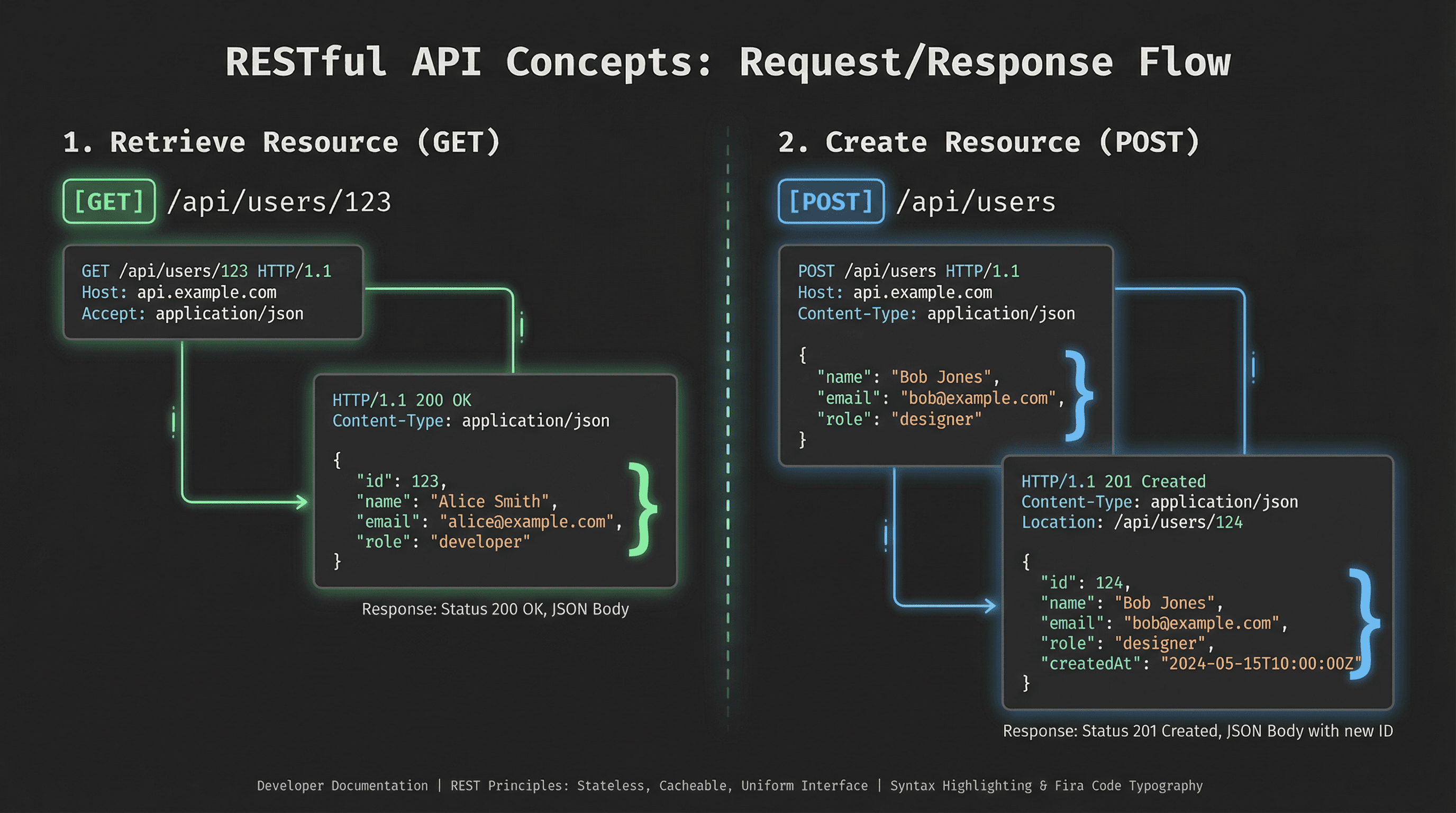
Create a technical slide explaining RESTful API concepts with request/response examples. Design in a developer documentation style with syntax-highlighted code blocks on dark background, JSON bracket graphics, HTTP method badges (GET in green, POST in blue), clean Fira Code typography, and subtle connection line animations between endpoints.
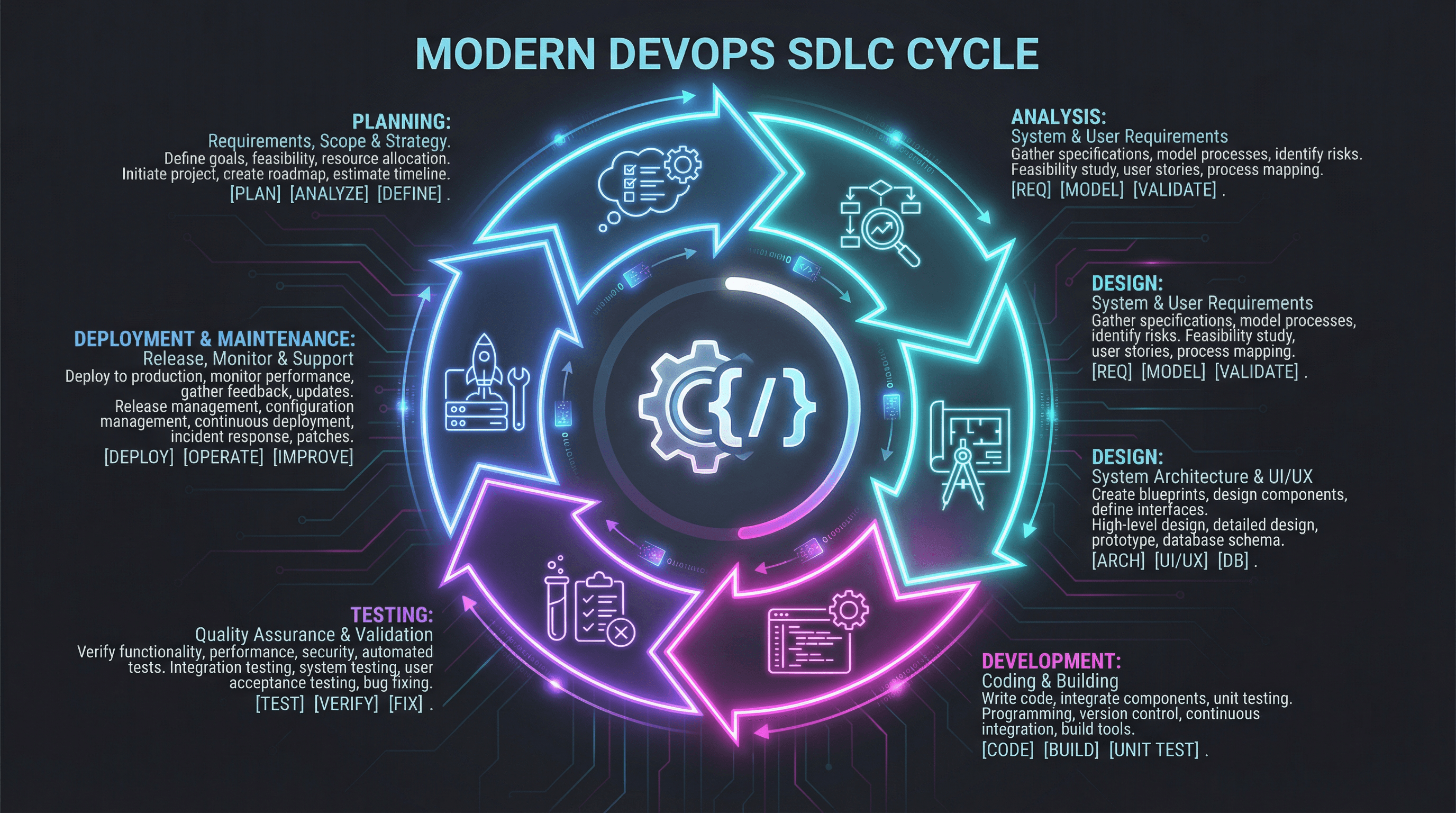
Design a circular diagram slide showing SDLC phases from planning to maintenance. Use a modern DevOps style with dark mode background (charcoal gray), neon gradient cycle arrows in cyan and magenta, gear and code bracket icons, terminal-inspired monospace typography, subtle circuit board pattern overlay, and glowing accent effects.
How to use these Diagram & Flowchart Prompt Ideas for Nano Banana prompts
Need to visualize a process, team structure, or decision path? This collection gives you the starting blocks for creating professional diagrams directly in your slides. Browse through these examples to find a structure that fits your data, then copy the prompt and swap in your specific labels. It saves you the headache of manually dragging shapes and arrows around for hours.
Since Nano Banana Pro is exceptional at rendering text, you should be specific about your labels. Don't be afraid to list exactly what you want written inside the boxes. For example, you can write: Create a flowchart with three steps labeled "Research," "Development," and "Launch." The model handles these instructions accurately, so you get usable text right out of the gate.
Define the flow and layout clearly. Tell the AI if you want a horizontal timeline, a vertical hierarchy, or a circular feedback loop. Words like "left-to-right flow," "top-down tree structure," or "concentric circles" help the model understand exactly how to arrange the elements on the canvas.
Be descriptive about the visual style to match your deck. If your presentation is corporate and clean, ask for "flat vector style, minimal blue and gray color palette, sans-serif typography." If you want something more brainstorming-friendly, try asking for a "hand-drawn whiteboard style with marker textures."
Organizational charts are a massive time-saver here. Instead of manually aligning boxes and connectors, you can describe the hierarchy levels—like "CEO at top, three VPs below, and team leads under them"—and let the AI generate a perfectly aligned structure with the titles included.
Technical workflows and architecture diagrams also shine with Nano Banana. You can request a "cloud infrastructure diagram" with specific icons for databases, servers, and users. Because the model follows design instructions closely, you can even specify color-coding for different parts of the system (like "red for firewalls, blue for servers") to make complex tech concepts easier to digest.
Use the "container" method for complex ideas. If you need to group information, explicitly ask the AI to "place related steps inside a light gray container" or "use a dotted line to group the marketing phase." This helps visually organize the logic of the chart.
Work directly in Google Slides and PowerPoint — no need to learn a new tool
Never start from scratch again, just tell us what kind of presentation you want to make.
Add, remix, and rewrite your slides to fine-tune your presentation.
If you are pasting this into an existing slide deck, mention your background color in the prompt. Asking for a "transparent background" or matching the hex code of your slide background ensures the diagram looks native to your presentation rather than like a pasted screenshot.